


Connect Minter.io to ChatGPT to ask questions about your social media performance in plain language, without leaving the chat. ChatGPT pulls the numbers straight from your Minter.io reports
Minter.io is an approved app in ChatGPT, so setup takes a couple of clicks. There is no address to paste and no API key to copy.
How to connect your social media insights to ChatGPT:
Step 1: start the connection
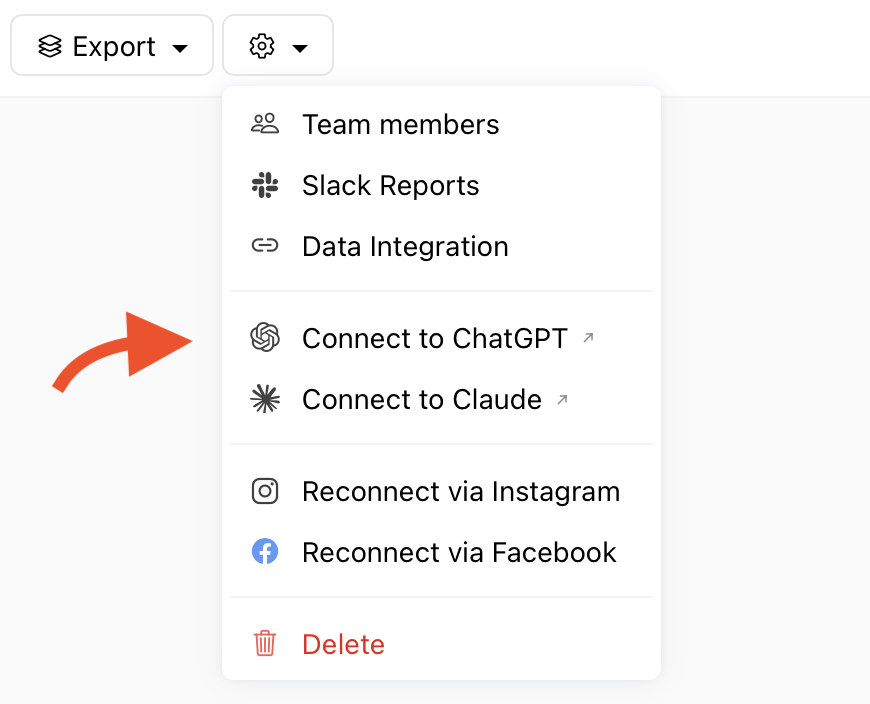
From Minter.io
Open any report.
Select the gear settings icon.
Choose Connect to ChatGPT.
From ChatGPT
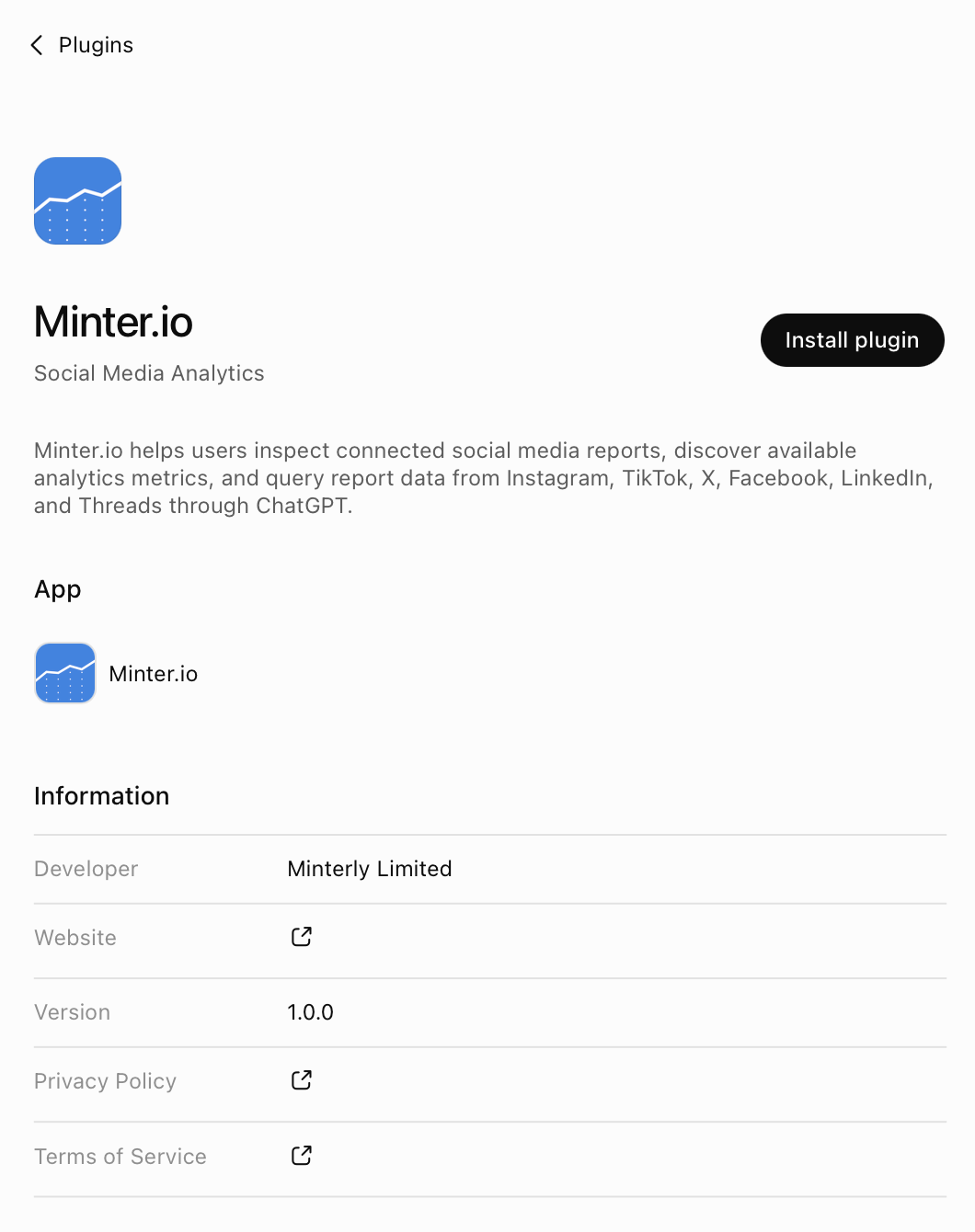
Open the plugin directory. You will find it in the sidebar, or under Settings → Apps and connectors.
Search for Minter.io and open the listing.
Step 2: connect and sign in
Select the + button to install the app. The listing shows what it can access before you confirm.
When prompted, sign in with your Minter.io account and approve access.
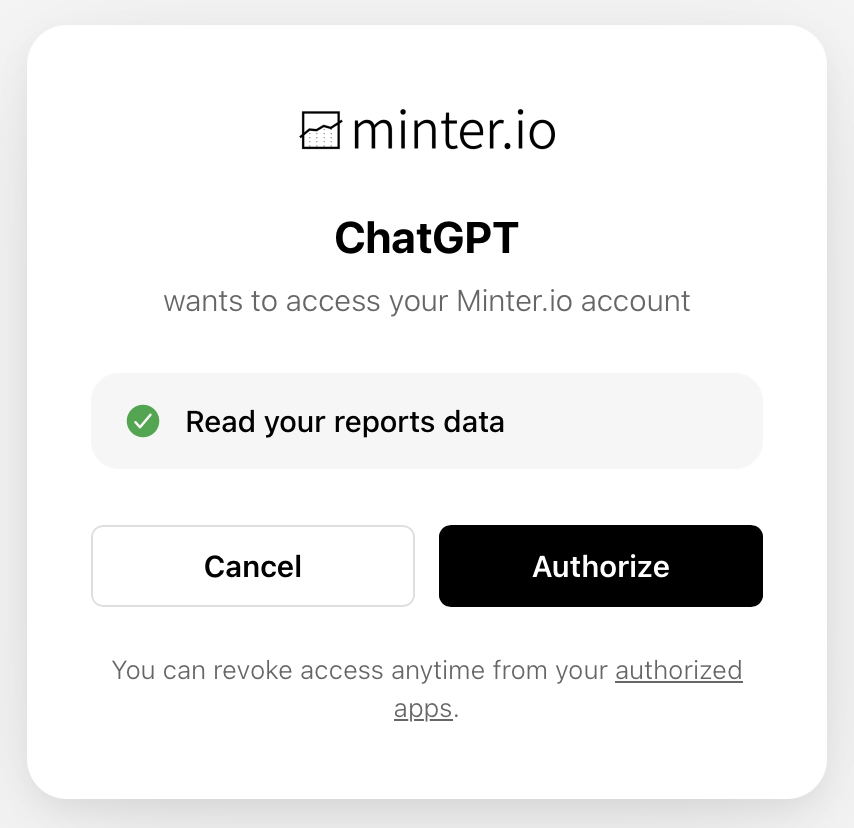
ChatGPT can only access the reports you already track in your Minter.io account and is read-only, so it cannot change your data.
How you can use Minter.io with ChatGPT
Start a new chat.
Type @Minter.io followed by your question, or pick Minter.io from the tools menu. Note: The first time you use it, ChatGPT shows an approval card describing the request. Review it and select Allow.
Ask any question about your data!
What you can ask
How did my follower growth compare to last month?
Which of my posts got the most engagement this quarter?
What is the best time for me to post on Instagram?
How are my competitors growing compared to us?
Which hashtags drove the most engagement?
Give me a summary of my LinkedIn performance for our monthly report.
Requirements
To connect ChatGPT to your social media analytics, you need a Minter.io account with the AI Analyst feature: Gold, Platinum or Agency plan, or a free trial. You will also need ChatGPT on the web or desktop, as apps cannot be installed from the mobile app. On Business, Enterprise and Edu plans, your workspace admin controls which apps are available.
Using another assistant
Minter.io is also an approved app in Claude. See How to connect Minter.io to Claude.
For Microsoft Copilot, Google Gemini and other assistants that support MCP, add Minter.io as a custom connector using this address:
https://minter.io/mcpFor more ideas on how to use Minter.io with ChatGPT or the AI Analyst, see Discover the Minter.io Ask AI feature on our blog.