Discover the Minter.io Ask AI feature

At Minter.io we believe in leveraging artificial intelligence as a force for good, to enhance human efforts and to help you achieve your goals in a smoother, faster, more intelligent way. That’s why we’ve developed the Minter.io AI Analyst, which is an artificial intelligence feature that utilises your unique social media data to give you information, advice and actionable steps for your social media accounts, centred around your social media analytics. Now, we also bring you Ask AI - a little button with a whole lot of power.
What is Ask AI
Ask AI is a quick-access feature for the AI Analyst. It makes data explanation swift, decodes graphs and gets you the answers you’re looking for without leaving the graphs you’re currently viewing. That means no resetting the date picker or flicking between pages - you can Ask AI anything about your social media data at the touch of a button next to any graph on Minter.io.
How to use Ask AI
Ask AI is a button beside individual graphs on your Minter.io social media reports. Select the button to get started.
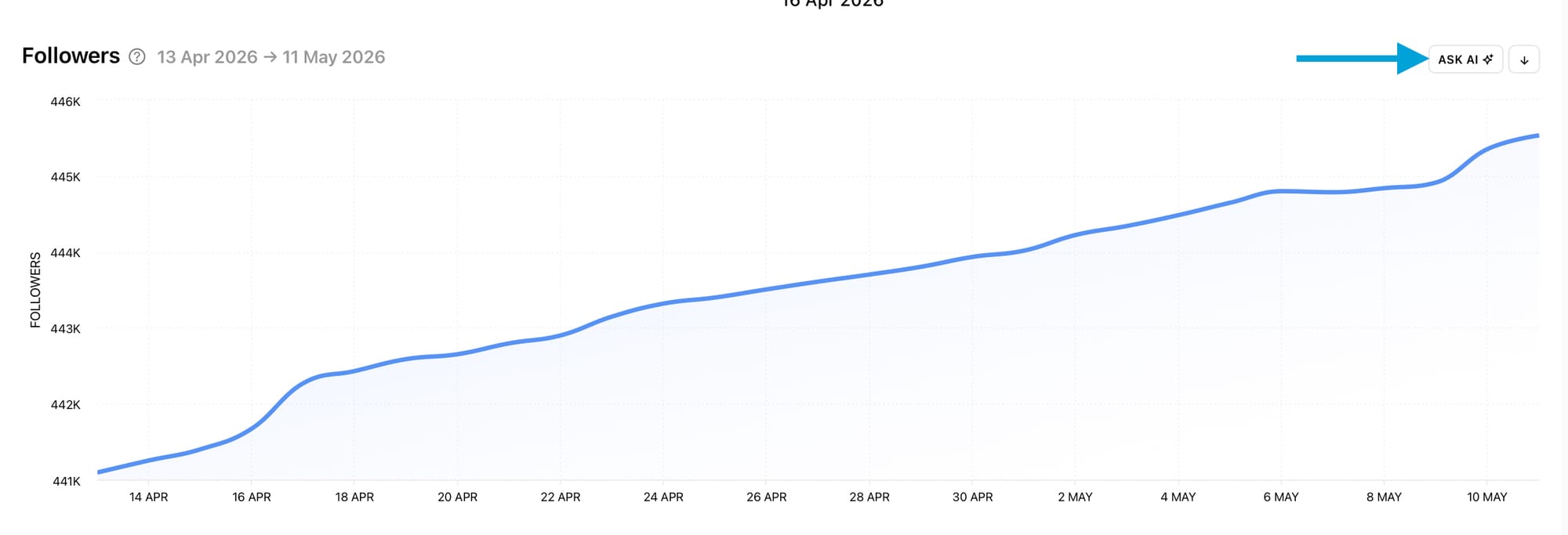
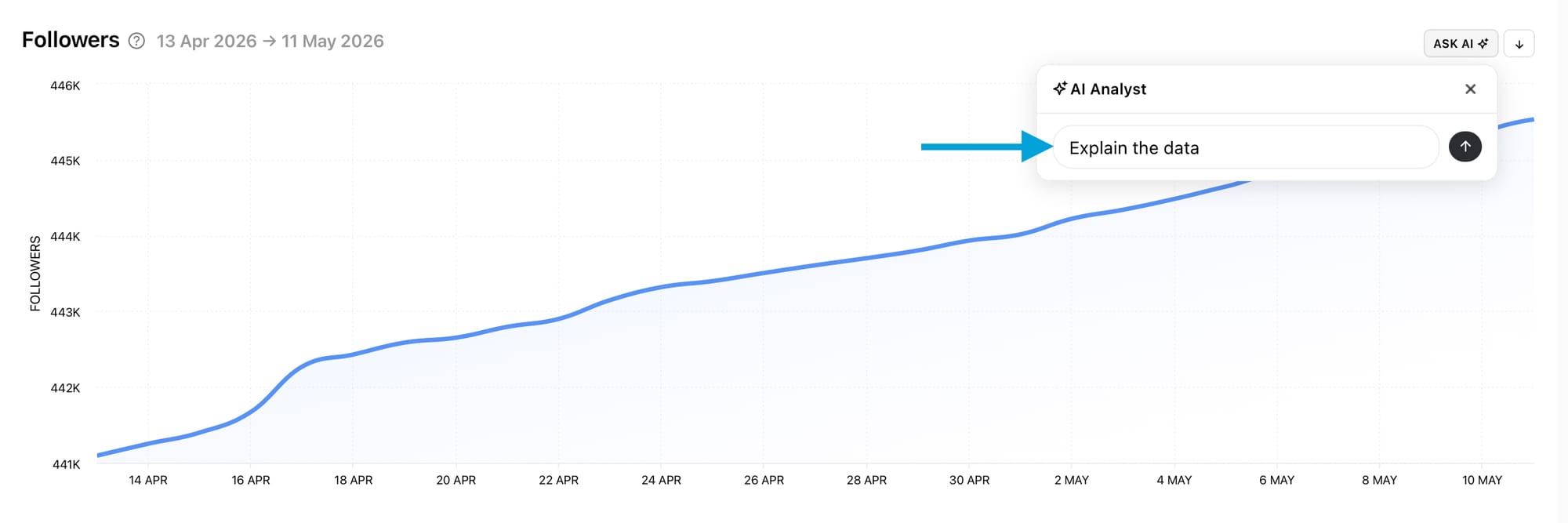
Continue with the prompt ‘Explain the data’ or input your own prompt. Then, hit the arrow button next to the text box.
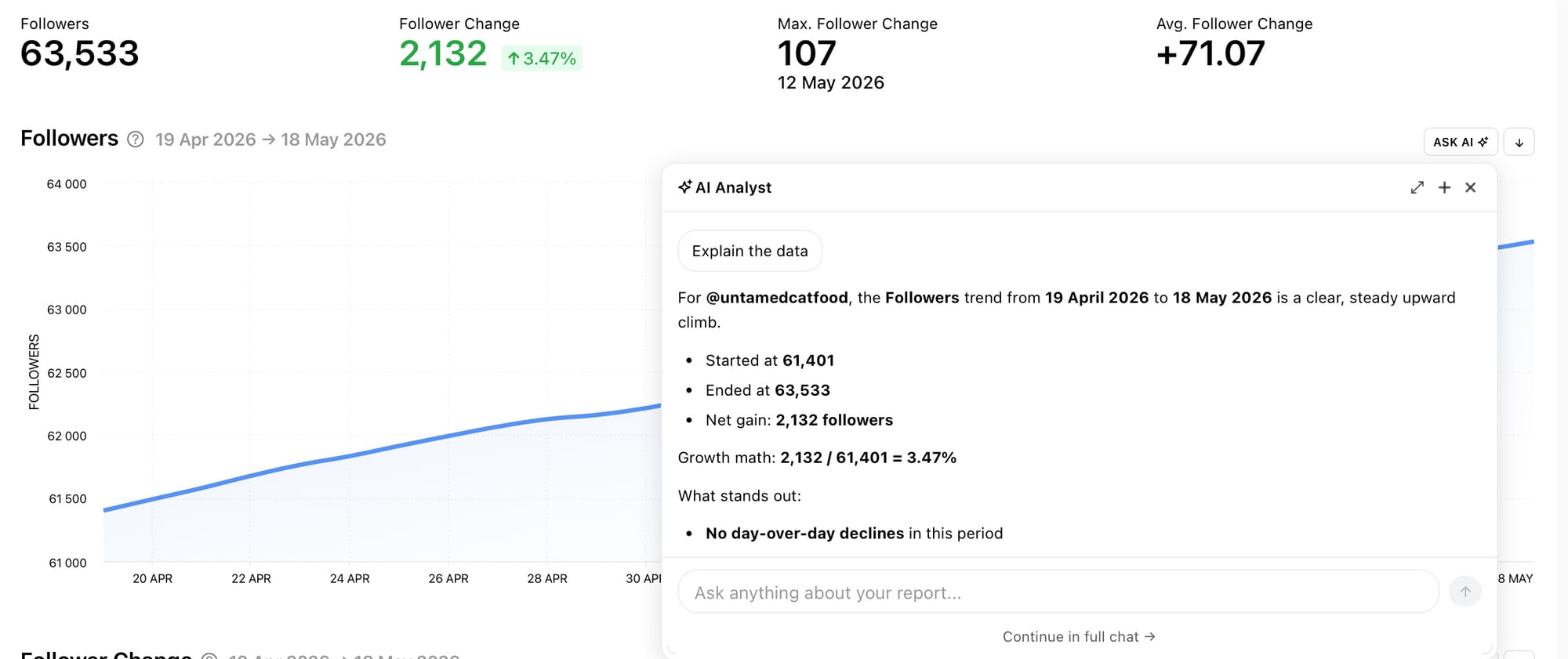
Ask AI will respond to the prompt. If you’ve chosen the ‘Explain the data’ prompt, Ask AI will break down the data within the graph.
Add another prompt in the text box to continue the conversation with Ask AI.
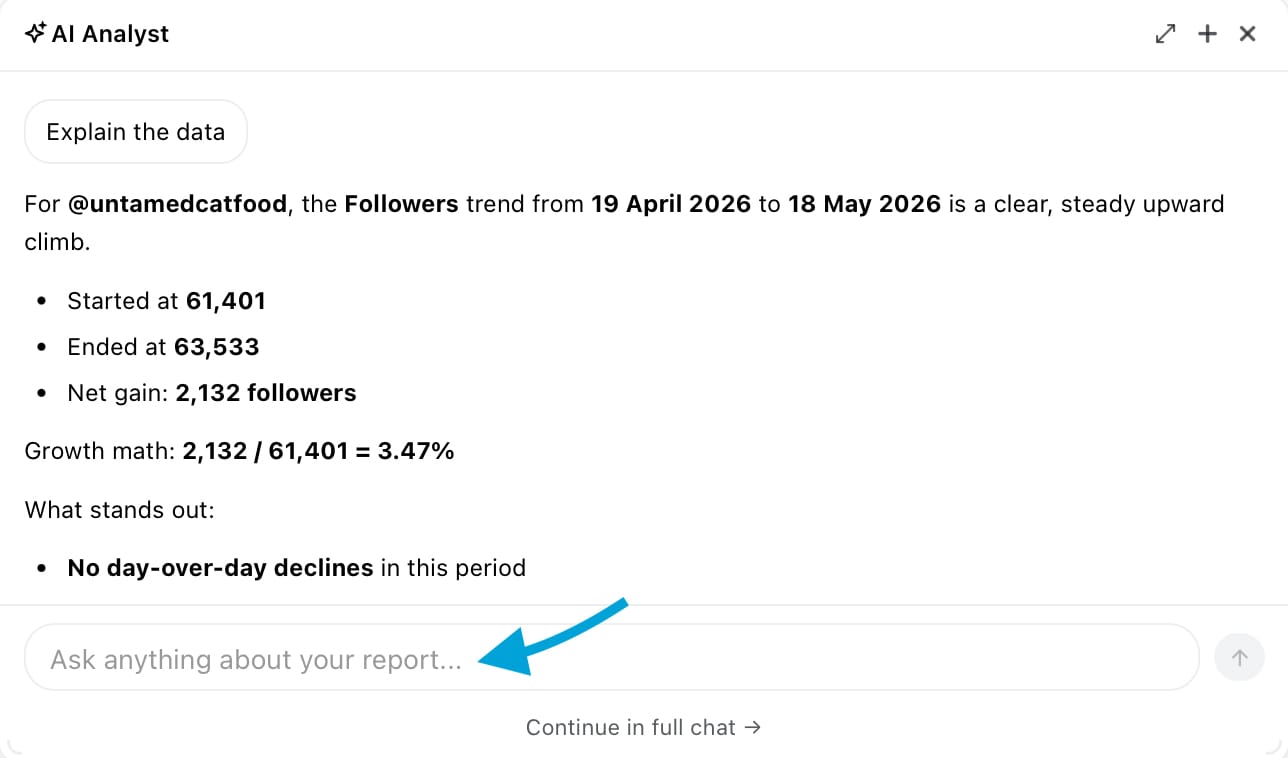
Select the double arrow icon to expand the Ask AI chat box.
Choose the plus icon to start a new chat with Ask AI.
Hit the cross icon to close Ask AI.
Choose ‘Continue in full chat’ underneath the text box to leave the page and open the full AI Analyst.
Ask AI responses are stored within your chat history for you to return to at a later date if needed.
Ideal uses for Ask AI
Once you start chatting with Ask AI it is sure to become your trusty sidekick in unravelling your social media graphs. Here are some ideas of what to use Ask AI for, to get you started…
Explaining the data in a specific graph
The perfect use of Ask AI is to get more information related to a specific graph on your Minter.io account because you can simultaneously look at a graph and ask the AI questions about it.
Ask AI:
- To explain the data
- What contributed to spikes or dips in the data
- Why the data is trending positively or negatively
- How the data differs to a different time period (e.g. the previous quarter)
- To turn the data into a small trend chart
- To summarise the data in a more report-style format
Questions relating to your social media account
While Ask AI is attached to specific graphs, it has the full force of the AI Analyst behind it, meaning you can ask questions relating to any of your social media data on that specific account without navigating away from the graph you’re currently viewing. This makes it ideal for comparing the graph you’re currently viewing with another graph on the account, or simply popping in a quick prompt that springs to mind while perusing your social media analytical data.
Suggestions to improve the graph
Understanding your data is the first step in improving the data. A key use of tracking social media analytics and insights is to build upon it. Ask AI is a nifty little tool for analysing the data from a specific graph to come up with ideas, inspiration, step-by-step systems and full content plans to improve the key performance indicators that matter to your business.
Ask AI:
- To use the data to inform your next posts
- To build a content strategy to improve your graph data
- Which other metrics to look at to strengthen the current graph’s performance
Ask AI is available on Minter.io for social media analytics across Instagram, Threads, TikTok, Facebook, LinkedIn and X. Discover Ask AI today!