How to use the Minter.io AI Analyst for social media data

It turns out AI isn’t only copying artwork, stealing your boyfriend and plotting to take over the world. Sometimes, when wielded wisely, it can be a force for good… like powering your washing machine and making business infinitely easier. At Minter.io we like the implementation of innovative AI tools that help humans thrive, so we’ve created an AI tool that makes sense of your social media analytics to drive effective business decisions and help your life run more smoothly. It’s called AI Analyst and it’s here to transform your relationship with social media analytics.
What is the Minter.io AI Analyst?
The Minter.io AI Analyst is a relatively new feature built to analyse social media analytics, powered by artificial intelligence. It sifts through large amounts of analytical data and simplifies it, helping turn knowledge into clear, actionable plans. It is the ideal tool for covering a huge array of approaches to social media metrics. Whether you’re looking for a breakdown of a specific key performance indicator or you’d like to make sense of data that seems overwhelming or confusing, the AI Analyst has you covered. And the best part? It uses your unique data to inform its answers, meaning you get information tailored specially to your social media profile and its content.
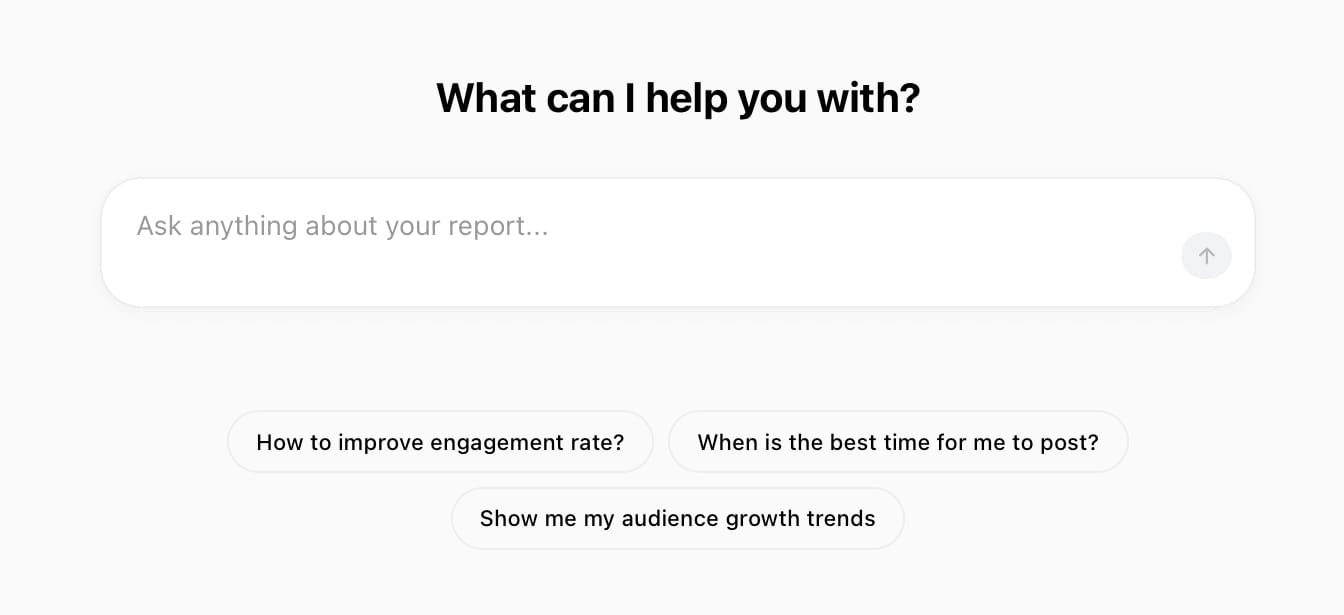
We’re constantly updating and upgrading our AI tool to give you the best possible experience. Our aim with the AI Analyst is to make growing on social media quicker, easier and more understandable through the effective transformation of this data into information and real marketing steps you can implement.
What you can use the AI Analyst for
There’s a huge amount of ways you can use the AI Analyst, from finding information fast to clarifying your understanding of the data and developing content plans. Here are a few popular uses.
Use the Minter.io AI Analyst to:
- Break down a specific metric
- Develop content plans based on a specific goal
- Create exports
- Learn more about your audience
- Discover why your top-performing content worked
- Summarise marketing campaign efforts
Not sure what to enter as a prompt? Use a prompt from the options below the text box to get started. You may find that the more you use the AI Analyst, the more value you get from it as you discover just how much it can assist you with.
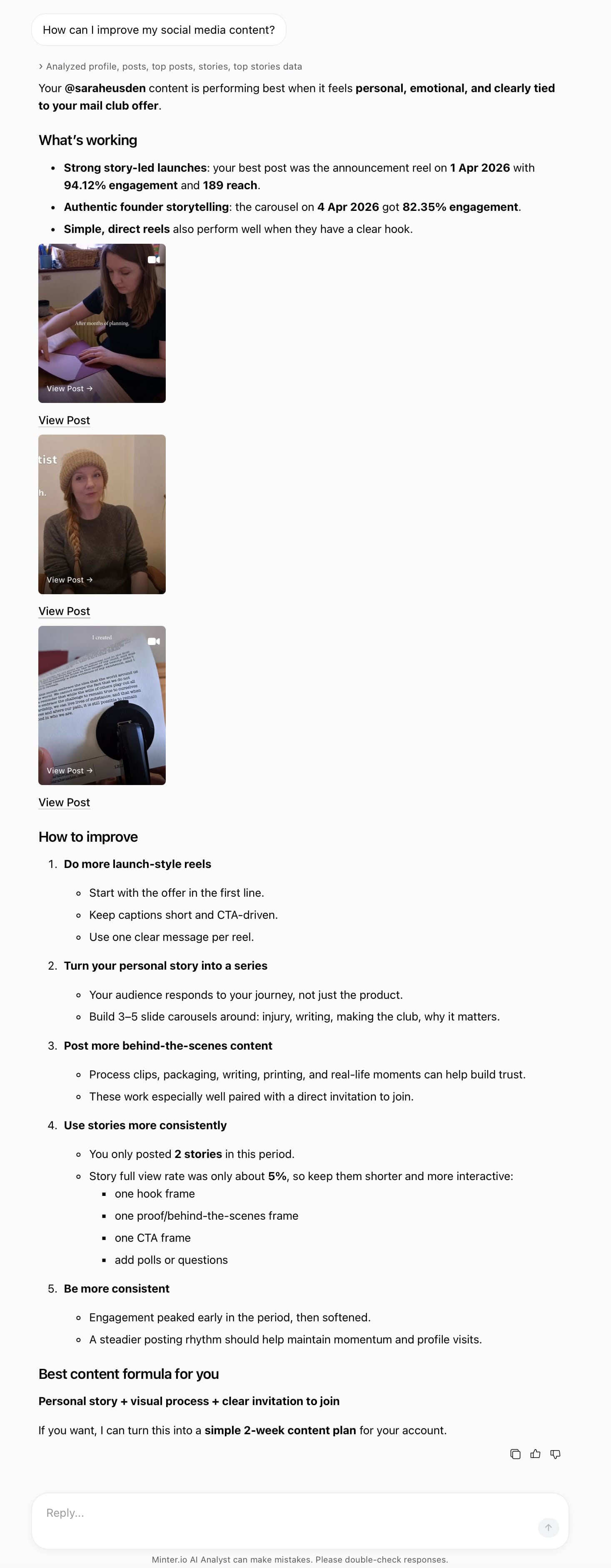
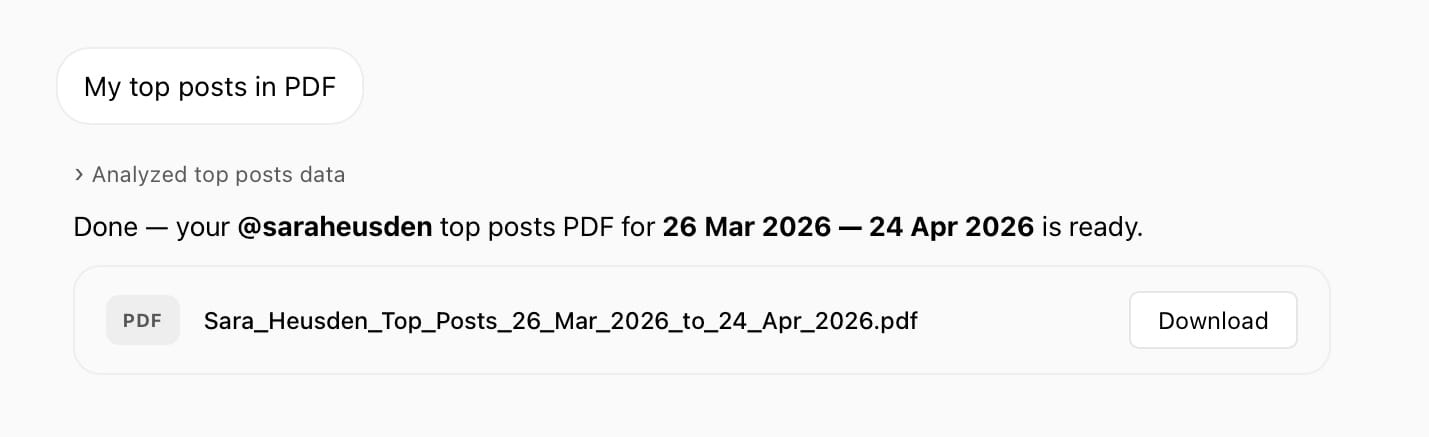
Exporting data directly from the AI Analyst is quick and easy. Simply type in the data you’d like to export and your desired format (PDF, XLS or PPTX) and your report is downloadable within the AI Analyst.
How to use the AI Analyst
Open Minter.io and select a linked account. The AI Analyst is available for linked social media accounts, competitor accounts and tracked hashtags. If you can track it on Minter.io you can use the AI Analyst to demystify the data and leverage its knowledge to make decisive, effective marketing moves.
Access the AI Analyst from the panel on the left-hand side of the screen.
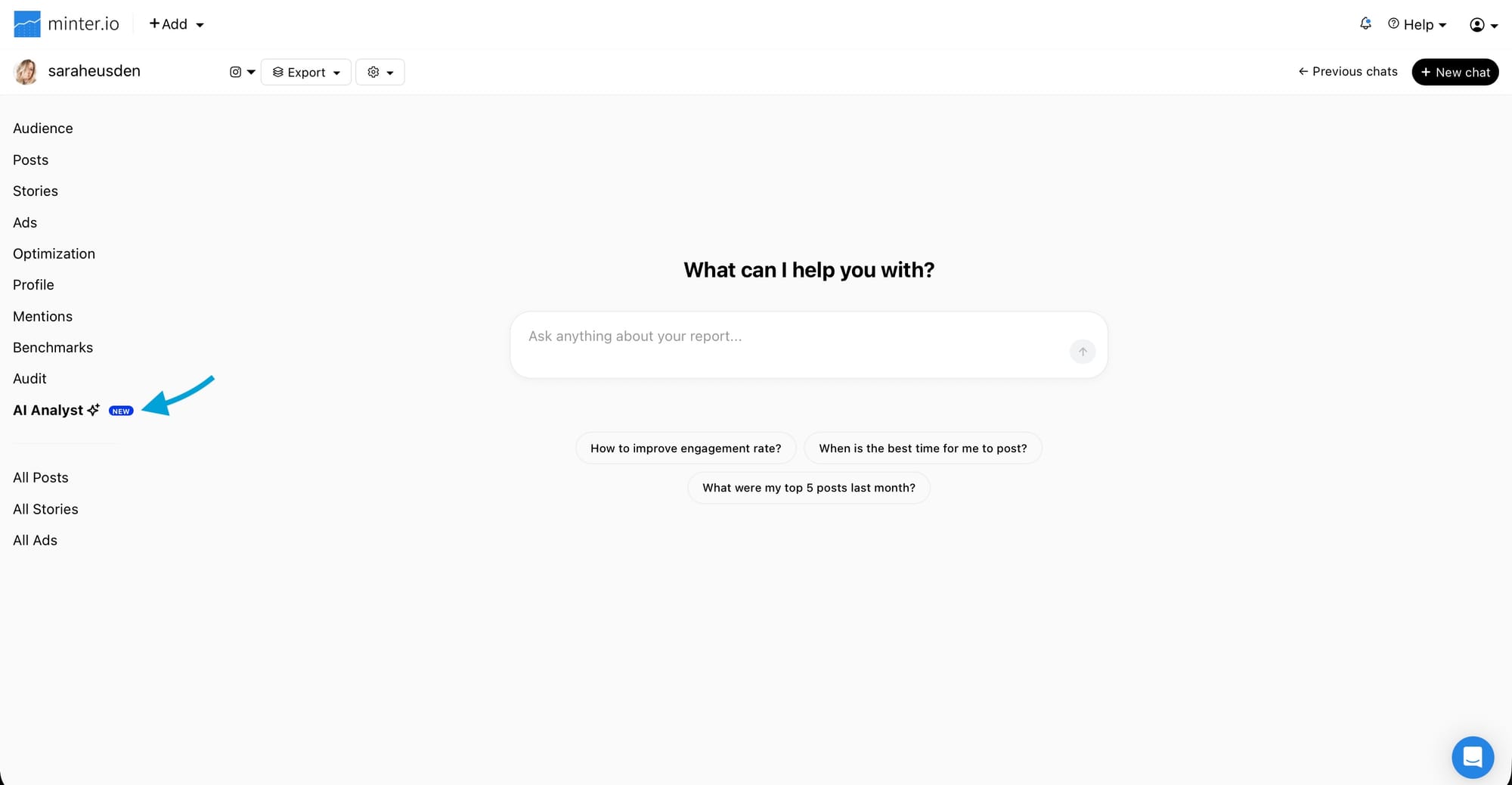
Select a prompt or enter your own into the text box. This could be anything from improving a key performance indicator, identifying trends within top-performing content or generating ideas for your next posts. I mean, you can also ask it what it thinks you should eat for dinner, which might help fuel your brain for creative ideas but probably won’t make the most of its data-crunching power.
Relevant posts are displayed in the AI Analyst interface. Select a post to view it and its metrics.
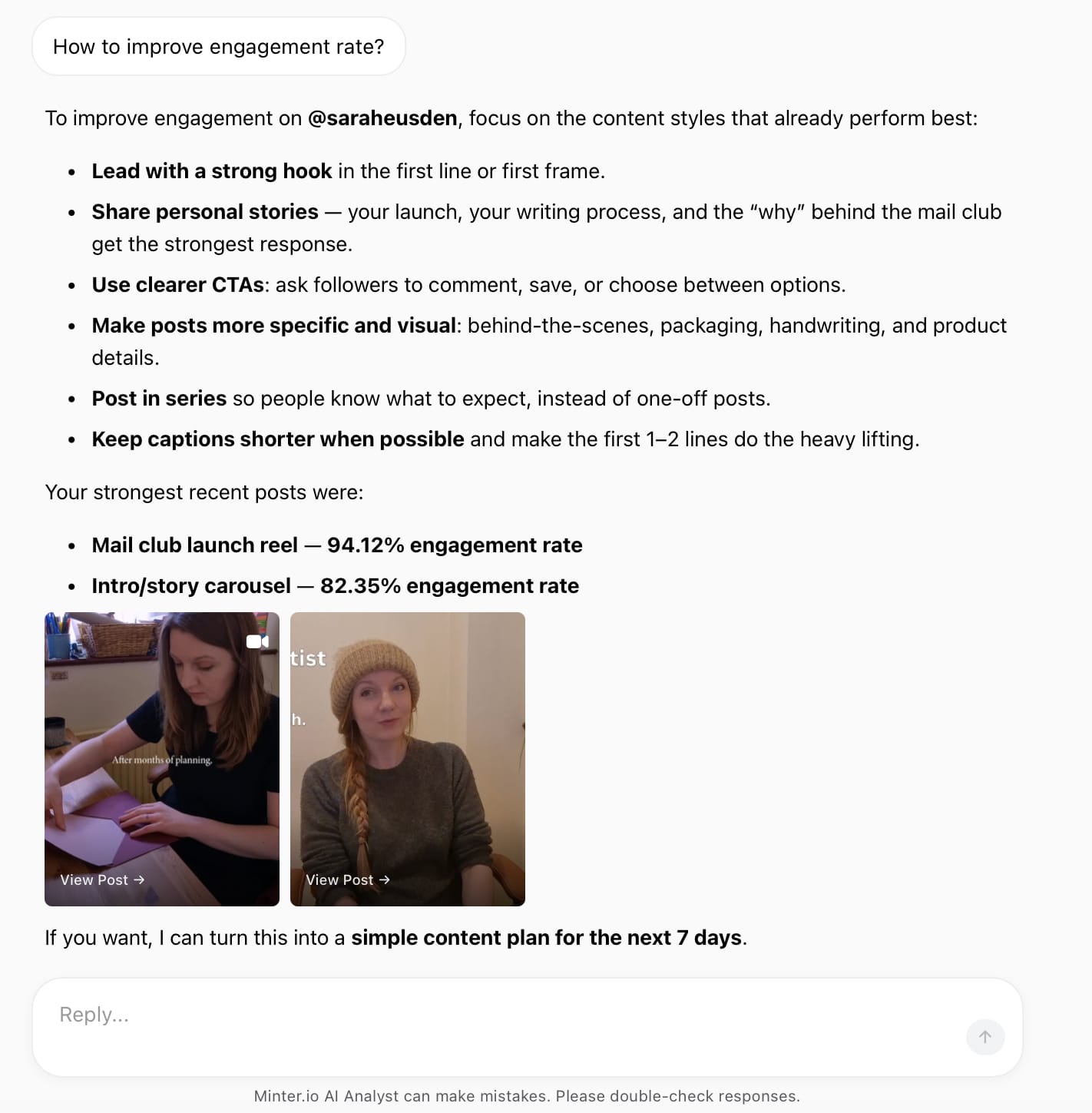
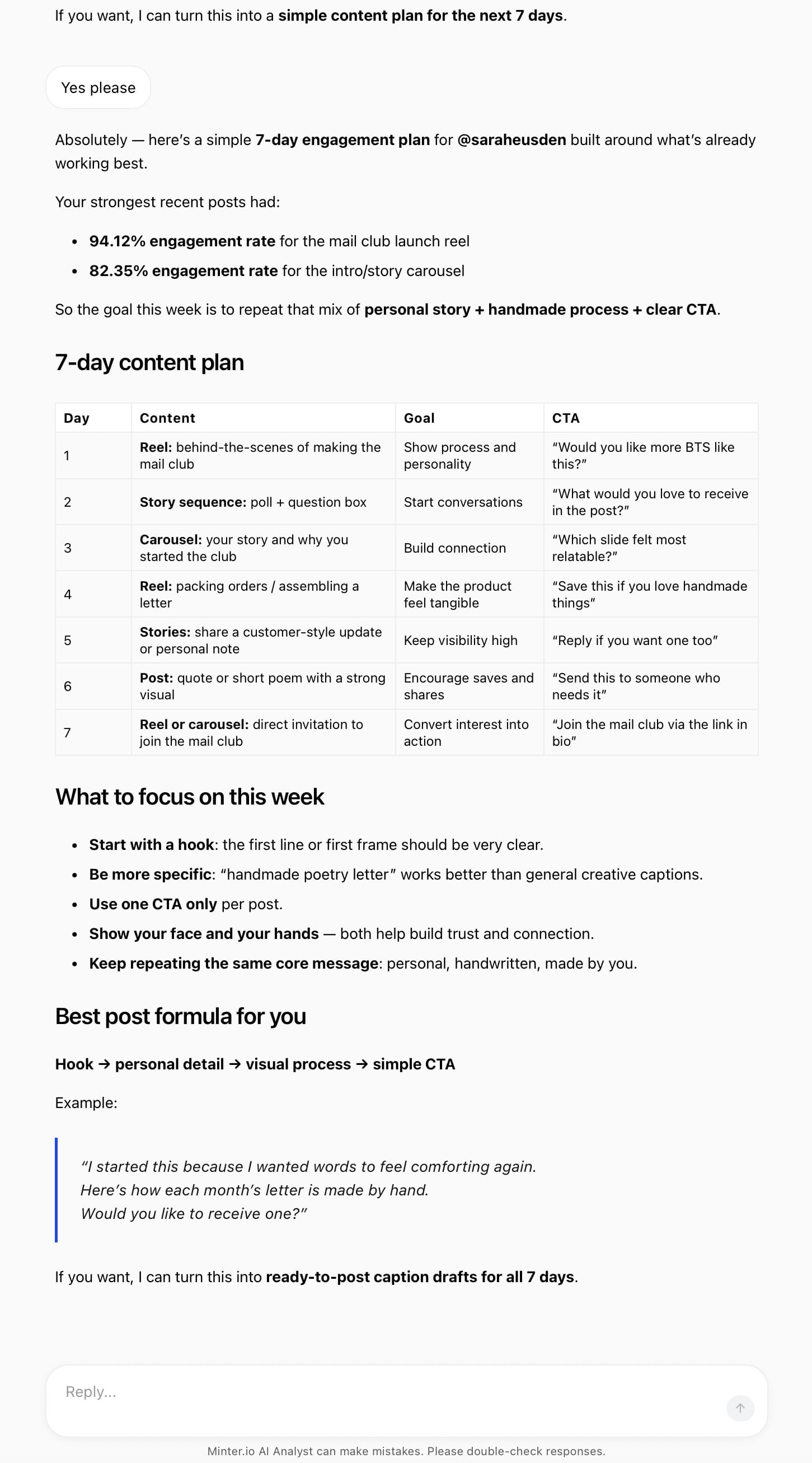
At the end of its response, the AI Analyst will suggest further information you may find useful and relevant. Respond and proceed with the suggested prompt or ask another question using the ‘Reply’ text box.
How to use Ask AI
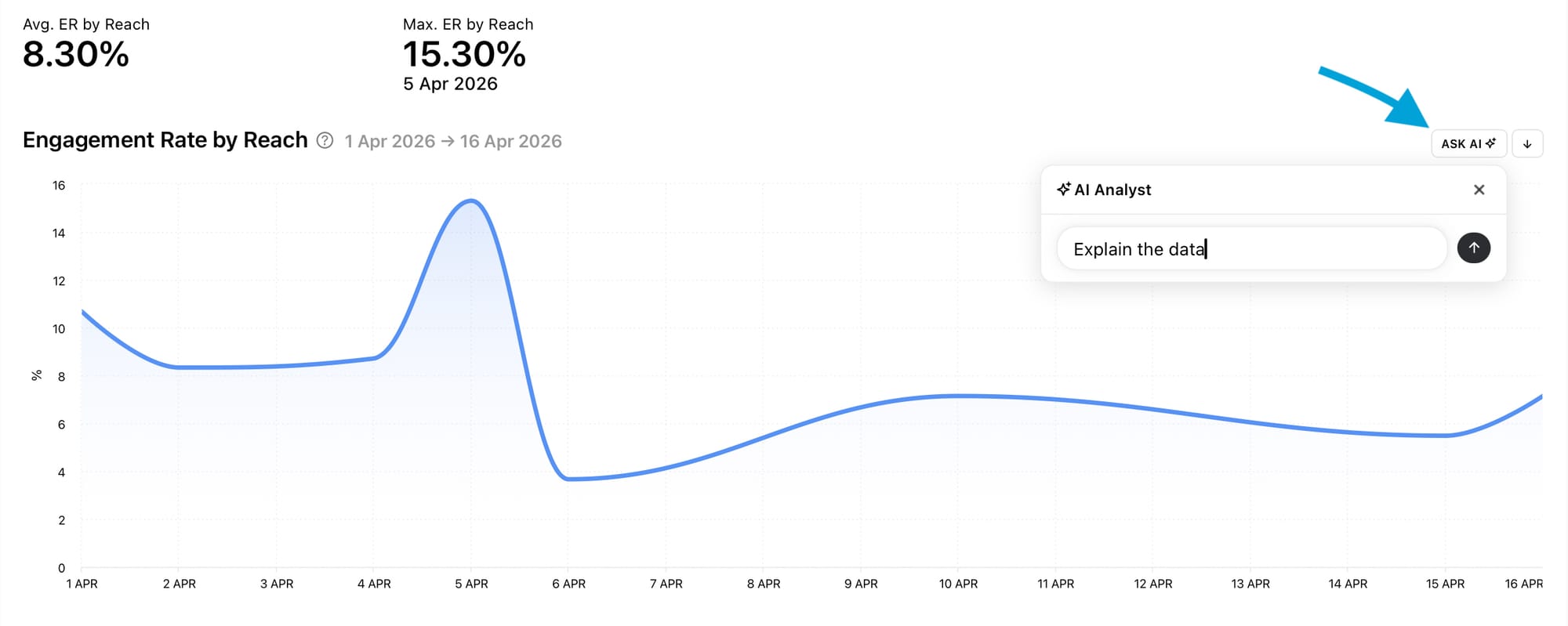
Ask AI is a Minter.io feature that allows you to start quick chats with the AI Analyst from any Minter.io graph. This helps you find information fast while simultaneously viewing your report. You can find it on the right-hand side of any graph.
To use Ask AI:
- Select the ‘Ask AI’ button next to any graph.
- Go with the prompt ‘Explain the data’ or insert a prompt of your own.
- Click the arrow next to the text box.
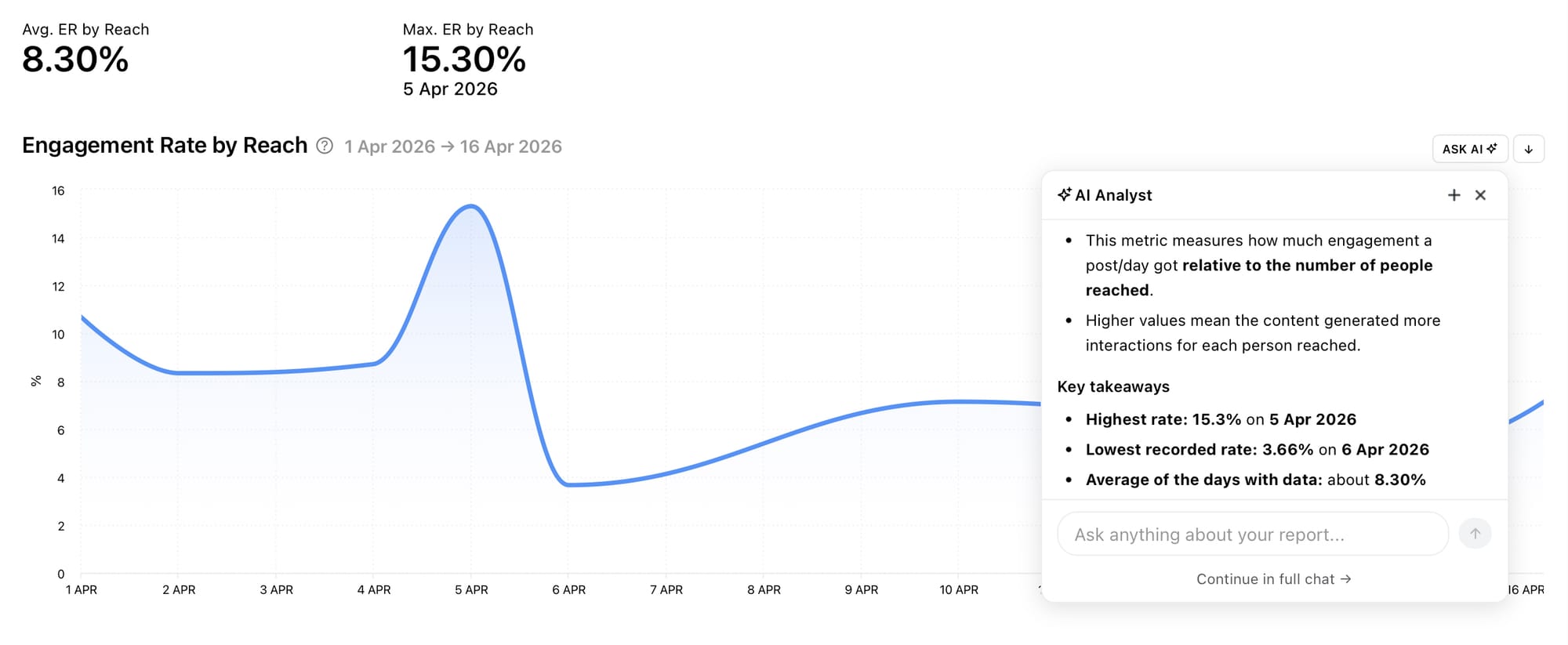
- Let the AI Analyst break down the specific chart in seconds.
Access the Minter.io Ask AI feature
From here you have a few options:
- Reply in the text box at the bottom of the AI response to continue using the AI Analyst at the side of your graph.
- Hit the cross icon in the top right-hand corner of the AI response box to close the AI Analyst.
- Select the plus icon in the top right-hand corner of the AI response box to start a new chat.
- Alternatively, choose ‘Continue in full chat’ at the bottom of the AI response box to open the full AI Analyst screen.
How to view your AI chat history
Your previous AI Analyst chats, and chats started through the Ask AI feature, are saved for you to return to at any point. You can view previous chats and pick up where you left off by continuing any conversation from your chat history.
To find your AI Analyst chat history:
- Select AI Analyst from the panel on the left-hand side of the screen.
- Choose ‘Previous chats’ from the top right-hand corner of the screen.
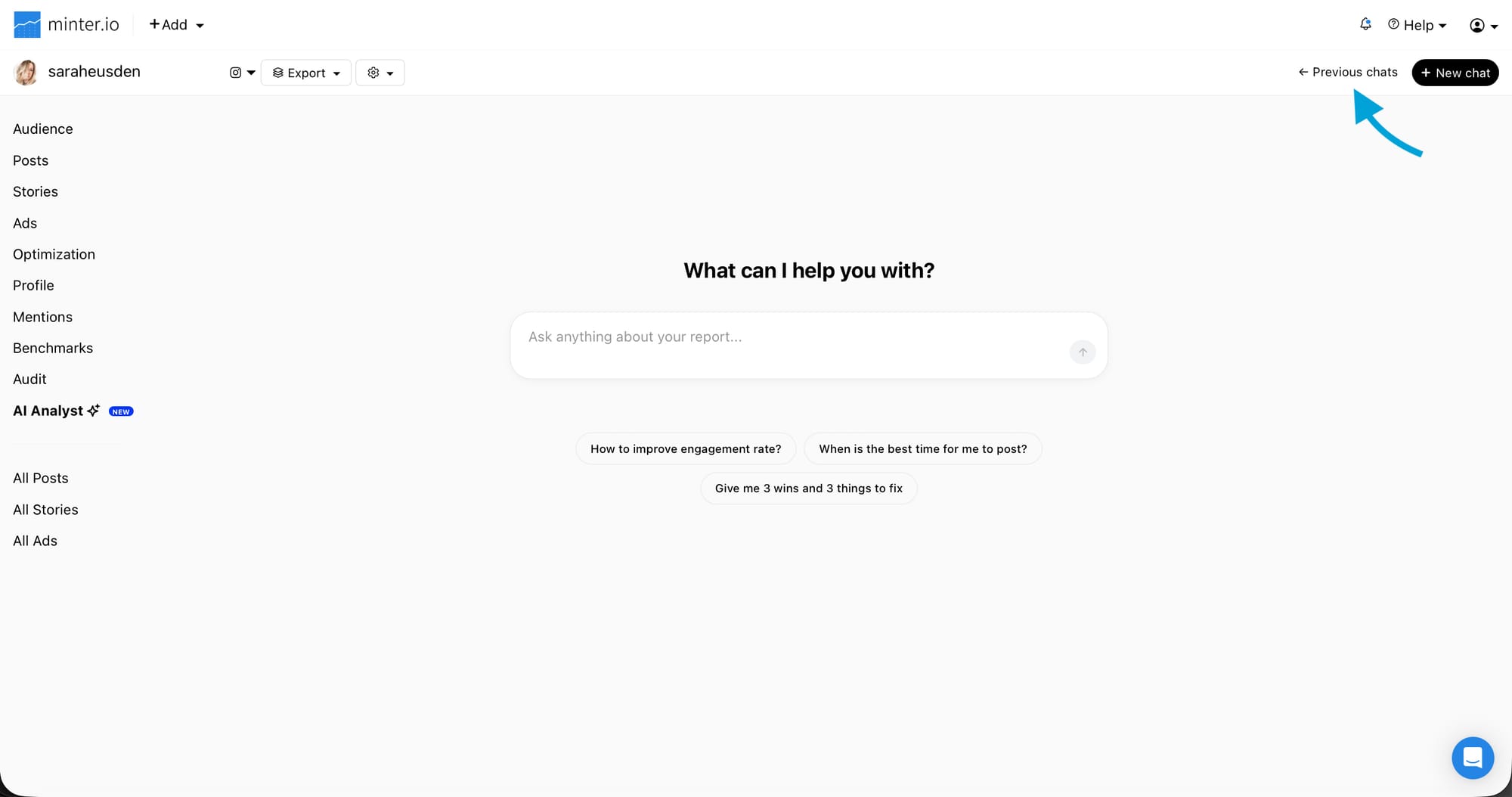
Select a chat to view it and use the text box at the bottom of the screen to continue the conversation.
Find out why people who use the Minter.io AI Analyst keep coming back. Try it today and watch how it accelerates your business growth fast.
Chat with your social media data.