
How to Run an Instagram Audit

What is an Instagram audit?
An Instagram audit is a structured review of an account's performance that helps you understand what is working, what is underperforming and what to do next. It can be as simple as checking a few key metrics, or as detailed as reviewing content, audience growth, reach and engagement over time.
With Minter.io, you can run an audit in several ways: ask AI Analyst to review your account, generate a structured report, use the free Instagram Audit tool or review your Instagram analytics manually in a clear, user-friendly dashboard.
Before you start
Start by deciding what you want your Instagram account to achieve and which period you want to analyse. Your goals, whether growth, reach, engagement, traffic or content performance, will determine which metrics matter most.
Choose one of the following approaches depending on how much detail you need, or combine them for a fuller review.
1. Ask Minter.io AI Analyst to audit your Instagram account
One way to run a detailed audit is to ask Minter.io AI Analyst. Ask questions in plain language, and AI Analyst reads your account's analytics and explains what the numbers mean.
You can start with a prompt such as:
- What are this account's biggest strengths and weaknesses?
- Compare the last 90 days with the previous 90 days.
- Which content contributed most to follower growth?
- Why has my reach declined?
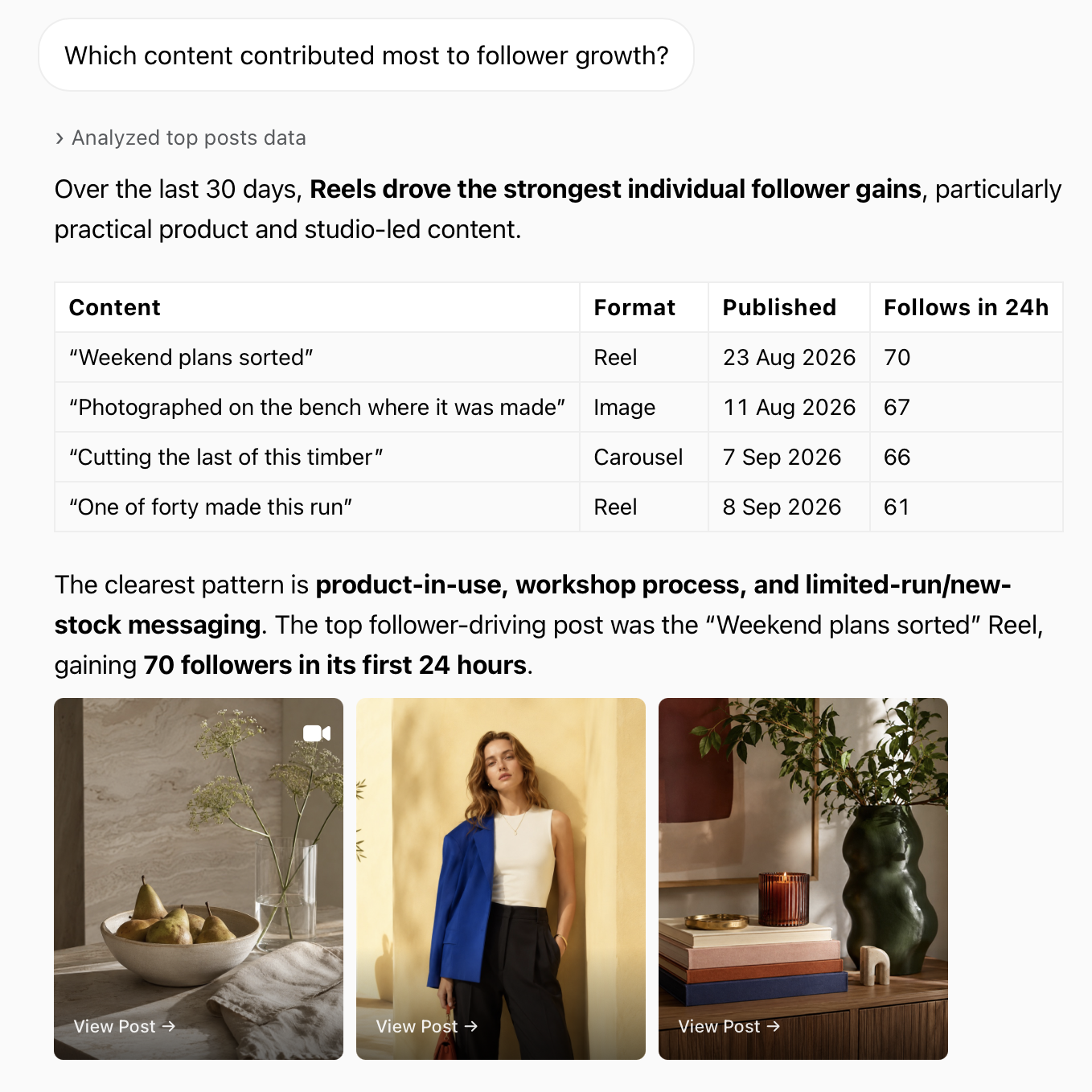
AI Analyst can review your account data, identify trends, highlight strengths and weaknesses and suggest areas for improvement.
The audit can become a conversation. Follow up on anything that matters or ask for next steps. Instead of simply seeing that a metric changed, you can investigate why.
2. Generate an Instagram audit report from a template
If you prefer a structured report, Minter.io offers four Instagram audit report templates. Each one is built around a specific question, so you get a consistent, complete audit without having to decide what to ask or which metrics to include.
To start your audit report, open the account's report in Minter.io and choose a template from the Export menu, or go to the AI Analyst chat page and pick a template there. The Instagram audit report is generated from your account data and delivered as a PDF. You can ask for changes in the same chat!
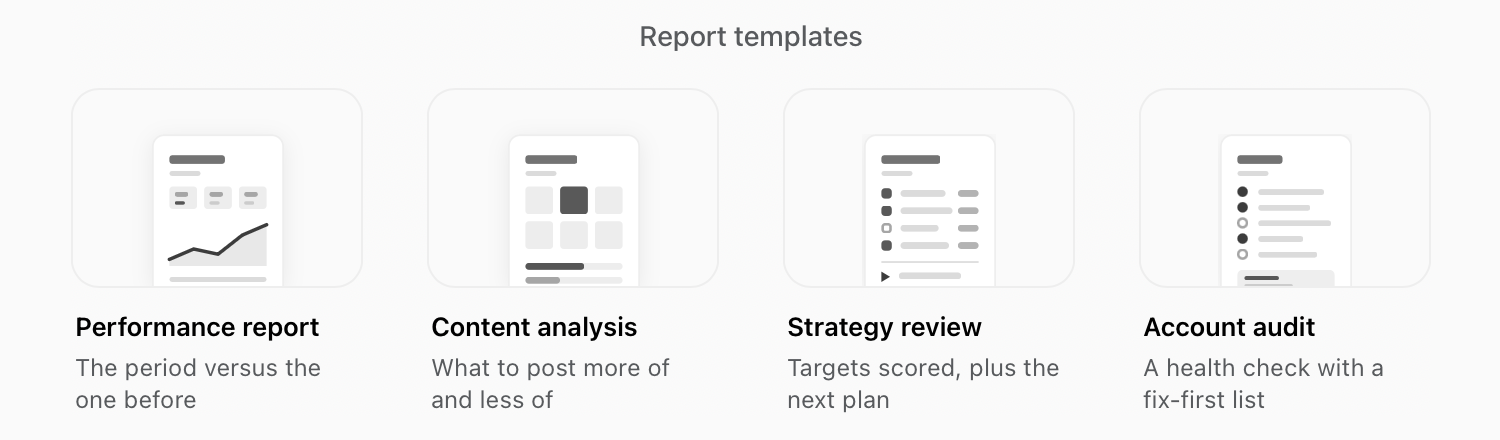
Report templates in Minter.io:
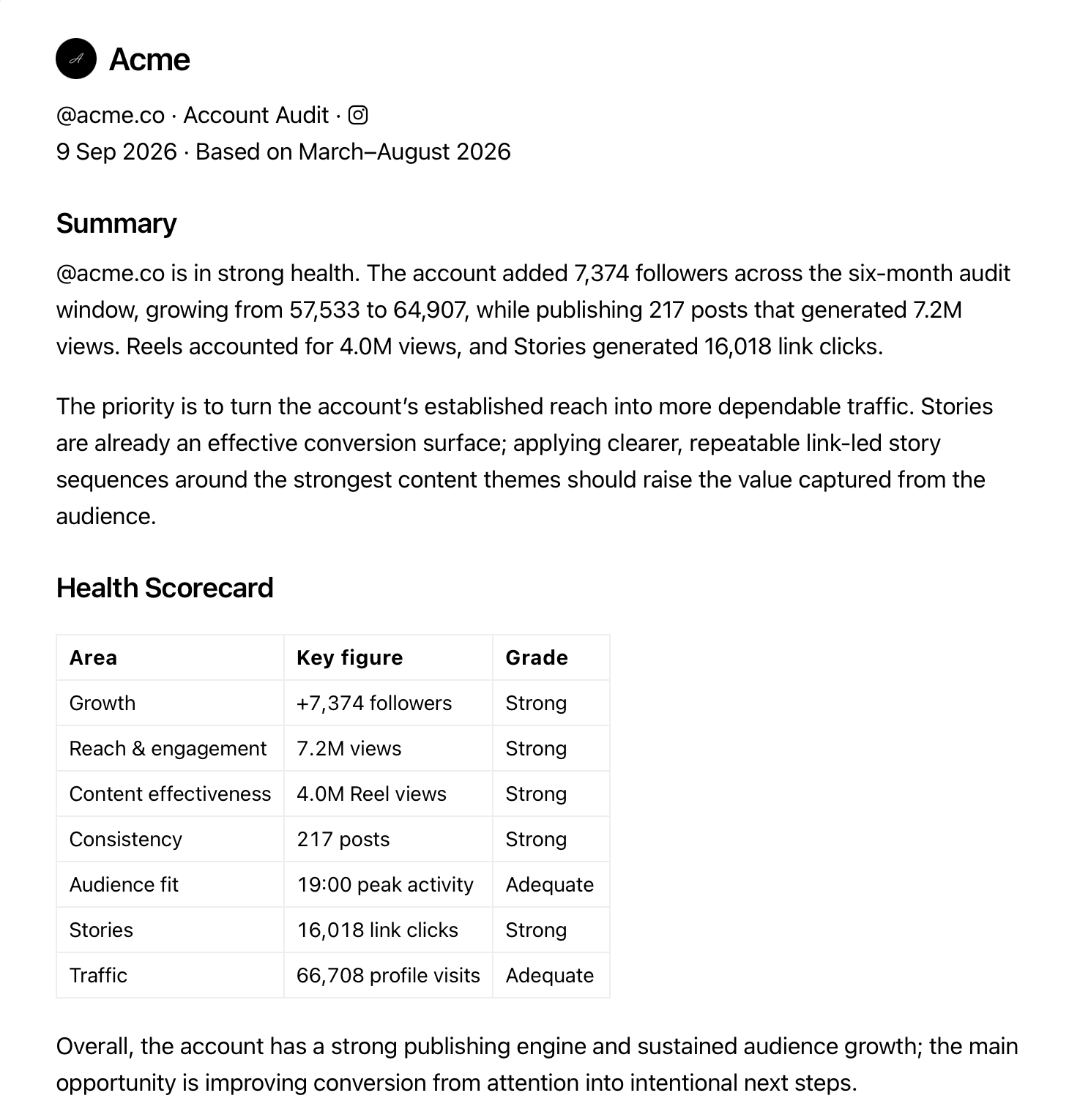
Account Audit
The Account Audit gives you a complete overview of where the account stands. It reviews areas including growth, reach and engagement, content, consistency, audience fit, Stories and traffic. Use it when you want a full account health check and a clear list of areas to improve.
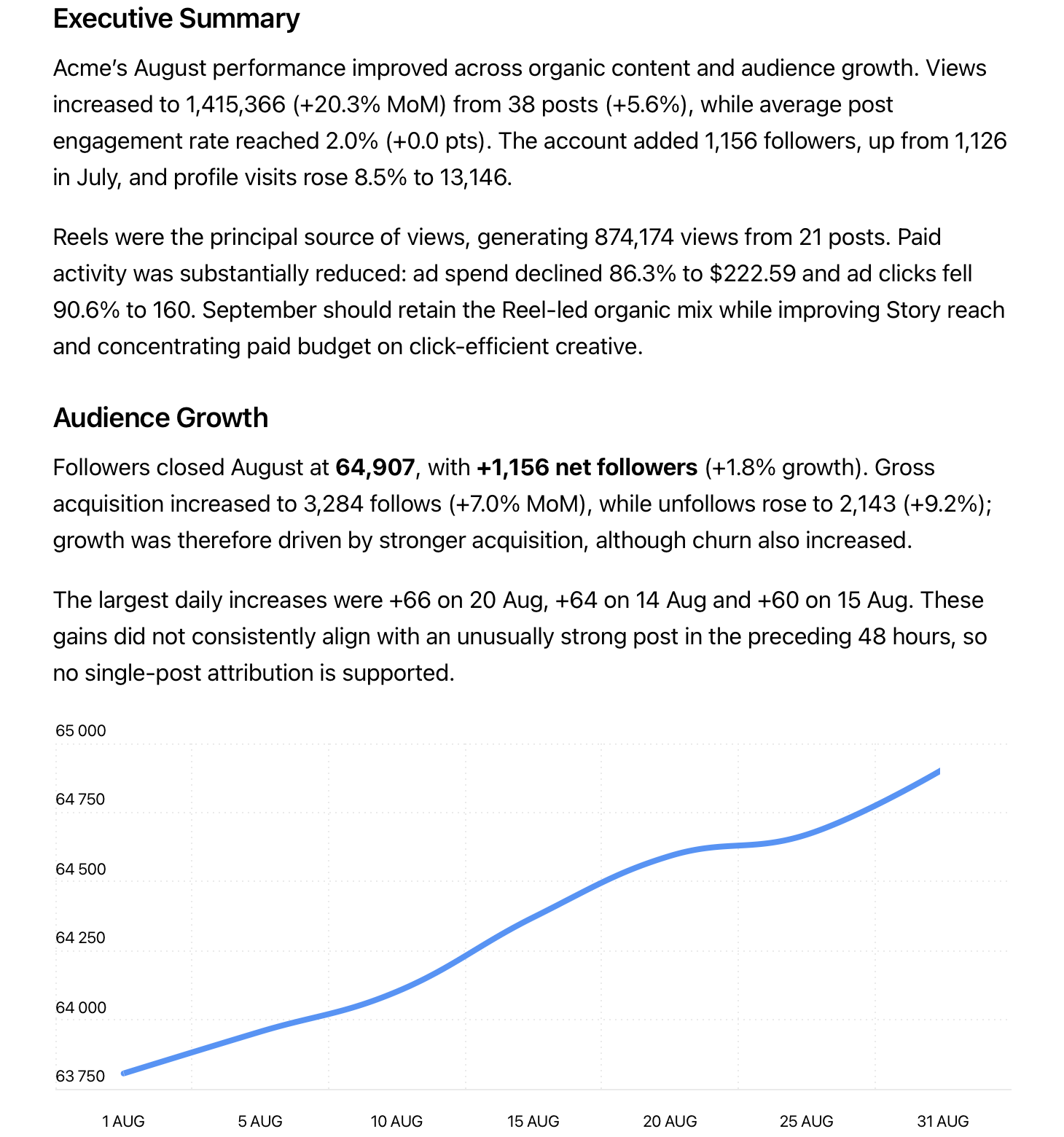
Performance Report
The Performance Report focuses on how your account performed during a selected period. It gives you an executive summary with key metrics, a comparison with the previous period, your best and worst performing content, recommendations and targets. Use it for monthly or quarterly reviews.
Content Analysis
The Content Analysis report looks more closely at content performance. It can analyse patterns across formats, topics, captions, calls to action, hashtags, posting times and individual posts. Use it when you want to know what to publish more of and what to do less of or differently.
Strategy Review
The Strategy Review compares your results with your targets or previous performance. It highlights where the account is on track, where it is falling behind and what to focus on next. Use it for quarterly planning or when reviewing your wider Instagram strategy.
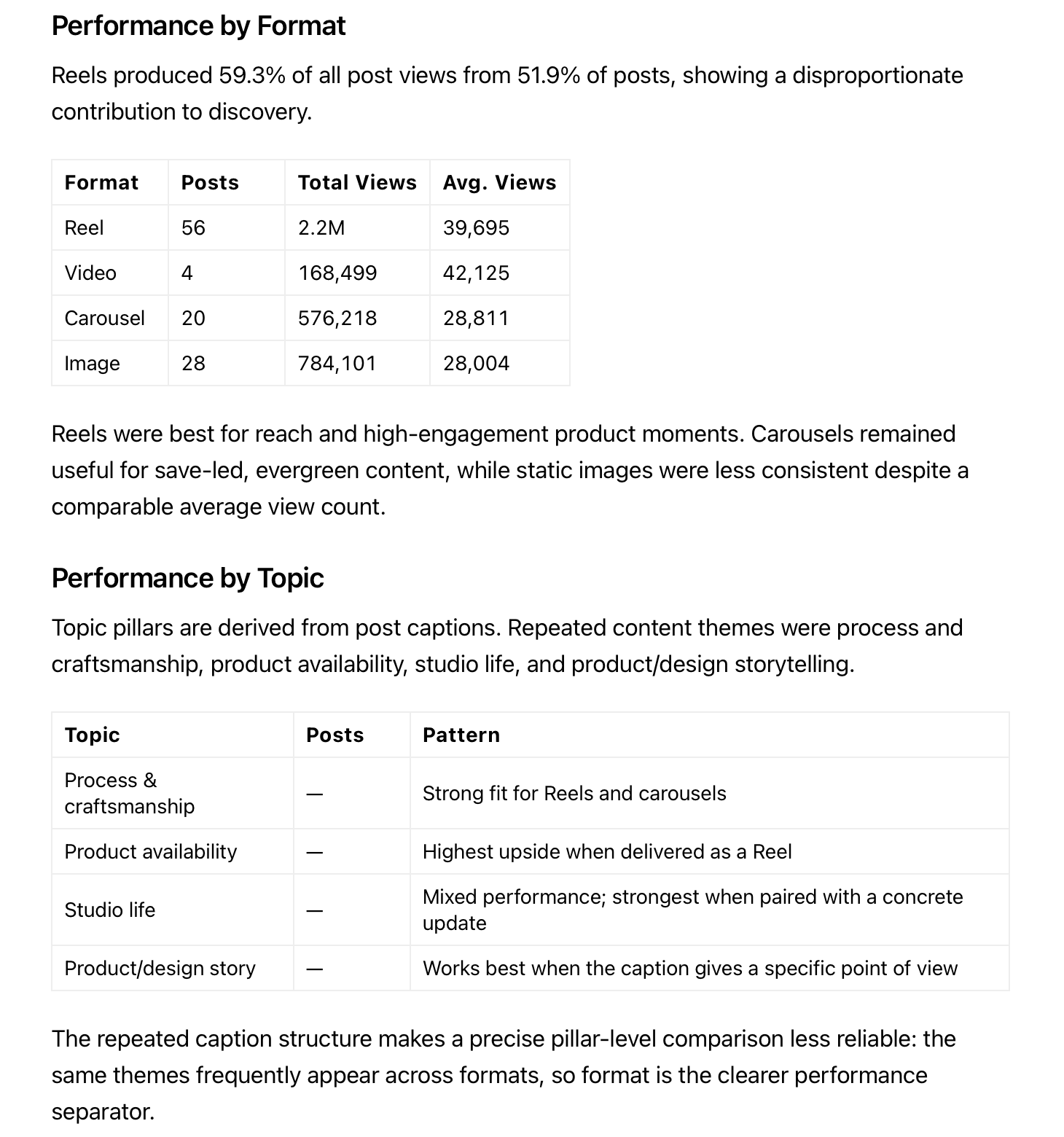
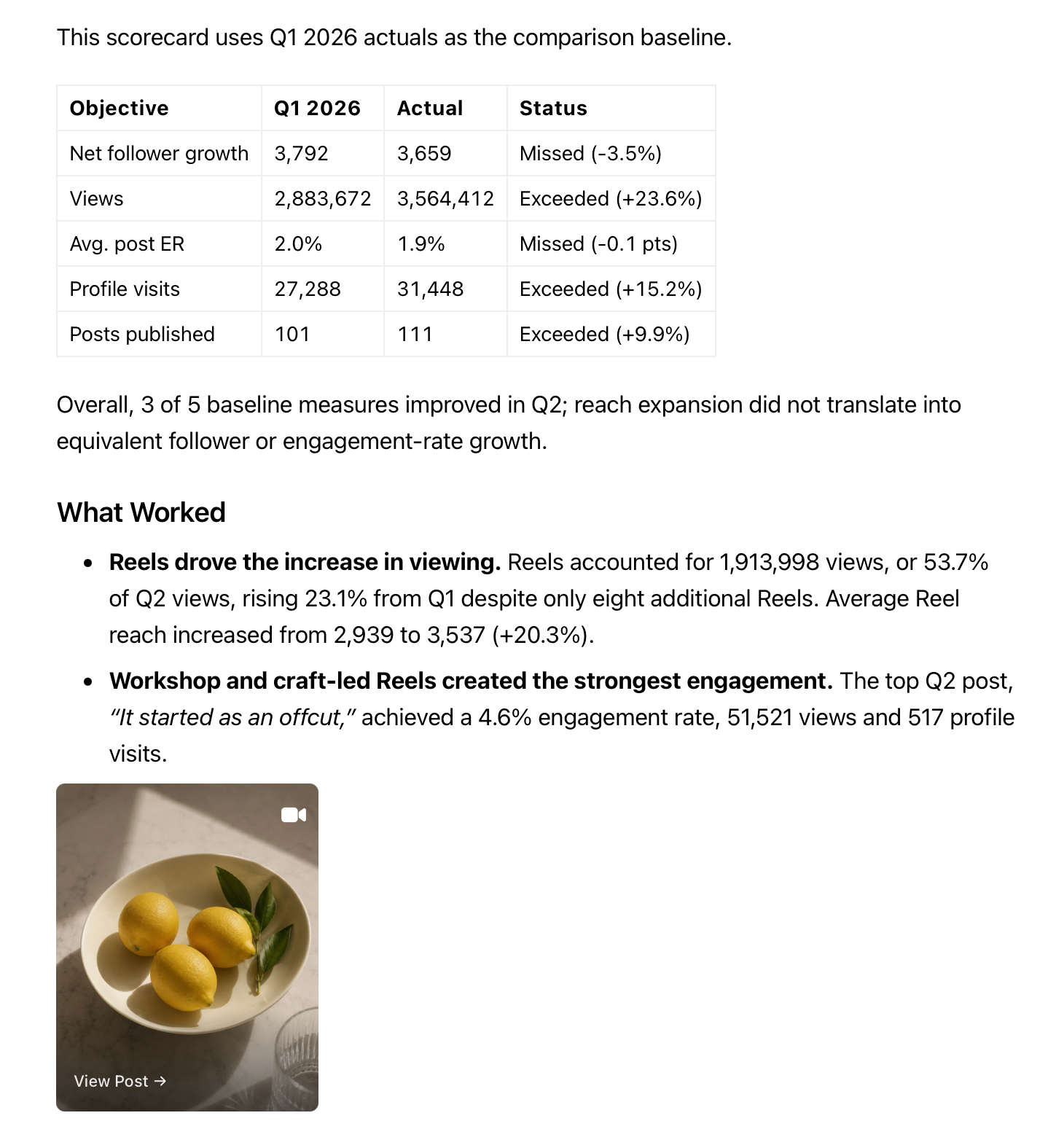
Instagram audit report templates in Minter.io: Performance Report, Content Analysis and Strategy Review
3. Run a quick audit with the free Instagram Audit tool
For a quick health check, use Minter.io's free Instagram Audit tool. It works with public Business and Creator accounts, with no login required. The tool reviews your profile and posts from the last 30 days across five areas: profile setup, posting consistency, engagement, content mix and comments. You receive a score out of 100, a breakdown of the results and practical suggestions for what to improve first.
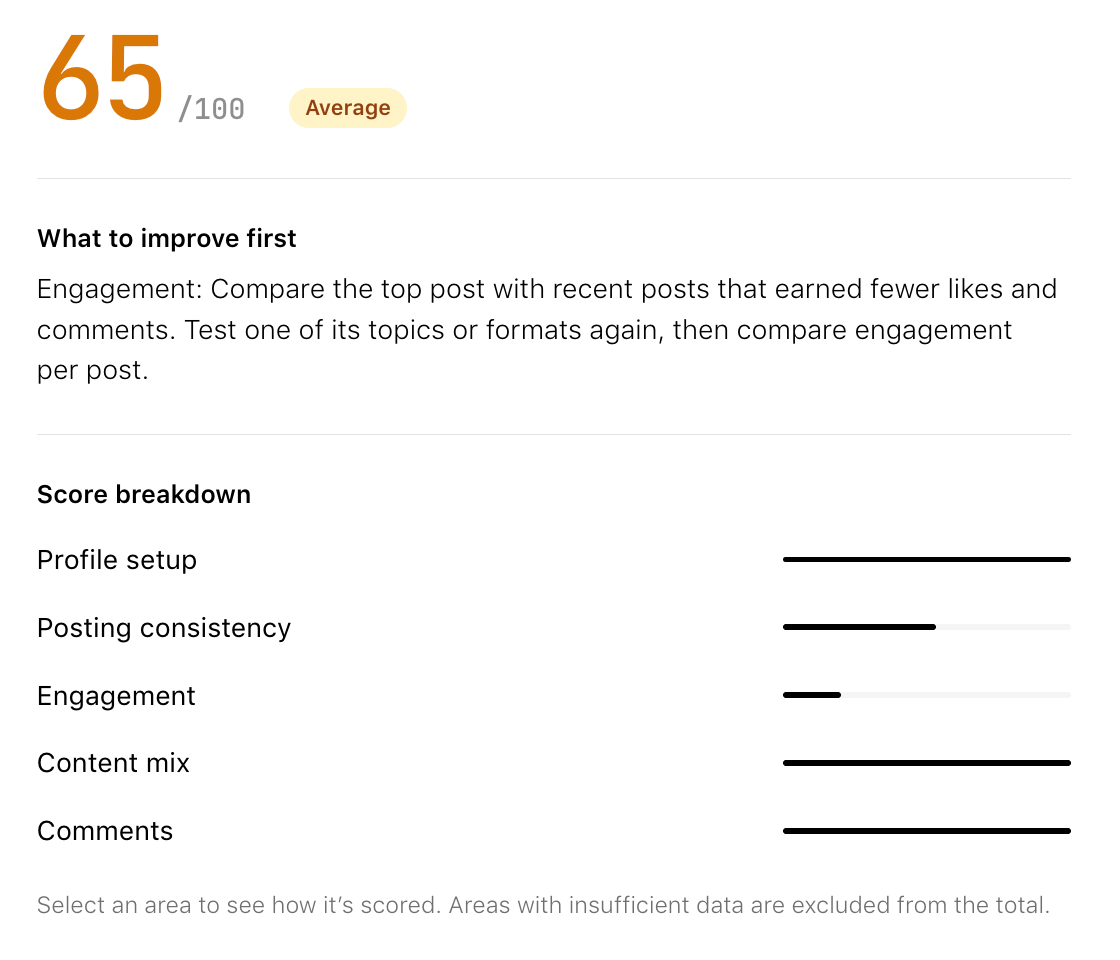
It is a good starting point if you want to identify obvious strengths and weaknesses before digging into detailed analytics. For a deeper review of follower growth, reach and Stories performance, connect an account you manage to Minter.io and ask AI Analyst for a detailed audit.
4. Check your Instagram Engagement Rate
Engagement rate is another useful indicator of account health. With Minter.io's free Instagram Engagement Rate calculator, you can quickly check how actively the audience interacts with an account. The calculator measures likes and comments per post relative to follower count over the last 30 days.
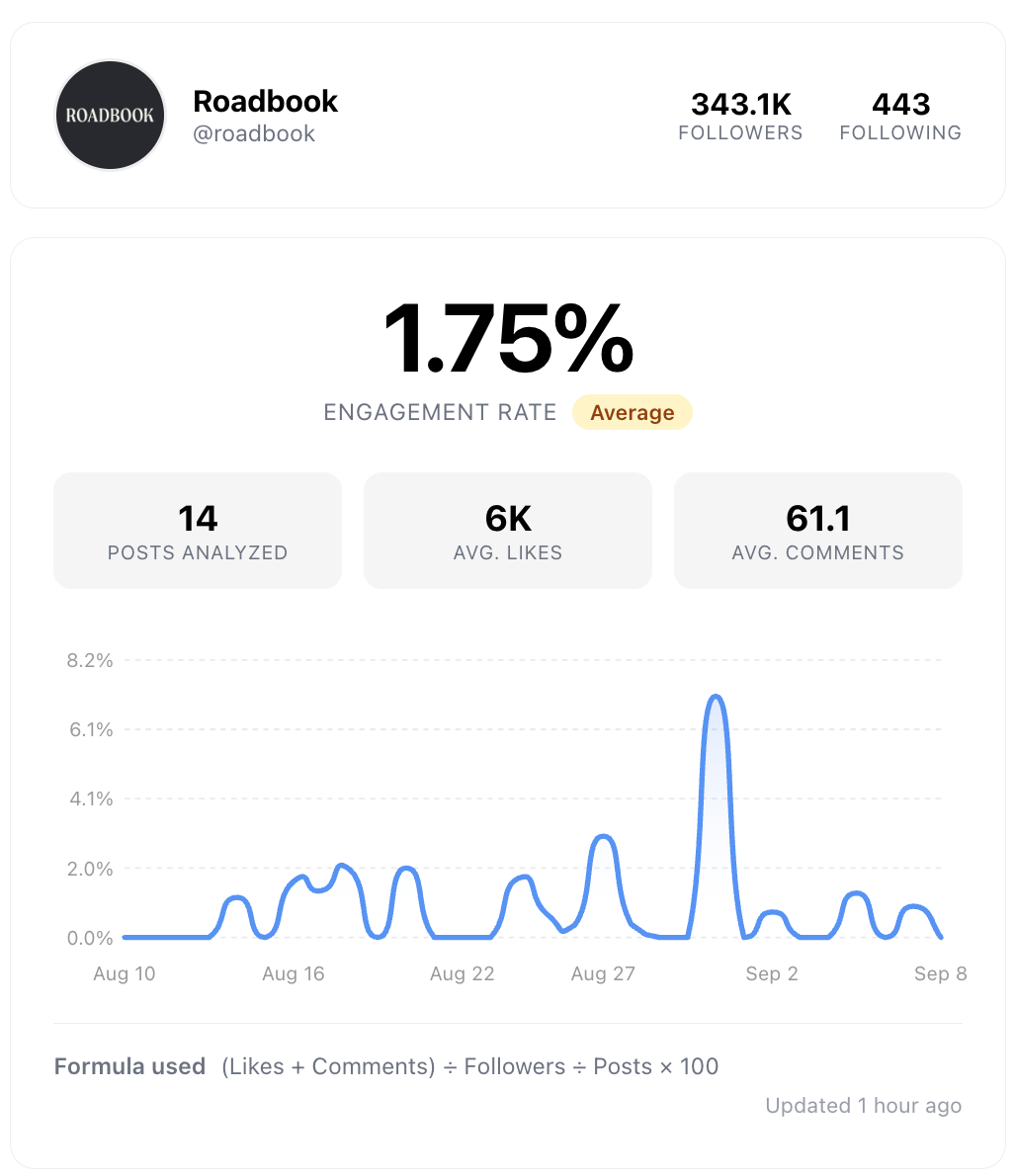
Engagement rate is one of the clearest signals of account health. A low engagement rate may be a sign that your content is not working, though it is worth reading alongside your other metrics.
5. Audit your Instagram account manually in Minter.io
If you want full control over the analysis, review your Instagram analytics manually in Minter.io. This is the most detailed approach: review every chart and metric you want. To keep it focused, work through this Instagram audit checklist:
Is the account growing?
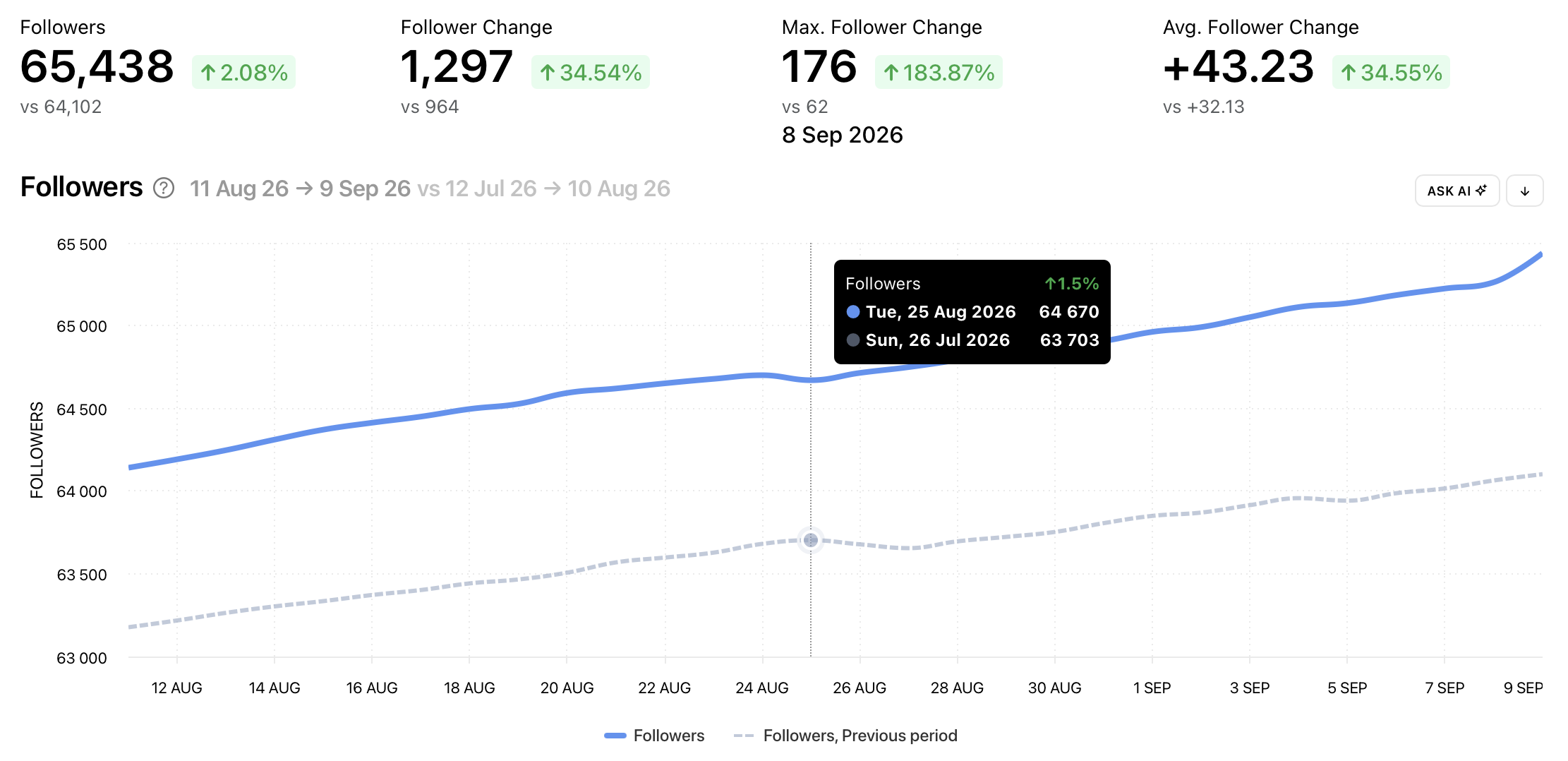
Check Follower growth and Gained and Lost followers. Look for periods of rapid growth, slowdowns or follower loss, then check which content was published around those changes.
Are you reaching the right audience?
Review your followers' demographics and active times to check whether your audience matches the people you want to reach and whether you publish when they are active.
Is content reaching people?
Review Reach and Reach rate. Falling reach with a steady follower count means content is being shown to fewer people. Pay attention to non-follower reach. It shows whether your content is being discovered beyond your existing audience.
Which content works best?
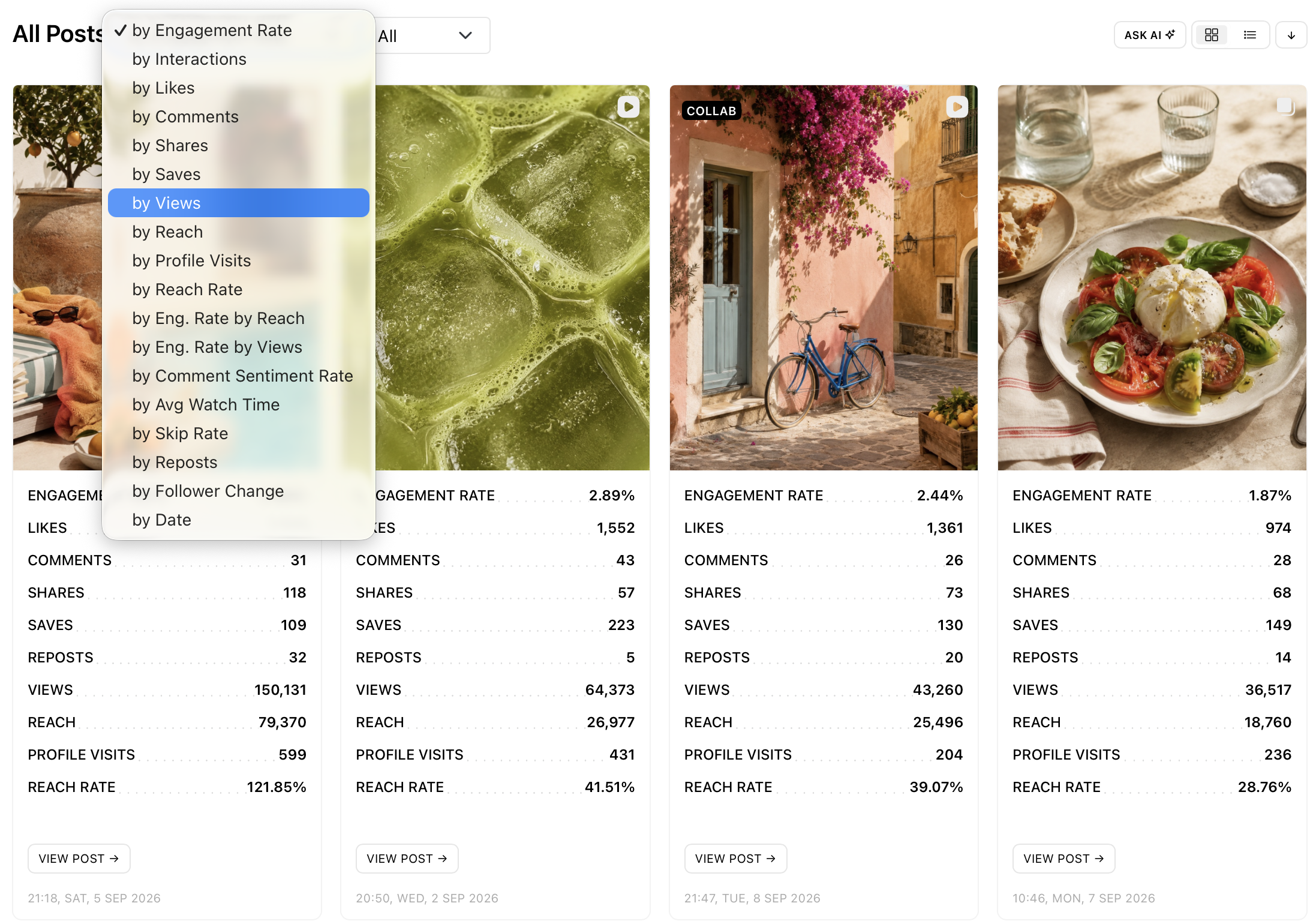
Compare your strongest and weakest posts. Sort posts by engagement rate, reach, saves and shares, and filter by type to compare Reels, carousels and images. For Reels, check average watch time and skip rate.
What changed and why?
Use the date picker to compare two periods. Every graph shows both periods side by side. This is the simplest way to make an audit meaningful. Cross-check any change against posting frequency, format mix and timing, and find the posts that drove it. Or hand the question to AI Analyst.
Turn your Instagram audit into an action plan
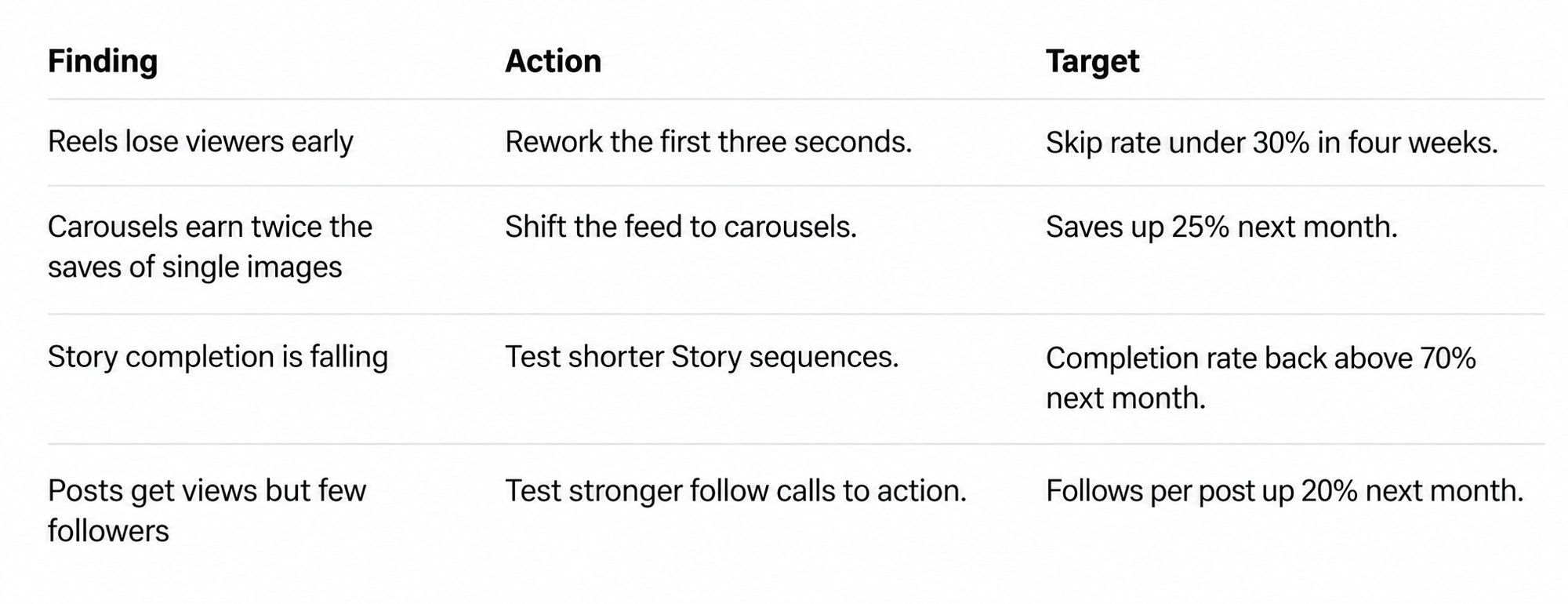
An Instagram audit is only useful if it leads to action. Convert your findings into three to five priorities, each with a metric, a target and a review date.
For example:
How often should you run an Instagram audit?
A monthly review can help spot performance changes early. A deeper quarterly audit is useful for reviewing content strategy, growth and long-term progress. You may also want to run an audit after a major campaign or a noticeable performance change, or before planning a new Instagram strategy.
Ready to see where your account stands? Audit your Instagram performance with Minter.io and turn your analytics into a plan. Start your free trial now!