
How to create Instagram analytics reports

Social media analytics reporting can be repetitive, overcomplicated and time-consuming. With the restrictions and limitations of Instagram’s native tools, gathering data, exporting it and developing it into a useful report is often done manually, which eats into time and energy that could be spent more wisely within your business. If you’re looking for an effective way to get the exact Instagram analytics information you need in beautifully-laid-out reports, you’re reading the right article. Instagram reporting doesn’t have to be complicated, and with the right tools you can get powerful analytical data formatted in an ideal way into the right hands whenever you need it.
Minter.io is a social media analytics tool that makes it extremely easy to get your hands on ready-to-share reports comprised of the information and data you value, in a variety of formats to suit your needs. Along with providing superior analytical information for your social media accounts, we make creating and sharing reports simpler than ever. Whether you’re looking for regular automated reports, customisation that suits your needs, or ready-to-share documents to proudly share with your clients, Minter.io reports combine the flexibility and professionalism you’re looking for.
Let’s explore the reporting tools available with Minter.io…
Report on any period with custom date ranges
Feeling boxed in by set reporting time frames? Social media reports should suit and support your business needs and goals, and sometimes those don’t fit within rigid time frames. When you’re monitoring the impact of real-world events on your social media performance, comparing historical data with your current growth or proving the effectiveness of your approach to an important client, monthly, quarterly or annual reports don’t always cut it. If you want the freedom to report on the exact data you want in the exact time frames that are useful to your business, you need a tool that can facilitate that.
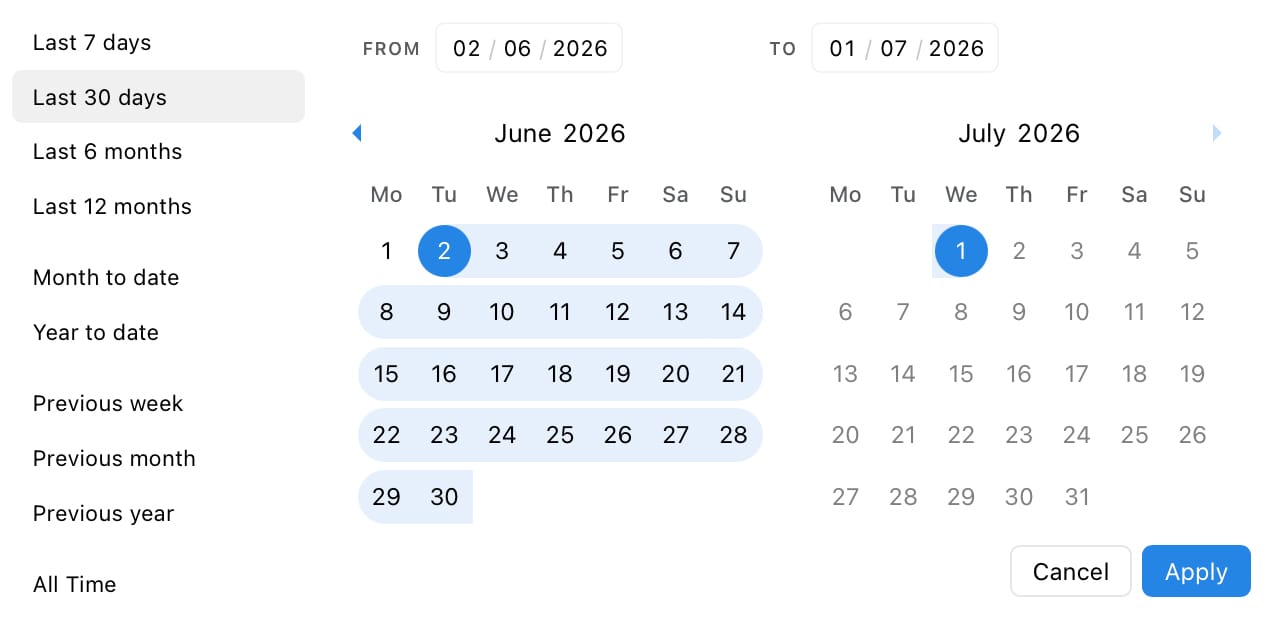
With Minter.io you can choose a completely custom date range for your report using the date picker. It is fully flexible and allows you to pinpoint the precise date range you need. Alternatively, choose from standard set time frames using the panel on the left-hand side of the date picker for quick and easy reporting in familiar time frames. Furthermore, here at Minter.io we pull all available historical data from the moment you connect, going back further than Instagram’s in-app insights allow (which cap overall account analytics to the past 90 days). Plus your data never expires, making custom reports more accessible than ever.
Exporting Formats
Choose a format to suit your needs. Get presentation-ready reports in PDF and PPTX. Excel provides structure for your data, while CSV exports provide raw data to run, integrate or combine with your own analytics. Need to focus on your content performance? Post and story-only exports let you pull your content data into its own report.
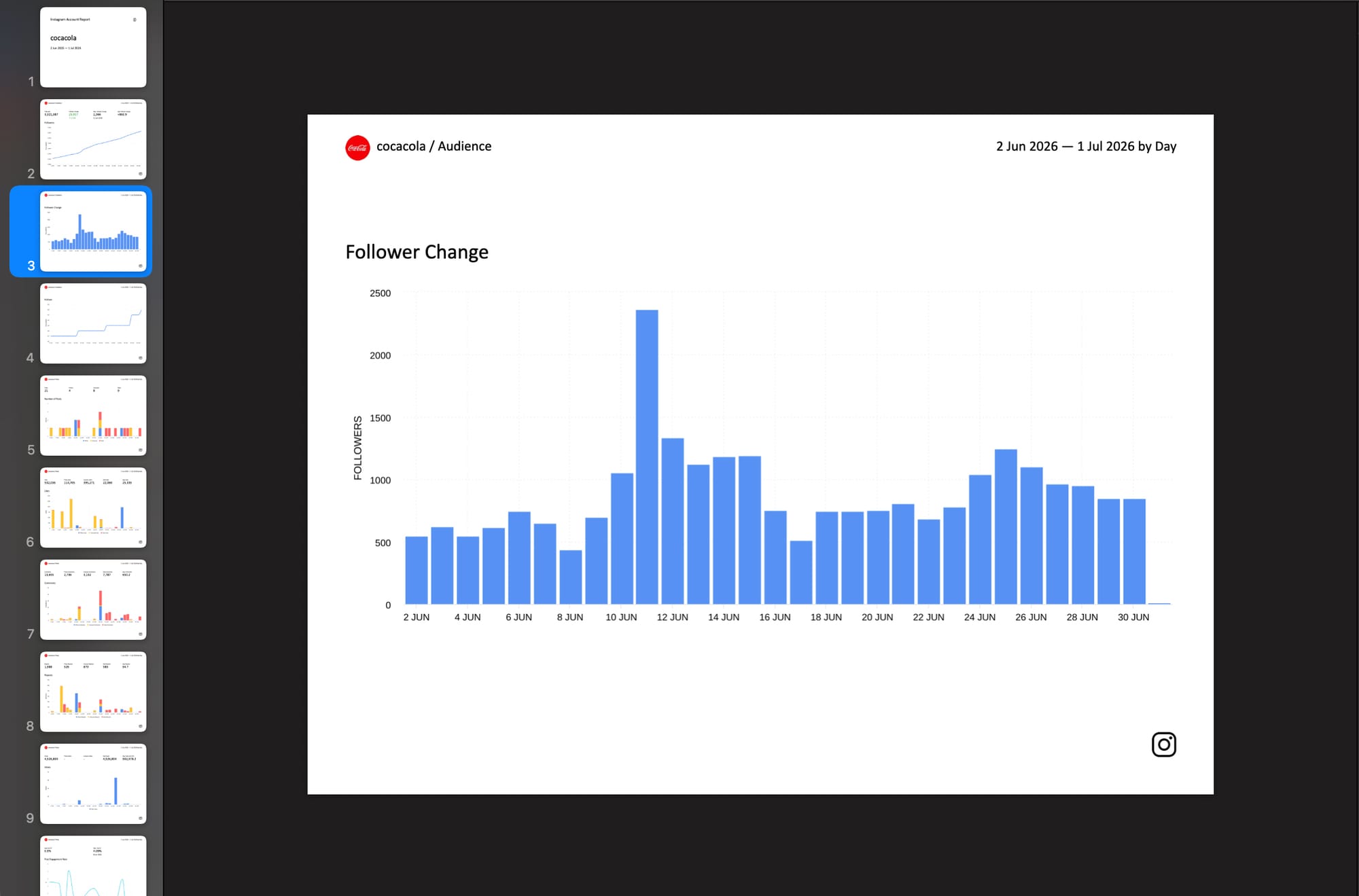
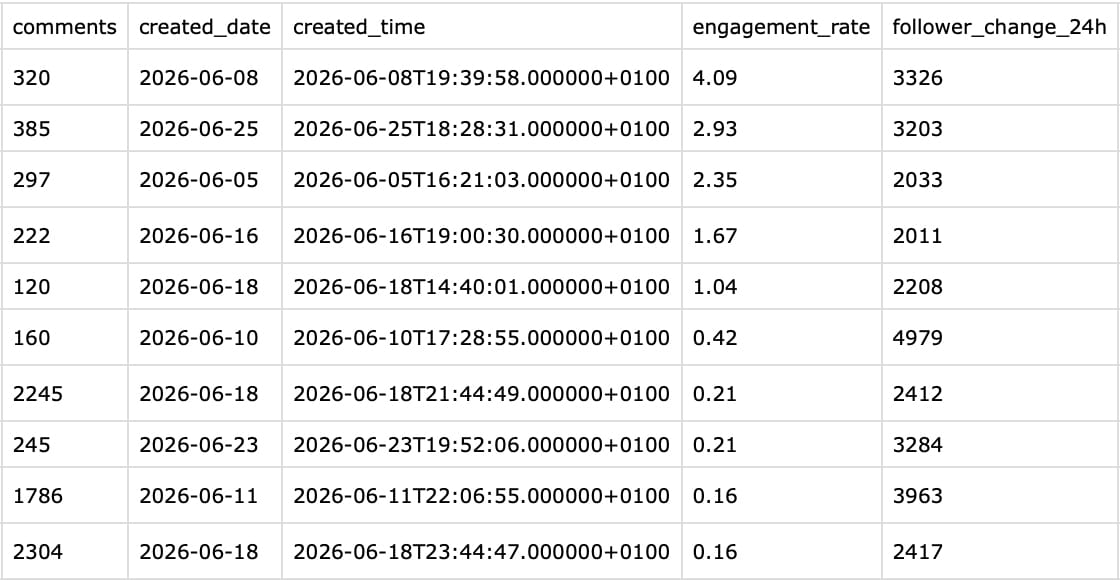
PPTX report (left) and CSV report (right) by Minter.io
Schedule automatic reports
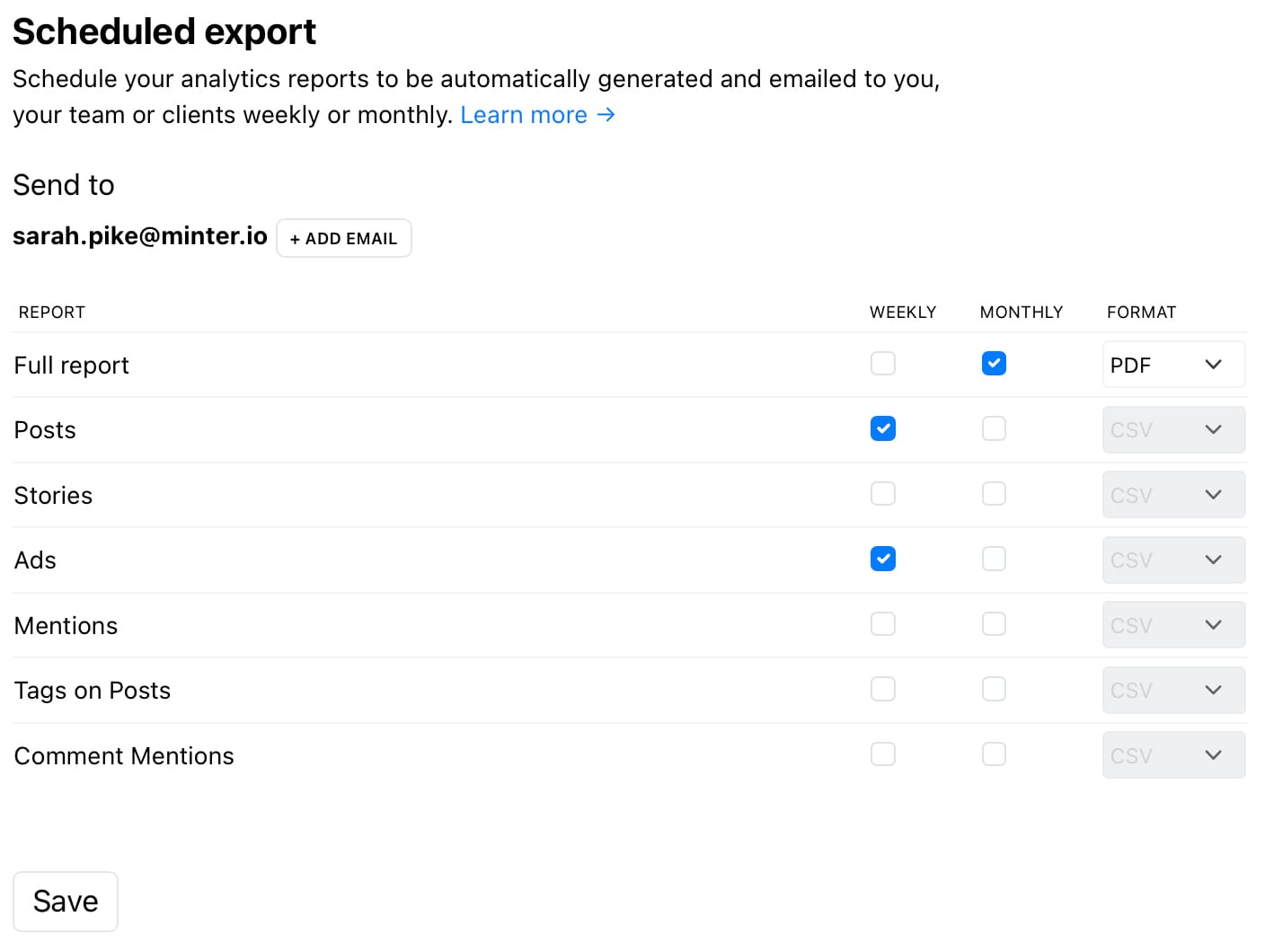
Get automated customised reports with your desired metrics sent straight to the inbox of you, your team or your clients. Set it up once to generate regular reports and you don’t have to do any extra work! Weekly or monthly reports will be sent to the email addresses of your choice. Schedule a full report in PDF, XLS or PPTX format, or content only reports in CSV format. Choose to include data for posts, stories, ads, mentions, tags on posts or comment mentions.
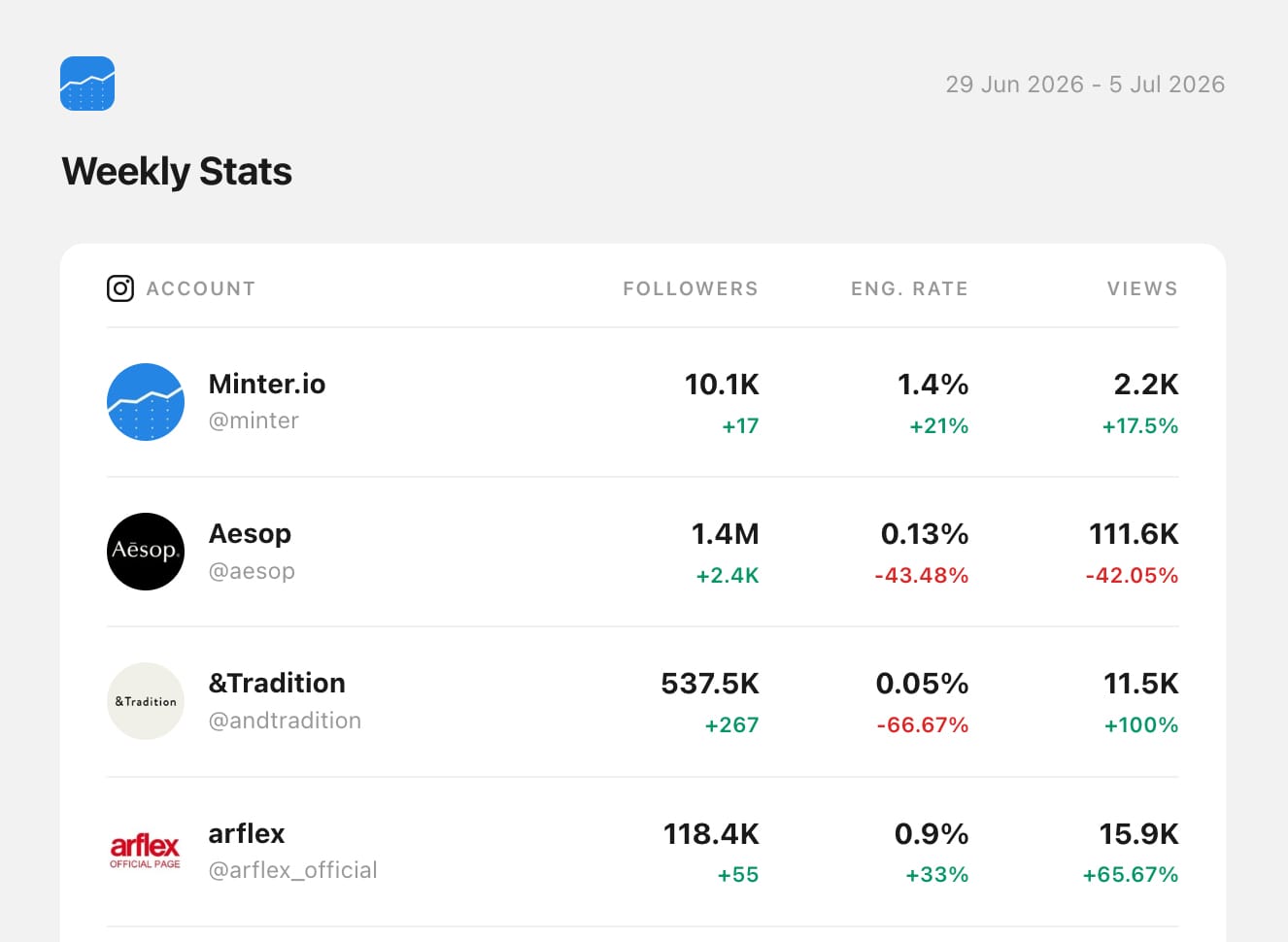
Minter.io can also send daily, weekly or monthly stats overviews by email, featuring only the key metrics for a quick check on performance. Set this up in Account settings > Email Stats.
Customise Export Data
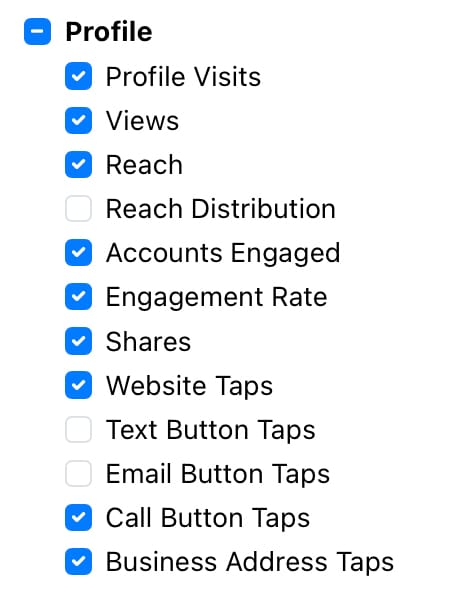
With Minter.io you can customise your export to include all the information you want and leave out anything you’re not interested in. Choose to include full categories such as audience, post, optimisation, stories, profile and ads, or alter the specific metrics included within each category for a truly customised report.
You can even add your brand logo to give your reports a polished finishing touch. Go to Settings > Branded export to add yours.
AI Reports
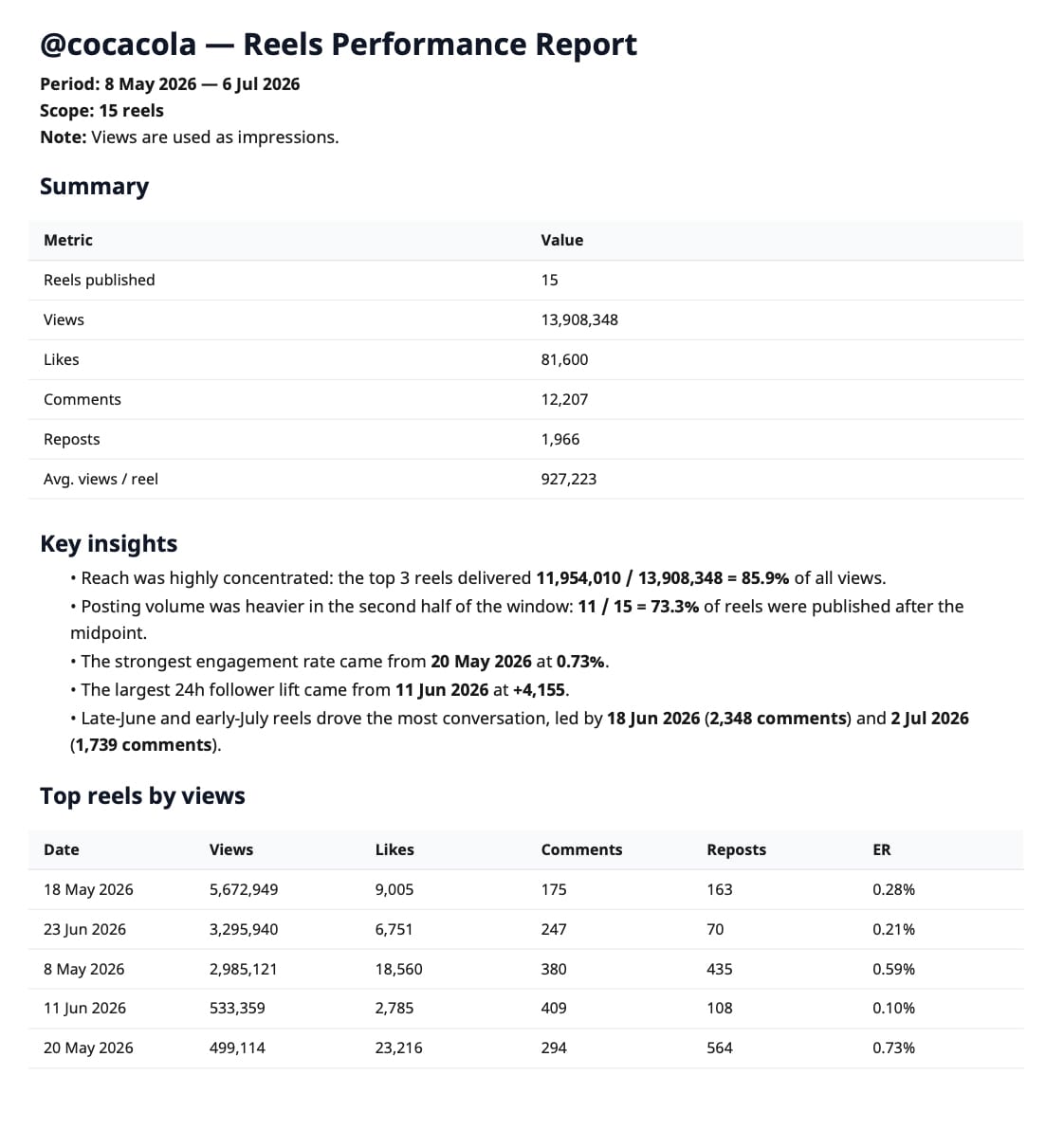
Use the Minter.io AI Analyst to create a fully custom report around your specifications, exported in any available format and downloadable directly from the AI chat box. Describe the report you need in plain language and the AI will pull all the relevant data from across your whole report and assemble a finished report around the brief. For example, you may want a Reels performance report for a specific period, a campaign recap, two metrics combined in a single chart, or an executive summary. With the AI Analyst, you have the ultimate flexibility to create reports without the constraints of a fixed template.
Get your Instagram reports today with Minter.io, and discover reports for your other social media needs across TikTok, X, Facebook, LinkedIn and Threads. Explore Minter.io now.