Everything to know about finding, adding and using music on TikTok
TikTok was built on music; after all its former name was literally musical.ly. With duets, stitches, trends and discovery championing songs and sounds, savvy brands and businesses know their way around music on TikTok. If you’re a little baffled by finding, adding and harnessing music to create waves on TikTok, fear not! This article has you covered.
Here’s everything you need to know about finding, adding and leveraging music on TikTok…
Add sounds while creating a TikTok video
A straightforward way to start with sounds and songs is to add a track from within the TikTok app while creating a TikTok video.
Here’s how:
- Select the plus creation button from the centre of the navigation bar at the bottom of the screen.
- Tap ‘Add sound’ at the top of the screen. Sometimes TikTok will automatically select a song for you and this will appear in the same place. Tap it to replace it.
- Choose a sound.
From here, there are a few options to choose from…
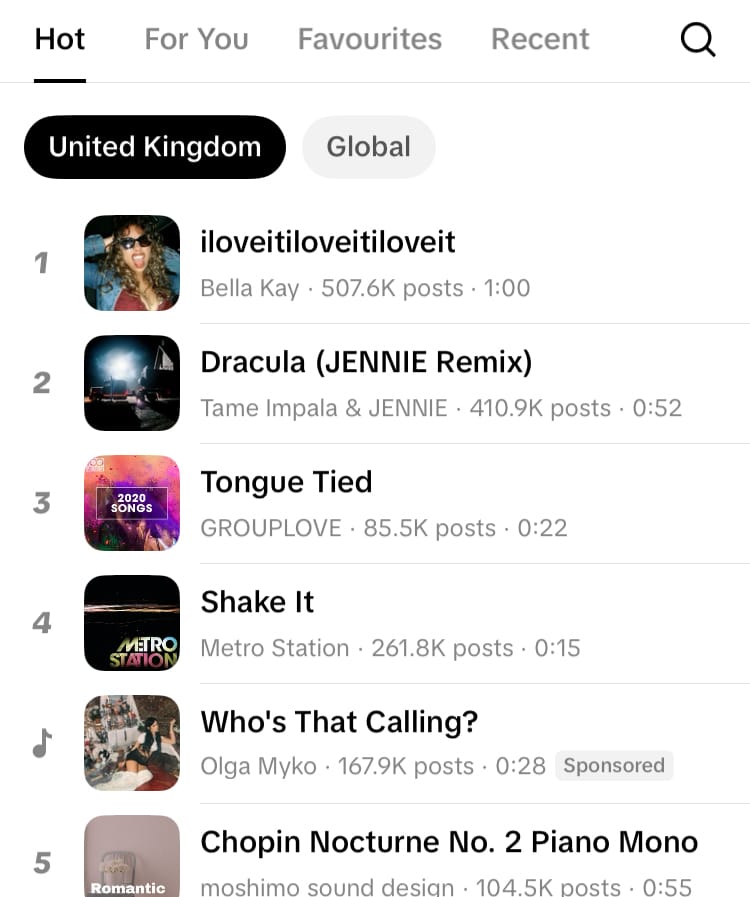
Hot
Songs currently trending locally and globally.
For You
A recommended feed of sounds TikTok thinks you’ll like based on past usage.
Favourites
Sounds and songs you’ve added to your favourites.
Recent
Sounds you’ve recently interacted with.
Select the magnifying glass icon to enter the Sound Library for more options.
Navigating the Sound Library
Use the search bar at the top of the screen to locate a specific sound or song, or hit ‘Discover more sounds’ to explore the whole Sound Library.
For You
A recommended feed of sounds TikTok thinks you’ll like based on past usage.
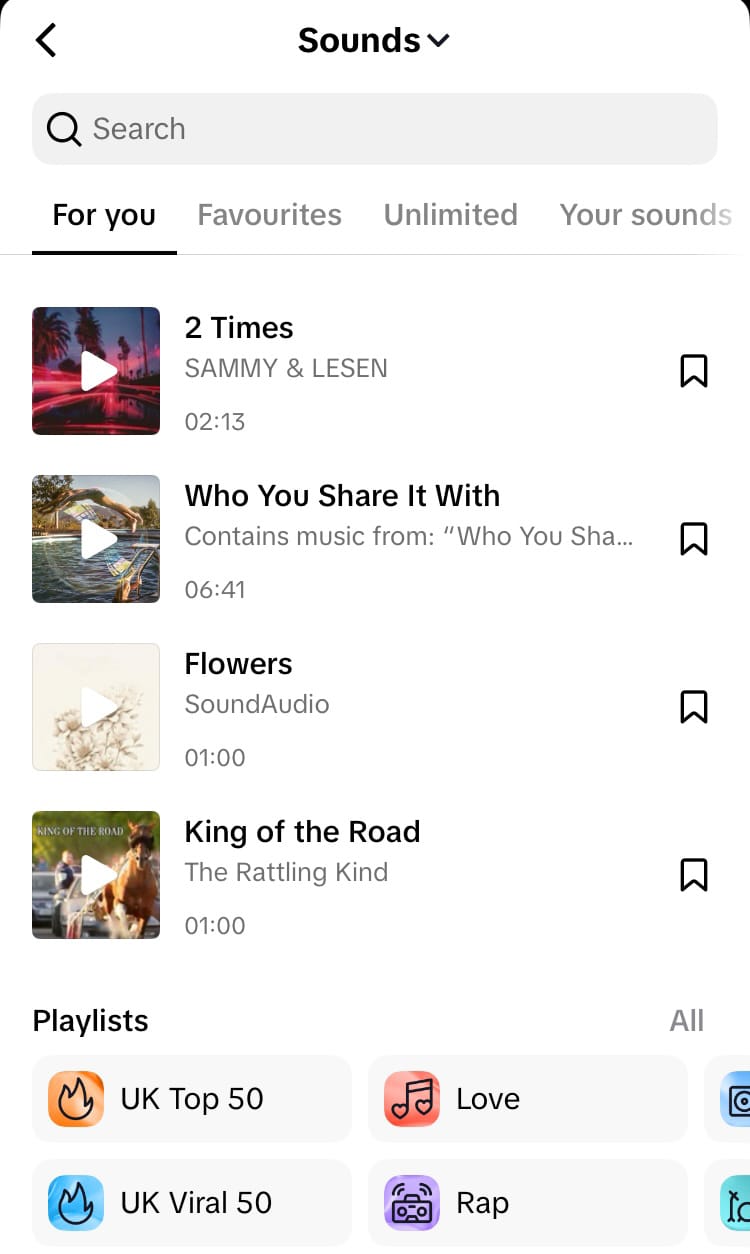
Scroll down in this tab to discover playlists.
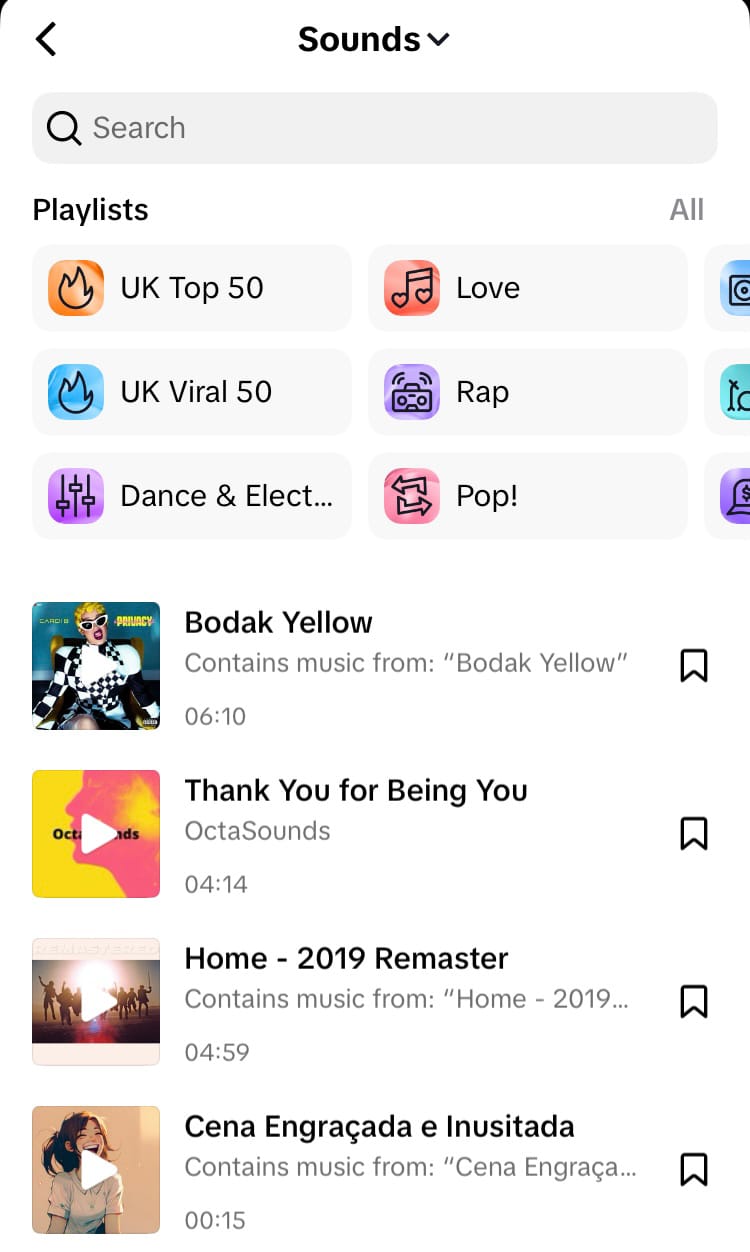
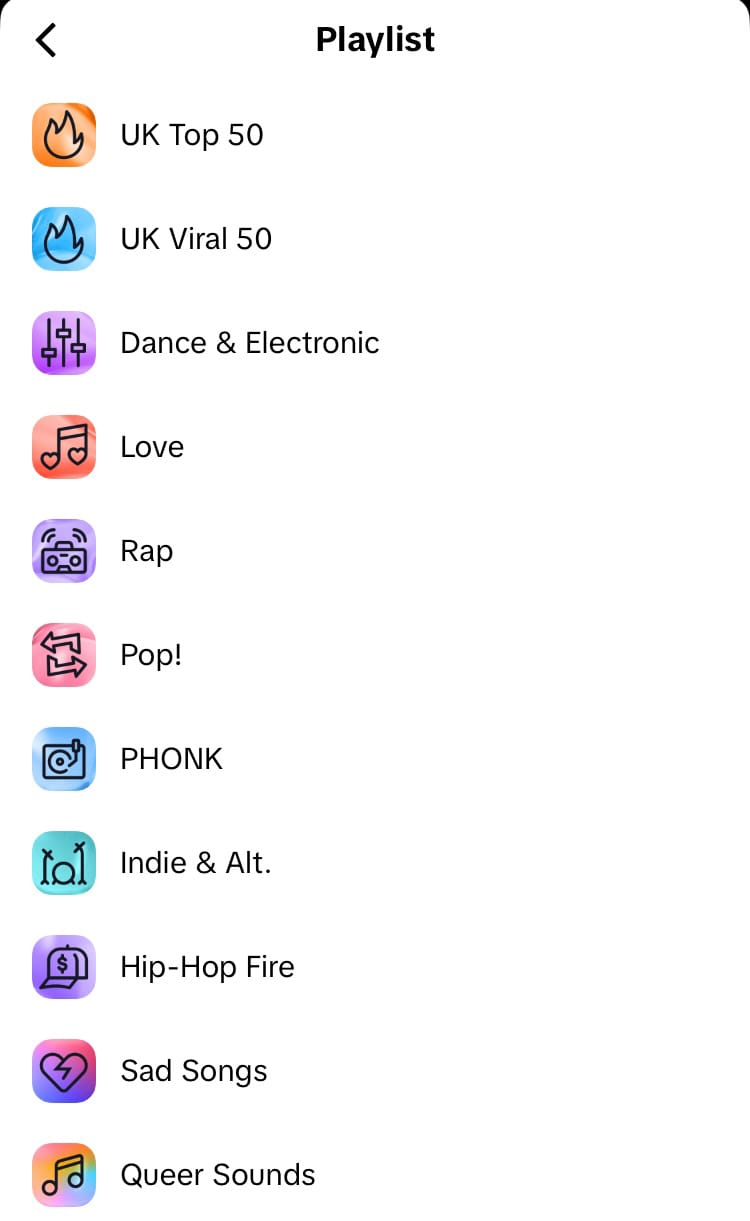
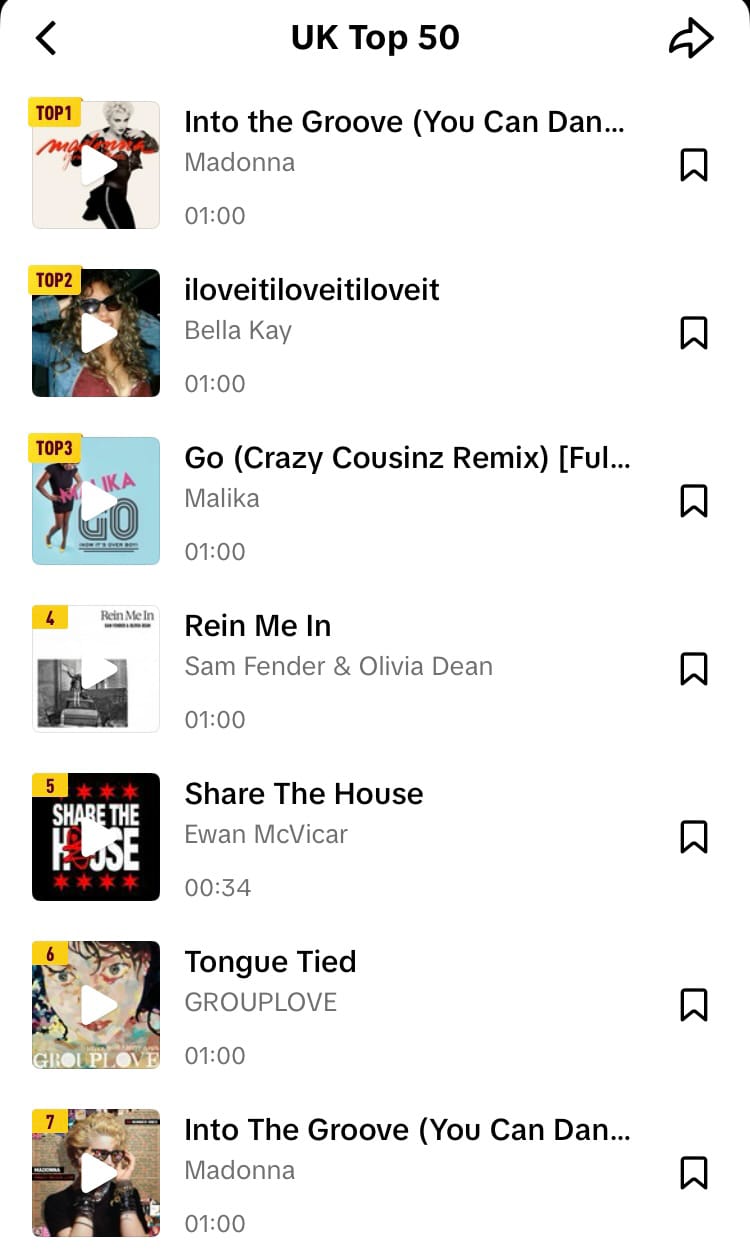
Playlists in the TikTok Sound Library
Favourites
Sounds and songs you’ve added to your favourites.
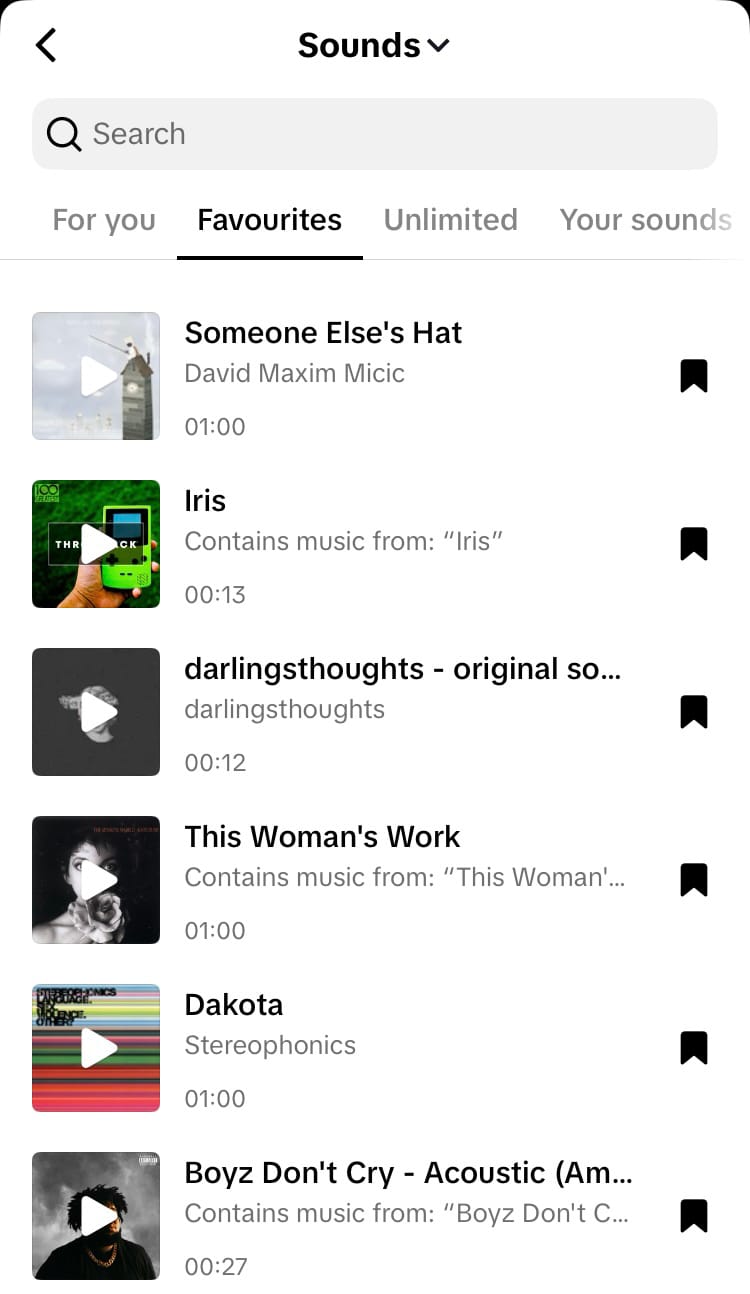
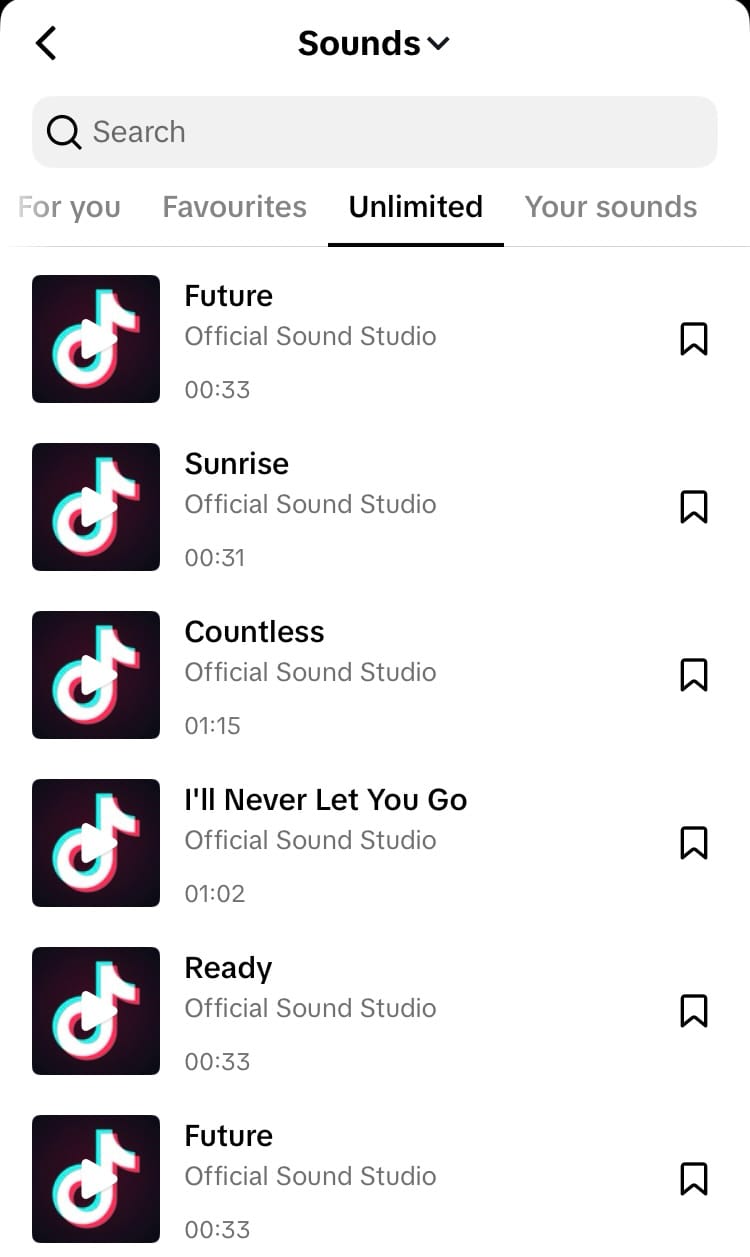
Unlimited
Use these sounds to prevent videos that are over 1 minute long from being muted. Unlimited sounds have no limit on usage duration.
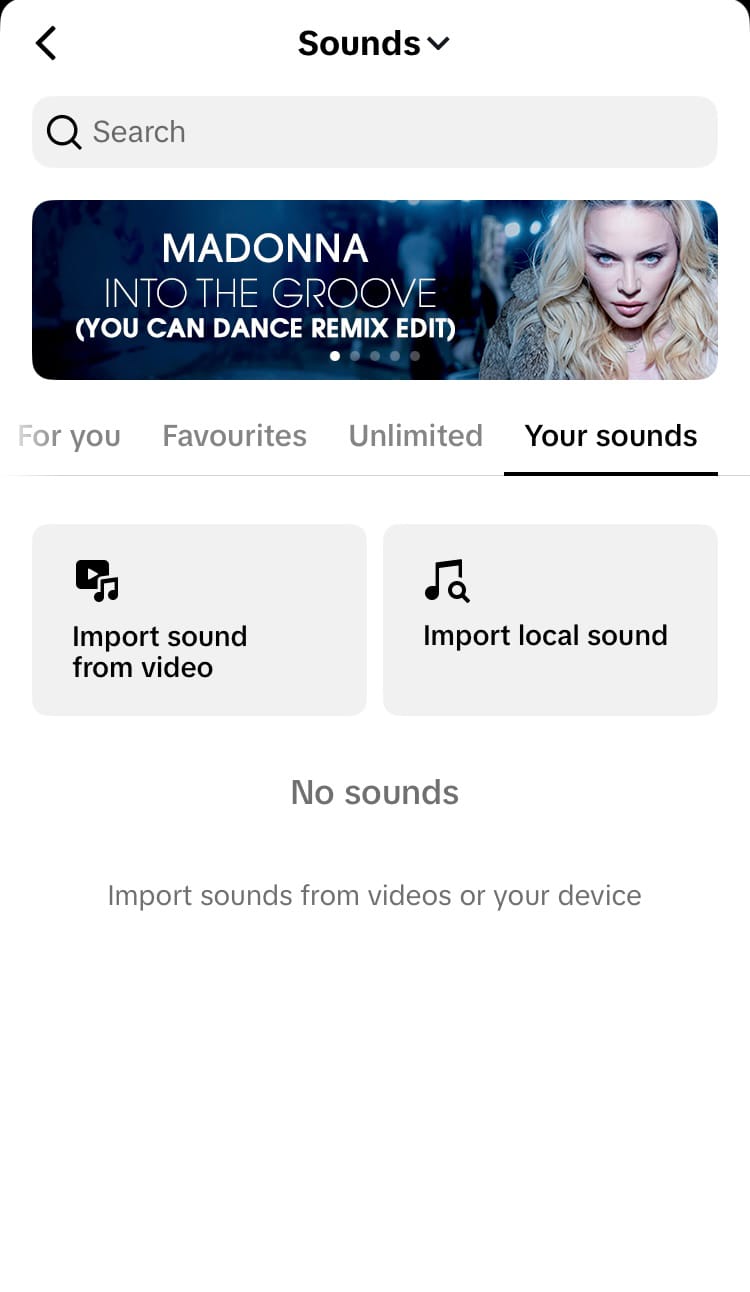
Your sounds
Import sounds and songs you own from your videos or your device.
The TikTok Sound Library is integrated with TikTok’s editing app CapCut, making it easy to access, favourite, and use trending TikTok audio seamlessly.
Commercial Sounds
Sponsored videos must only use commercial sounds. There is a separate section in the Sound Library dedicated to commercial sounds.
To navigate to Commercial Sounds:
- Tap ‘Sounds’ at the top of the screen.
- Choose ‘Commercial sounds’.
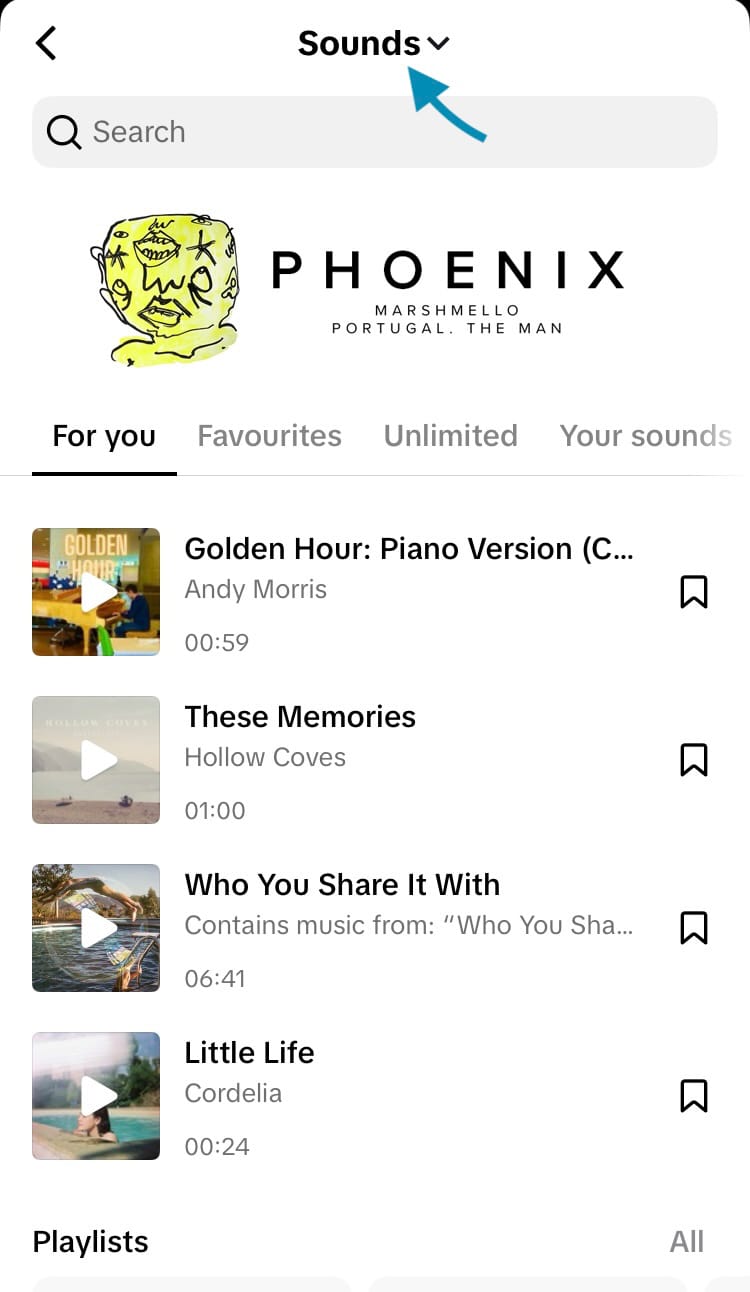
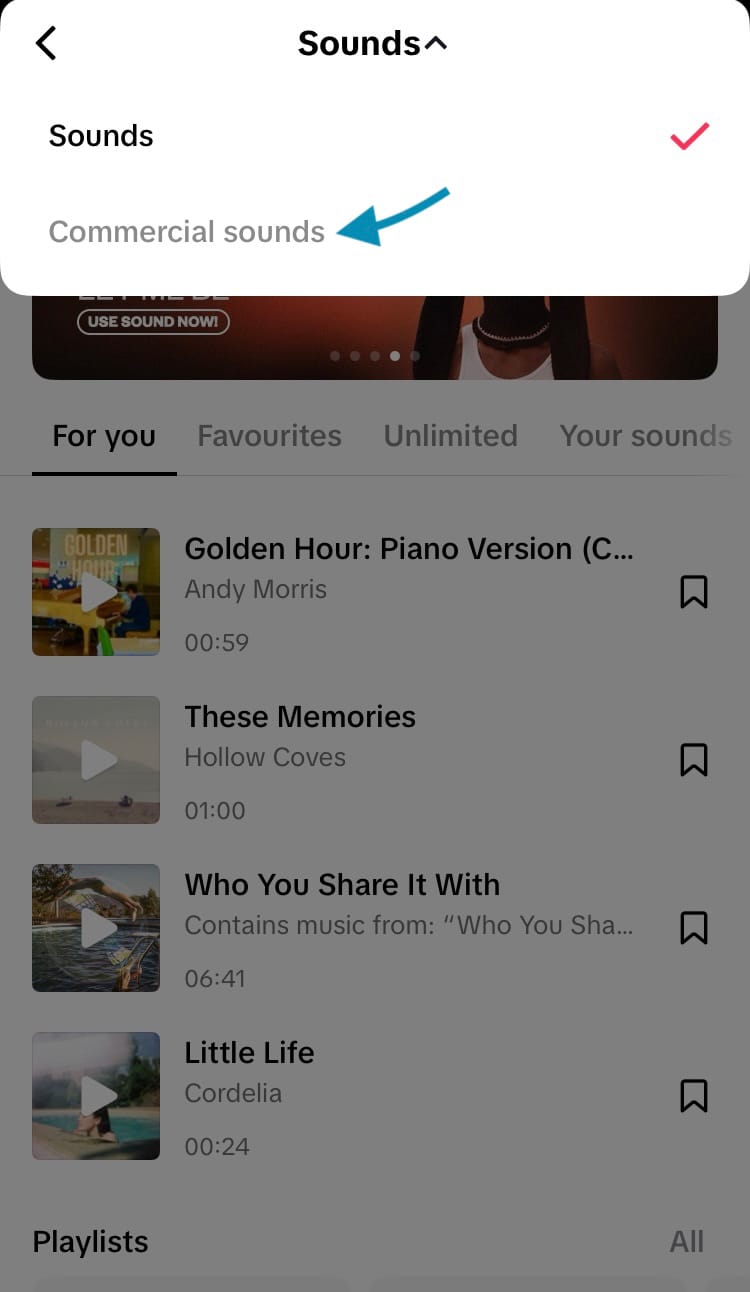
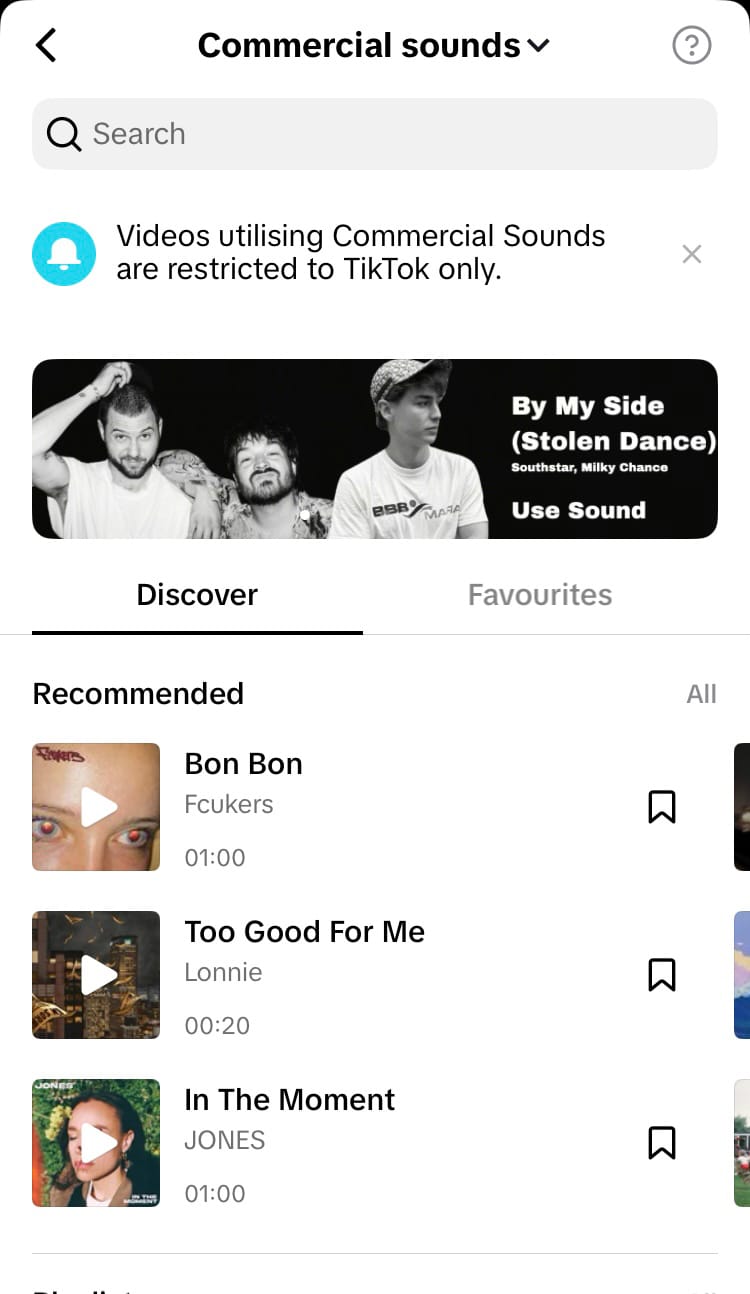
Commercial sounds section in the TikTok Sound Library
Videos using commercial sounds are restricted to TikTok only.
How to find viral songs
TikTok is known for its ability to make content go viral. By tapping into trends and leveraging viral songs, you can jump on board the power of its potential.
To find viral songs:
- Go to the Home tab.
- Select the magnifying glass icon in the top right-hand corner of the screen.
- Scroll down and tap ‘Viral songs’.

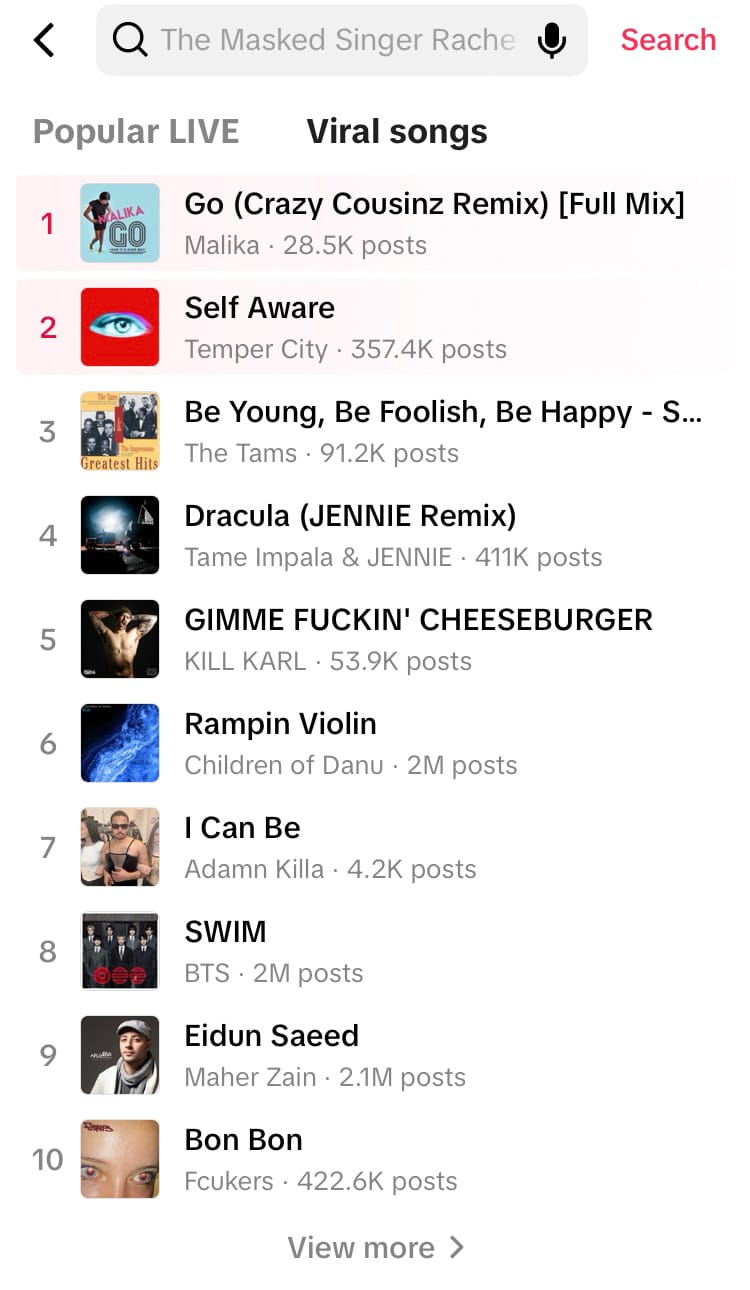
Explore viral songs on TikTok
When you find a song you want to use, it’s definitely worth checking out how other users are currently integrating the song into their own content. This will help you spot whether there’s a specific trend happening that you can slot into, but it can also help you avoid embarrassing yourself if the trend is something you’d rather skip.
Here’s how:
- Tap on a song.
- Choose ‘Sounds’ from the options at the top of the screen. Trending sounds and songs include a ‘Popular’ label on them.
- Select the top sound.
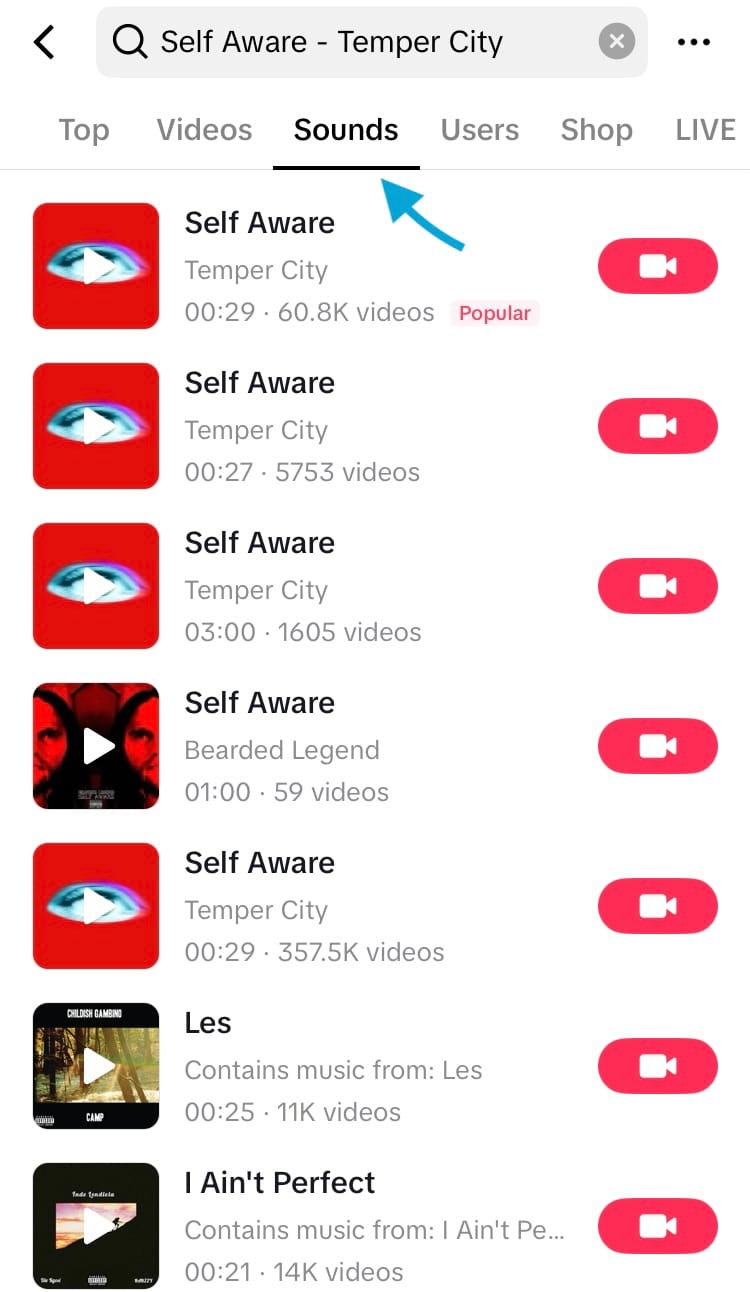
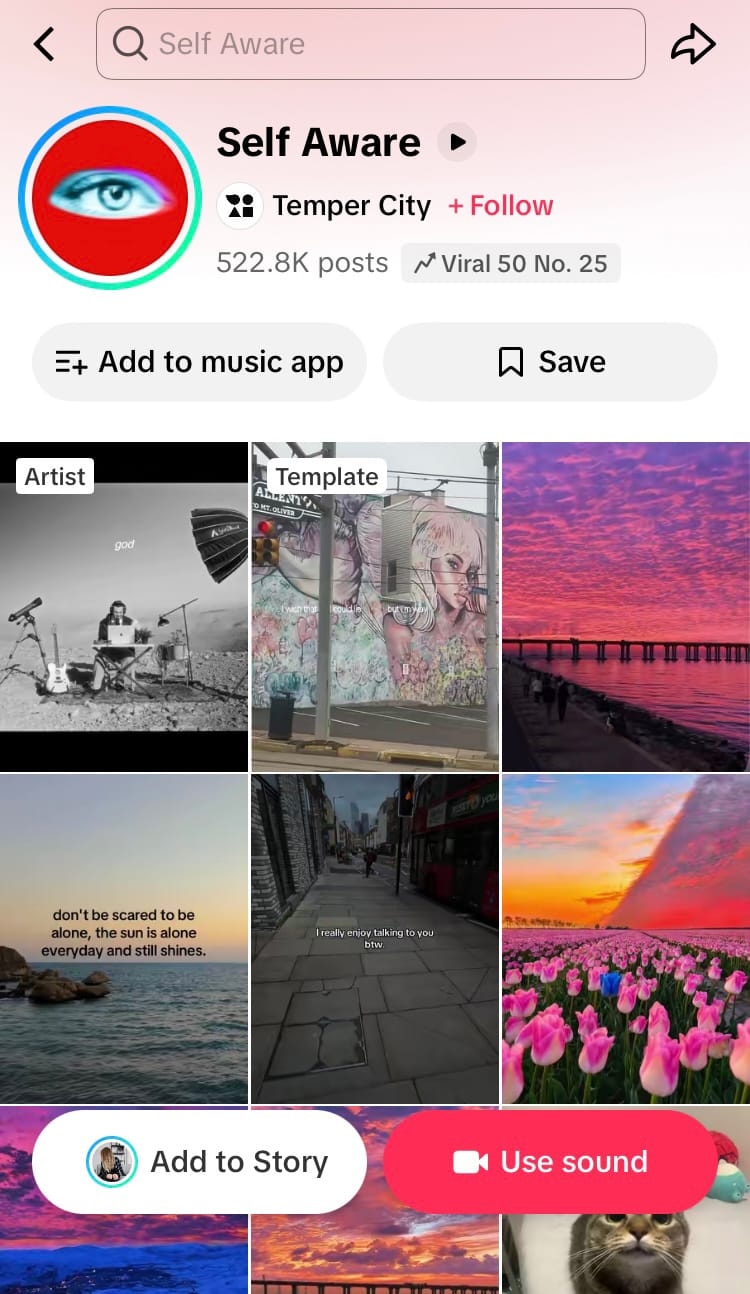
Explore content using a song or sound on TikTok
Now you can view all the posts using that sound. This can help you figure out what the trend is and if it’s something you want to get involved in. You can also save the sound or use the sound immediately from this screen.
Tap the ‘Viral 50’ label to explore the TikTok music charts featuring viral and top songs to add to your content. Choose to see charts from your location or other countries.
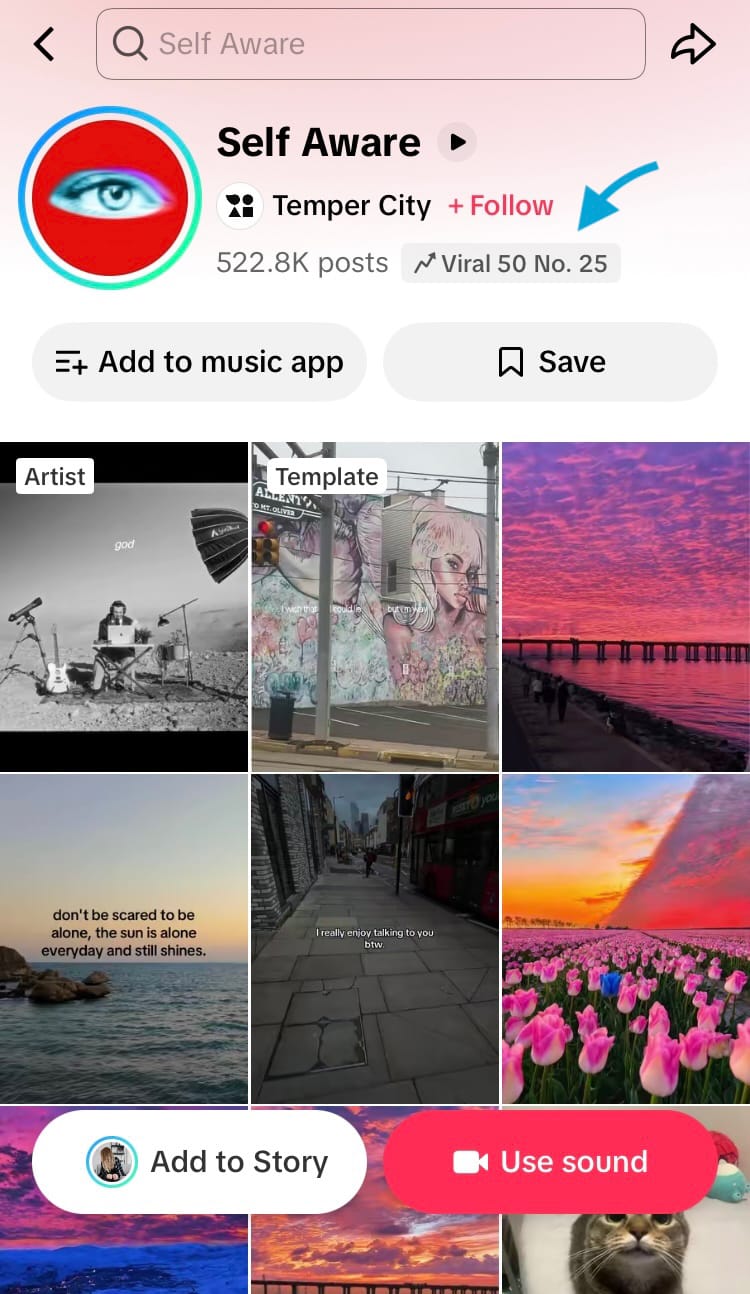
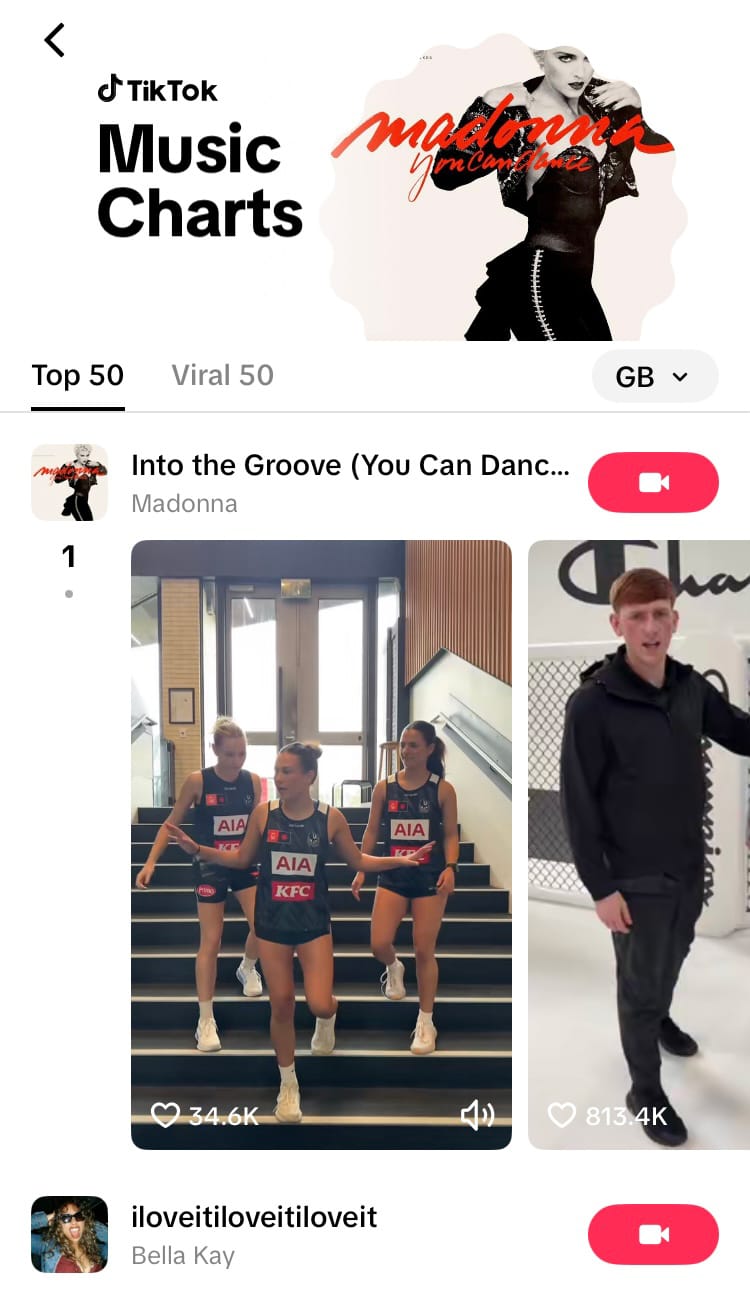
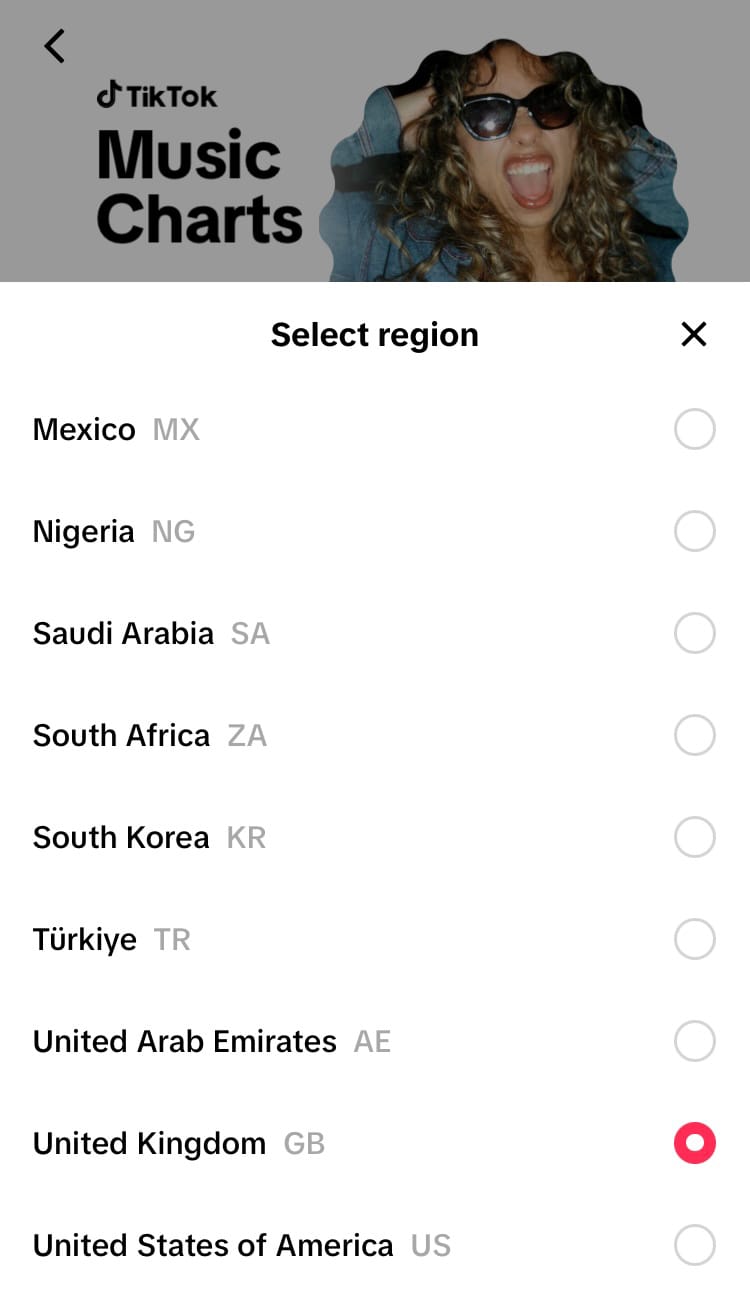
Explore Top 50 and Viral 50 TikTok Music Charts
Adding sounds from content
When viewing content on a feed or profile, you can explore, favourite and use featured sounds and songs. Simply tap on the circular sound icon at the bottom of the options on the right-hand side of the screen to explore, save and use the sound.

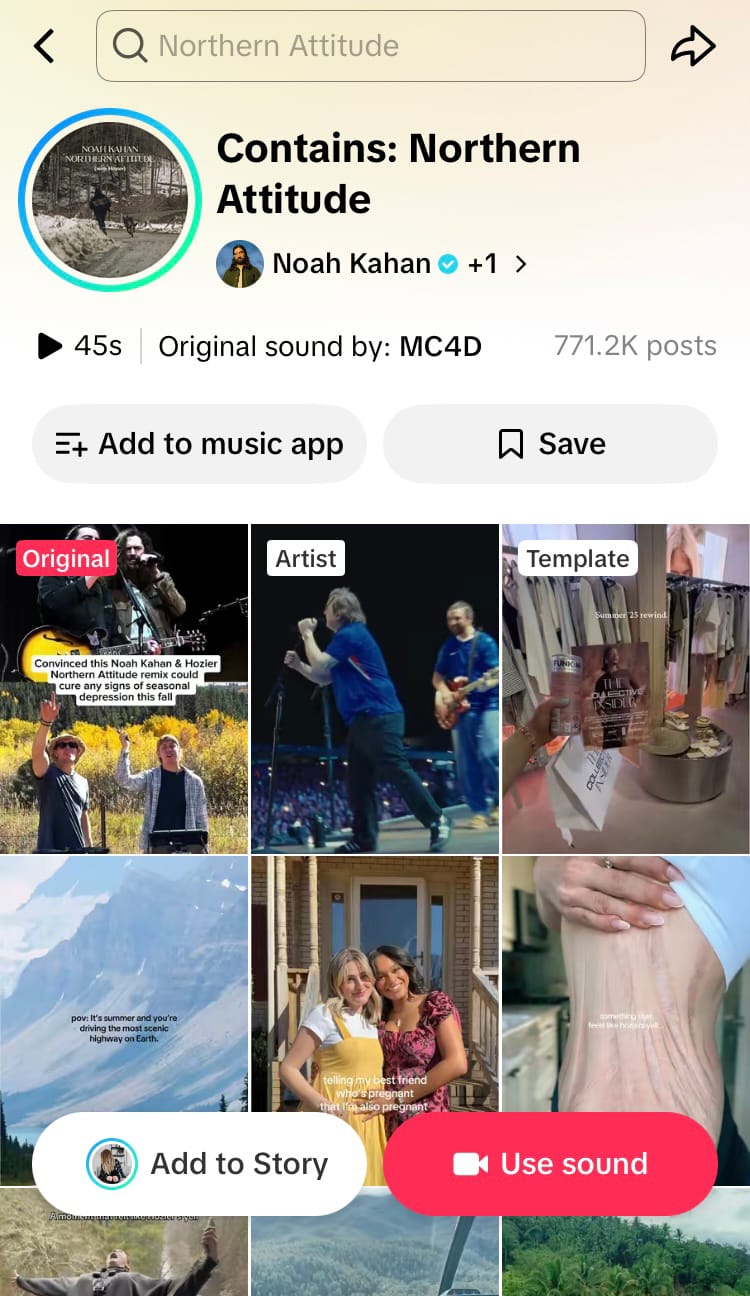
Add a sound or song from content on TikTok
Licensing other sounds and songs
Another option is to add sounds and songs externally. While this may mean leaving discovery benefits on the table, using an audio licensing company such as Epidemic Sound is a safe and reliable way to add sounds and songs to social media content while editing in software such as Adobe Premiere.
Adding sounds to your TikTok content can help your brand start making waves, but to build up the momentum to accumulate a tidal wave check out Minter.io - the social media analytics tool for businesses. Try it today!
See what is actually working on TikTok.