How to use TikTok’s Shared Feed feature
Lonely doomscrolling got you feeling flat? Consume and communicate with more intention using TikTok’s Shared Feed feature. Invite a friend to watch a daily dose of content together and feel more connected while chatting over your joint passions.
What is a Shared Feed
A shared feed on TikTok is a custom feed viewable by 2 people. Every day both members are plated up the same curated selection of 15 videos in their private chat, which is shaped by the videos they both already love. This feed reflects the combined interests of the viewers, meaning that if you and a buddy obsess over fishing videos, similar videos are likely to pop up in the shared feed. Similarly, if you’ve got a brain for business content or an eye for the latest fashion trends, and your fellow shared feed member matches these particular interests, you’re likely to be shown content that aligns with these preferences and topics in your shared feed. TikTok decides on your tailored feed based on the content you both watch and interact with on TikTok.

A shared feed opens up a new way of communicating and connecting on the platform. It is the ideal place to connect with another person who has similar passions to your own.
How to use the Shared Feed feature
Let’s explore how to create, interact with and understand TikTok’s Shared Feed feature…
Create a shared feed
A shared feed is created between 2 TikTok accounts and is accessible through TikTok direct messaging. One account must invite another account to join them in creating a shared feed. Either party can leave the shared feed at any time.
To create a shared feed:
- Open your TikTok DMs and start a chat with the account you want to create a shared feed with.
- Swipe along the options at the bottom of the screen and select ‘Shared feed’.
- Tap on the ‘Send invite’ button at the bottom of the screen.
The account will be sent a notification within the DMs to accept the shared feed invitation. The invitation does not have to be accepted, but a shared feed will only be created if the invitation is accepted.
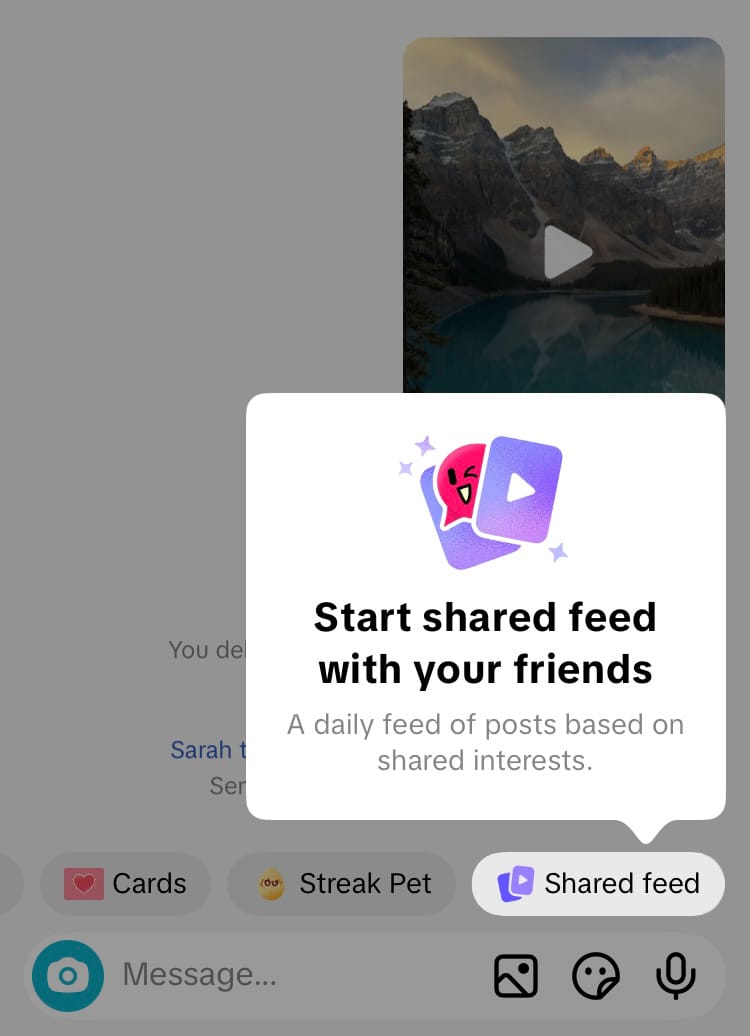
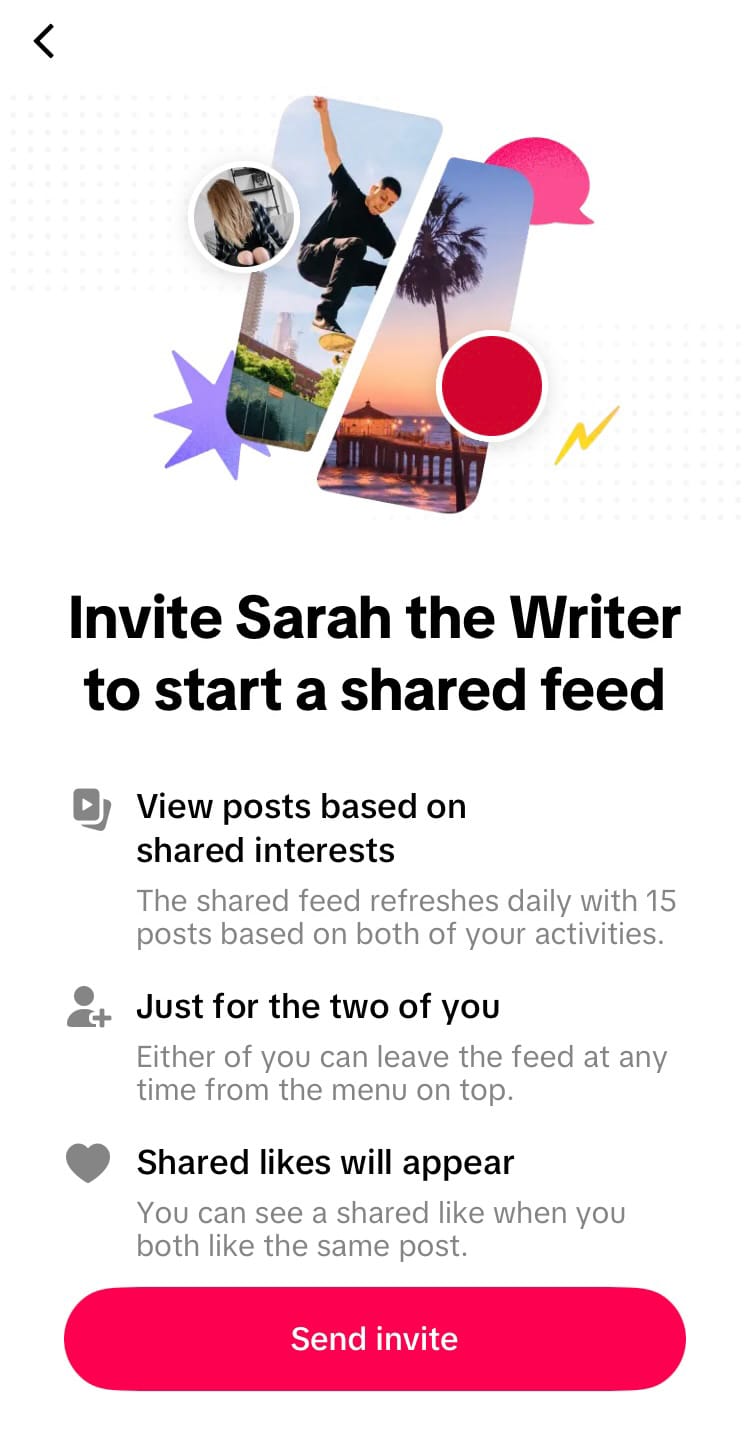
How to invite a friend to start a shared feed on TikTok
When the other party accepts the invitation a shared feed will be created that both accounts can access.
Interact with posts
Once a shared feed has been created users can like, comment on, favourite and share each TikTok post as usual, however there are some additional features to explore within the shared feed. The features that are available within a shared feed make it easier to communicate and feel connected with your shared feed friend.
DM directly from the bottom of the screenAt the bottom of the screen is an accessible way to direct message the other party in the shared feed, either with text or by tapping on a handy emoji. This skips the faff of hitting the share icon, finding your friend and whipping up your witty response in multiple steps. Fewer steps makes for easier conversation, laughs and chatter at your fingertips.

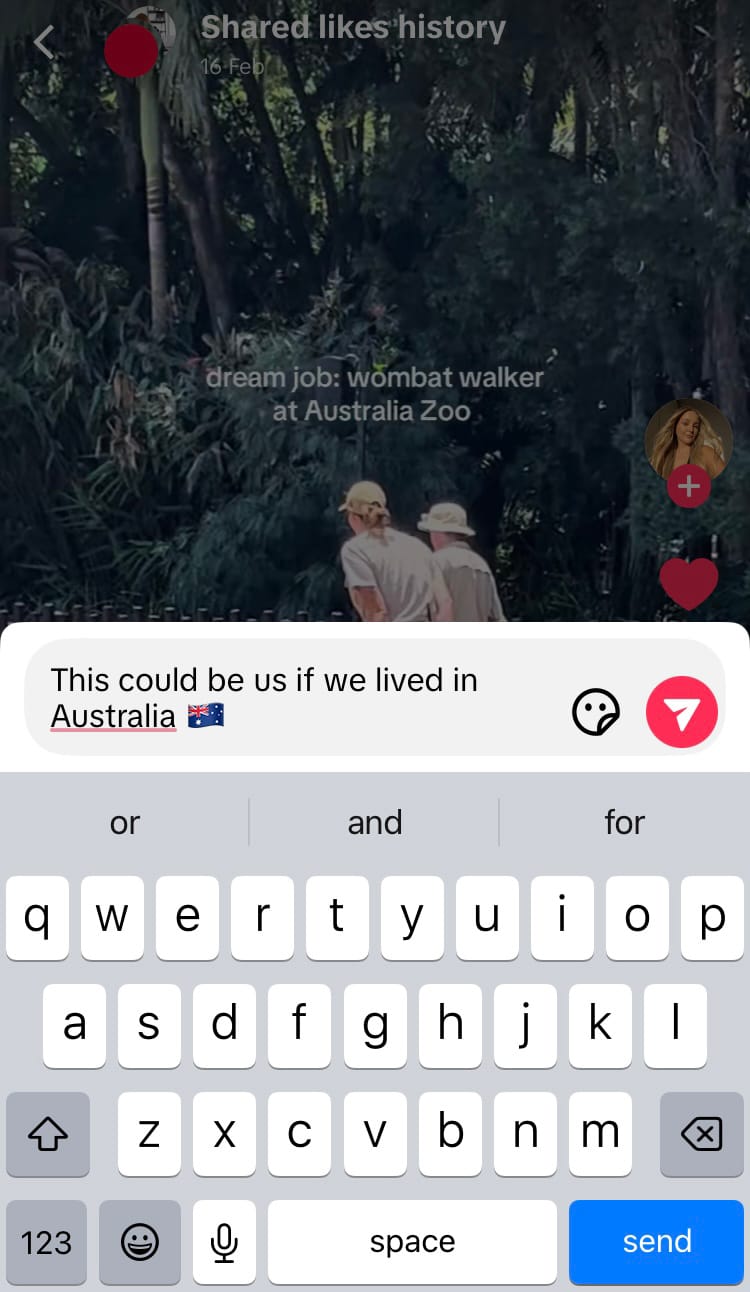
DM directly from the bottom of content on a shared feed
Shared likes history
When both members of a shared feed like the same post, TikTok celebrates it! As you both like more of the same posts within your shared feed, a shared likes history dashboard brings all your liked posts together as a cache of memories featuring your shared interests. Explore your shared likes history when you hit the end of your daily shared feed, and return to it at your leisure.

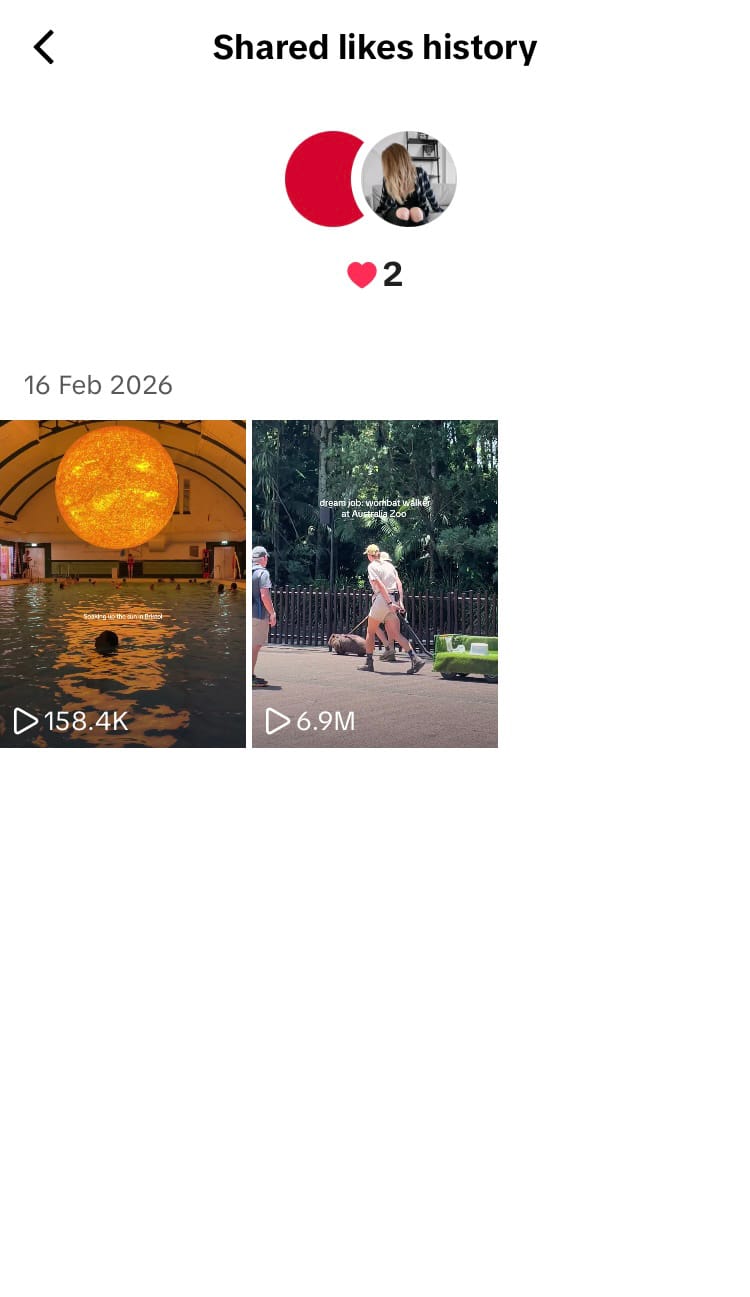
A shared feed stores a history of posts both members liked
Shared Feed statsWhen you hit the end of your daily joint feed of 15 posts, TikTok displays a brief dashboard with your shared feed stats.
Your shared feed stats include:
- Shared likes - posts both members liked
- Days - days both members viewed all the posts in the shared feed
- Minutes - combined time both members spent browsing the shared feed

Why businesses and brands should pay attention
Social media feeds are powered by people’s behaviours. When someone watches and interacts with content, the TikTok algorithm is more likely to show that person more of the same content. With the Shared Feed feature, TikTok takes into account the behaviour of two people combined. This creates a huge opportunity to get into places of mutual interest and trust.
Harness the trust of connections
Shared feeds dish up content that is tailored around the interests of two people who know each other. Whether the accounts are that of family, friends or co-workers, this level of attachment and comfort within the connection to start and accept a shared feed makes it the perfect place to build trust around your brand or business.
When meaningful interaction occurs between people who know and trust each other, businesses can thrive. For this reason, shared feeds are practically word-of-mouth marketing adjacent. With only 15 pieces of content to peruse each day, and with the content curated specifically for each pairing, friends may take more time experiencing and conversing over the content. There are a lot of trust-building opportunities to be had if you can get your content into the right shared feeds.
Effectively leverage a niche
A shared feed is built upon topics and interests. For example, if two people are wildly passionate about cooking, and often watch and interact with cooking content, their shared feed is likely to include lots more of the same. It’s clear that if a brand or business is firmly located in one niche on the platform, the algorithm is more likely to work in its favour. If you want the best chance of landing in shared feeds of people who would make a difference to your brand or business, do away with variety content and hone in on one topic or interest. In doing so the algorithm can easily put you in relevant shared feeds.
Are you giving the algorithm what it needs to understand and place your social media content in front of the right people? Tracking your social media analytics can provide insight into how your content is performing and the actions you’re taking that are positively (and not-so-positively) impacting your growth online. Find your analytical data at Minter.io and get ready to harness the age-old saying: knowledge is power.
All the metrics you need to grow your business on social media.