The power of favouriting sounds and songs on TikTok

TikTok was founded on 2 vital elements: an extensive music library and an unbeatably sophisticated algorithm. Formally Musical.ly, TikTok is the rebrand everyone’s singing about, but it wouldn’t be the roaring success we know today without sounds and songs fuelling creative sparks everywhere. With sounds and songs being the lynchpin of TikTok, their functionality and usability are vital to TikTok’s success. Favourites are a key part of this ease of use.
In this article, we’re exploring favourite sounds. We’re looking at how you can find and save sounds that make sense for your brand, and how you can leverage using favourite sounds to achieve various goals for your brand.
Let’s start by understanding the basics…
How to favourite a sound
Adding a sound or song to your favourites makes it easy to return to in the future. By favouriting a sound, you are essentially bookmarking it. This makes collating sounds and songs simple. You can favourite a sound from practically anywhere a sound pops up on TikTok.
Below are some of the simplest ways to find and favourite the sounds you love…
Content creation feature
The content creation section of the TikTok app provides a plethora of functions designed to help you create and edit various types of posts. Adding sound is a key element of the content creation process, but if you find a sound you like that you’re not quite ready to use yet, you have the option to favourite it from within the content creation options so you can return to it later on.
Here’s how:
- Open the TikTok app and select the plus (+) creation icon from the centre of the navigation bar at the bottom of the screen.
- Choose ‘Add sound’ at the top of the screen.
- Explore or search for sounds.
- When listening to a single sound, favourite it by tapping the bookmark icon next to the sound name.

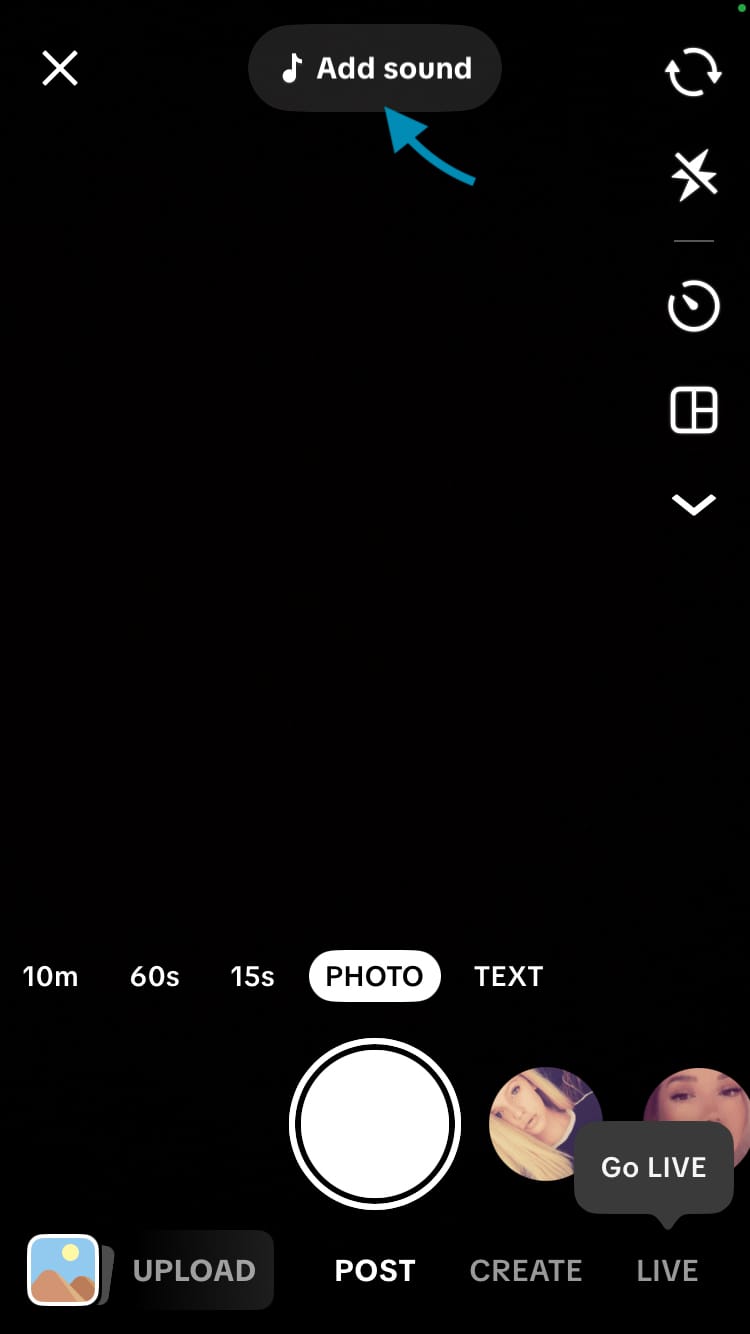

Favourite a sound while creating content on TikTok
Viewing content
Hear a sound or song you’d like to use while you’re browsing other people’s content? Whether you’re scrolling through the feed or discovering content on a profile, you can favourite and use sounds that are featured in other people's content.
Here’s how:
- Select the circular sound icon from the engagement icons on the right-hand side of the screen.
- Choose ‘Add to Favourites’.

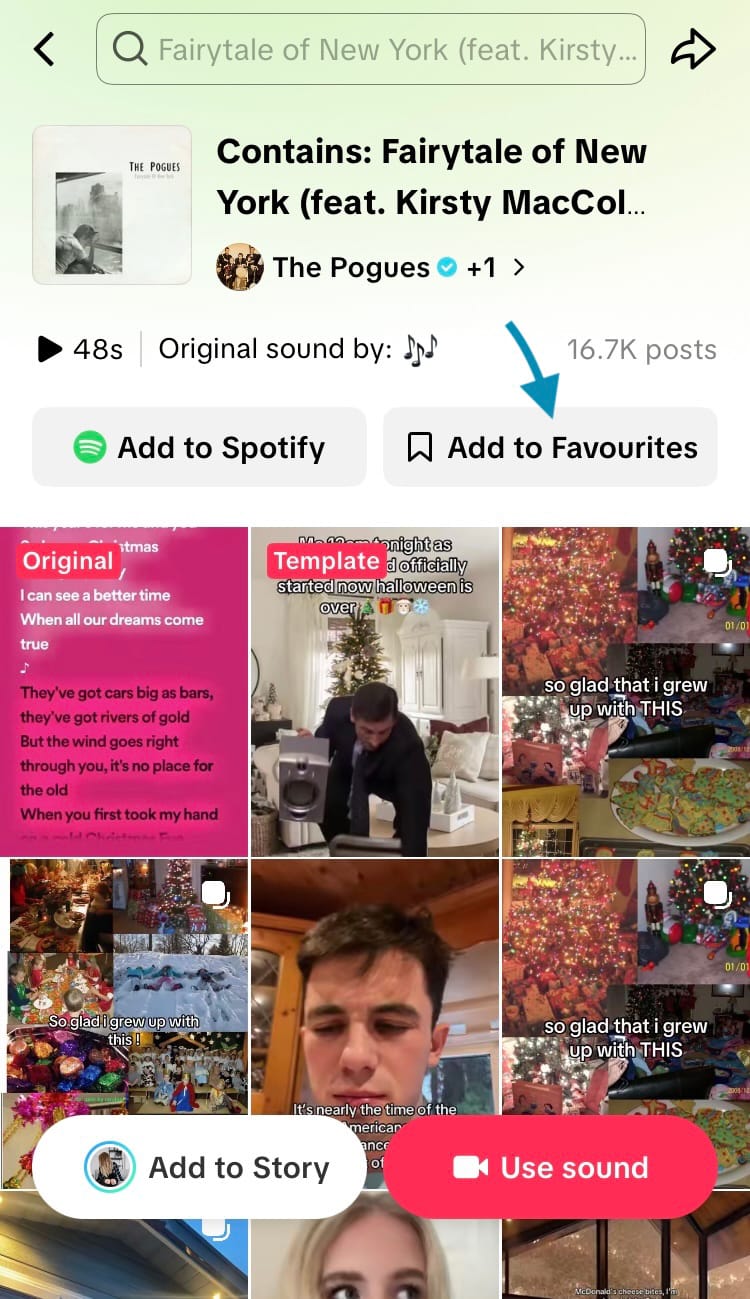
Favourite a sound while viewing content on TikTok
From here you can also see how the sound has been used in different pieces of content. This can help inspire new ideas or provide context for a trend.
Search
If you’ve got a specific vibe, music artist or song in mind, use the search function to find it and add it to your favourites. This is a straight-forward way to find something you already know and love.
Here’s how:
- From the TikTok home feed, tap on the magnifying glass icon in the top right-hand corner of the screen.
- Type in an artist, song or vibe and either hit ‘Search’ in the top right-hand corner of the screen or choose one of the suggested options.


Favourite a sound through TikTok search (Steps 1 & 2)
- Choose the ‘Sounds’ tab from the options at the top of the screen.
- Select a sound.
- Tap ‘Add to Favourites’.
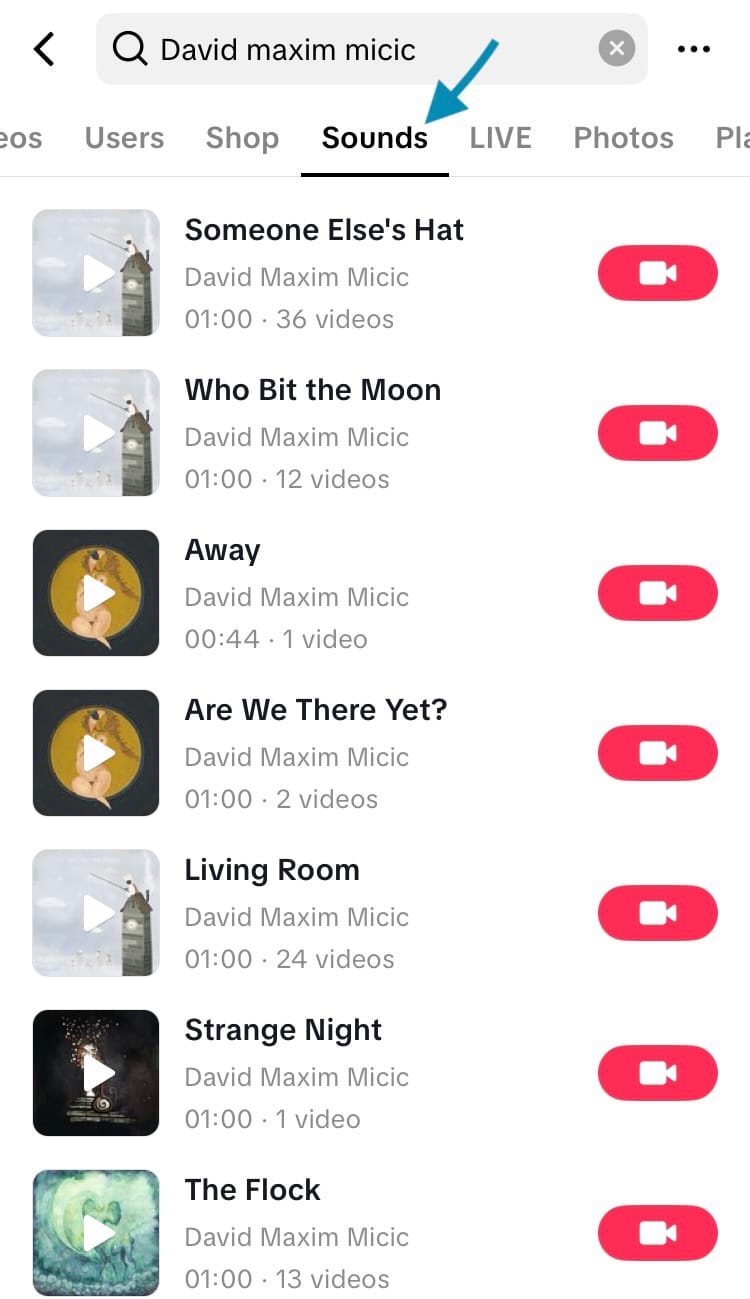
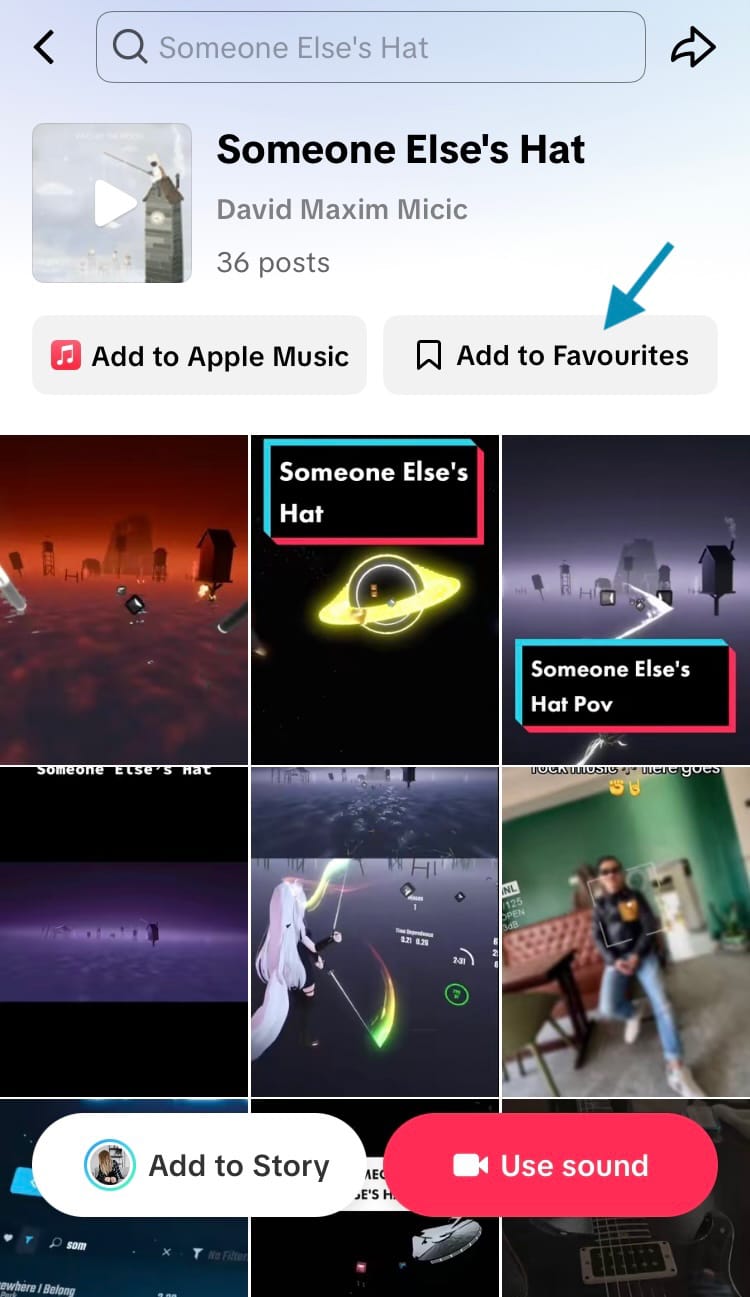
Favourite a sound through TikTok search (Steps 3-5)
Profile
If a profile has made their favourited sounds public, you can view and save the sounds they’ve favourited directly from their profile page. This is perfect if you adore the vibe of their TikTok content and it aligns well with your brand.
Here’s how:
- Go to a profile page.
- Select the favourites tab at the top of their profile.
- Tap ‘Sounds’.
- Select a sound.
- Tap ‘Add to Favourites’.

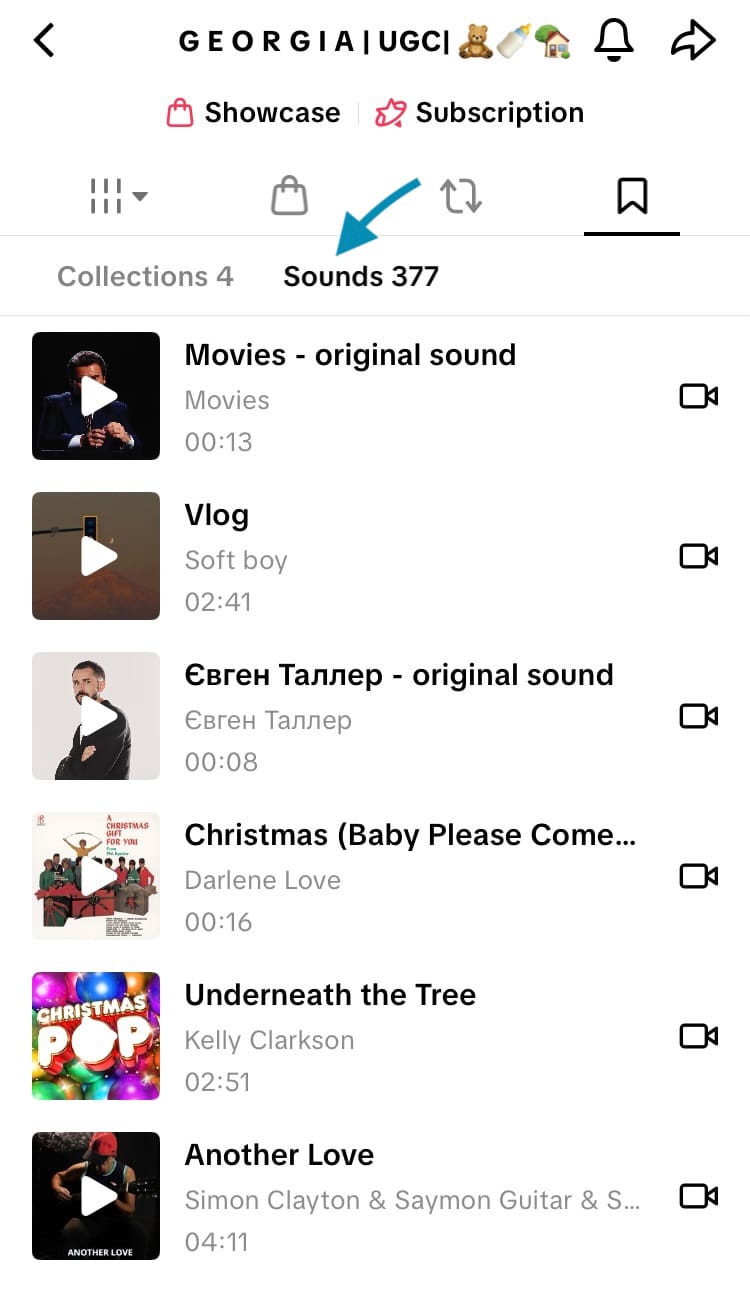

Favourite a sound from a profile on TikTok
How to access your favourite sounds
When you’ve favourited a sound, it is bookmarked for you to return to. There are a few places you can access your favourite sounds from so you can listen, share and create content with your favourite sounds.
Let’s explore them…
Your profile
Your favourite sounds are grouped together in a tab on your profile. If your favourite sounds are private (discover how to change these settings later in this article), no-one else will be able to see them here but you. The number of sounds you’ve favourited is displayed at the top of the tab.
To find your favourite sounds:
- Navigate to your TikTok profile.
- Tap on the favourites tab.
- Choose ‘Sounds’ from the options at the top of the tab.
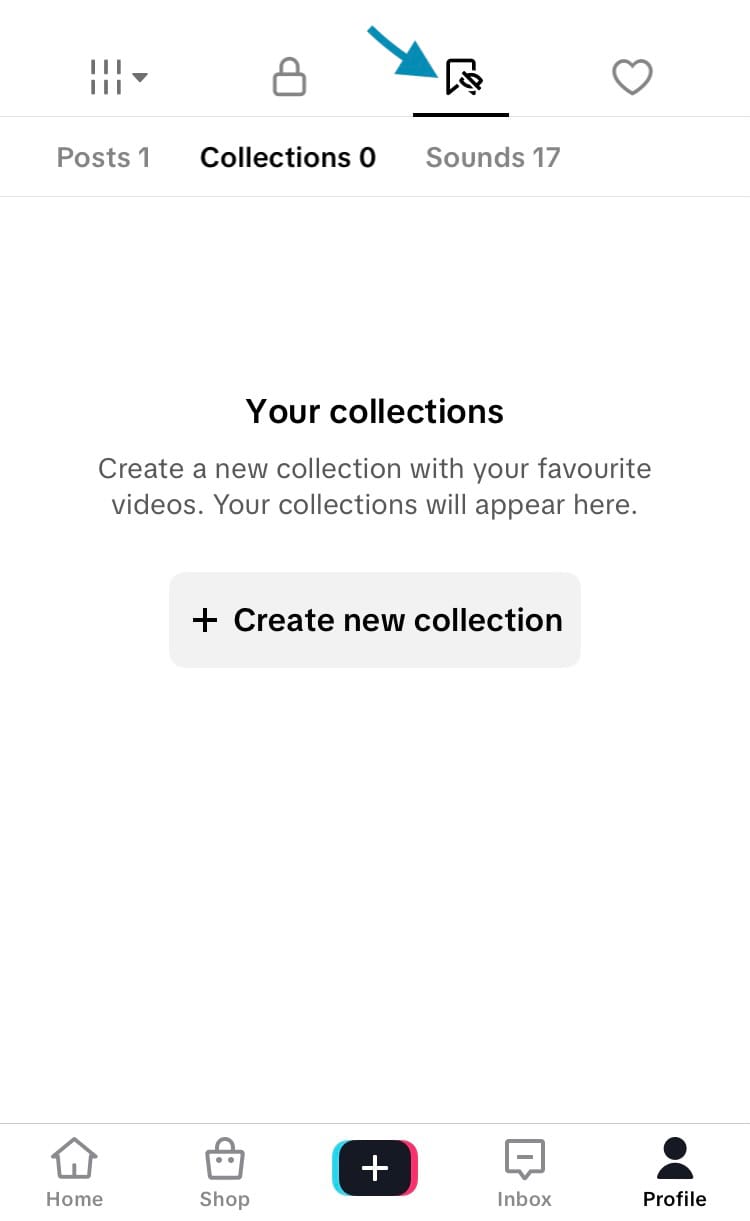
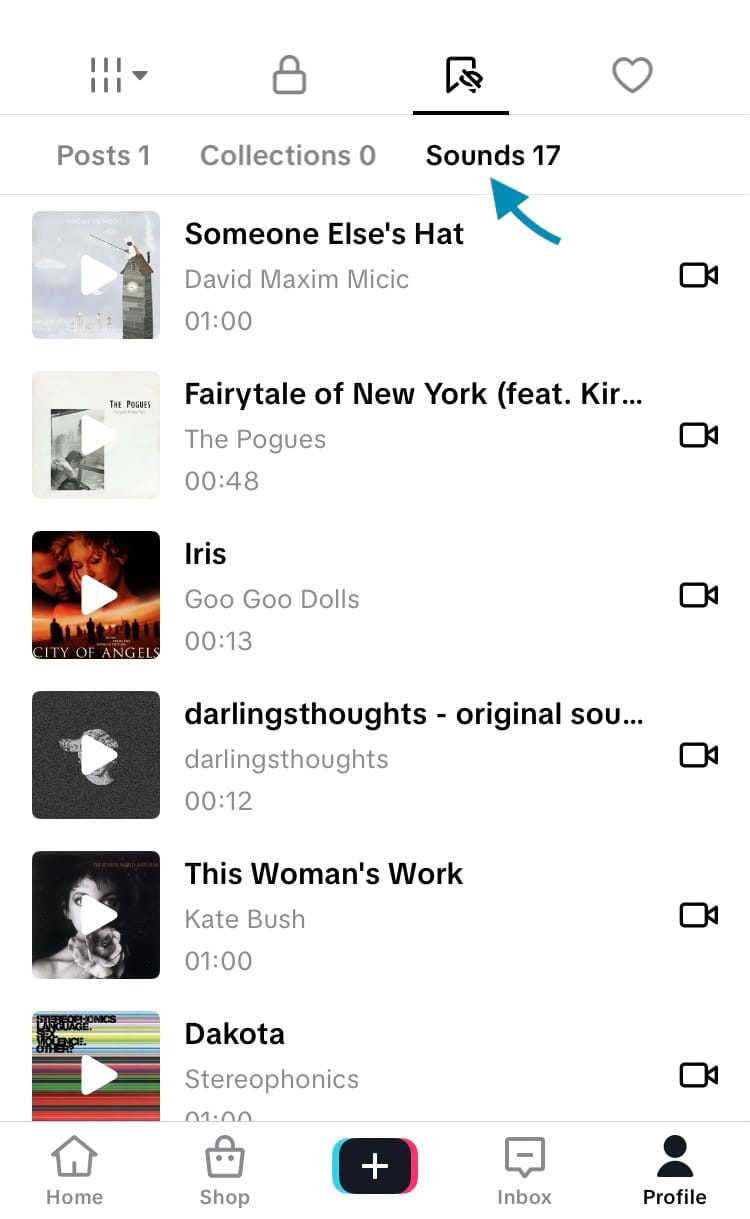
Find and access your favourite sounds on TikTok
Content creation feature
When you’re creating new content, you can find and use your favourite sounds within the content creation section of TikTok. This makes it easy to line up the sounds you love with the content that was potentially inspired by them.
To find your favourite sounds:
- Open the TikTok app and select the plus (+) creation icon from the centre of the navigation bar at the bottom of the screen.
- Choose ‘Add sound’ at the top of the screen.
- Tap on the ‘Favourites’ tab.
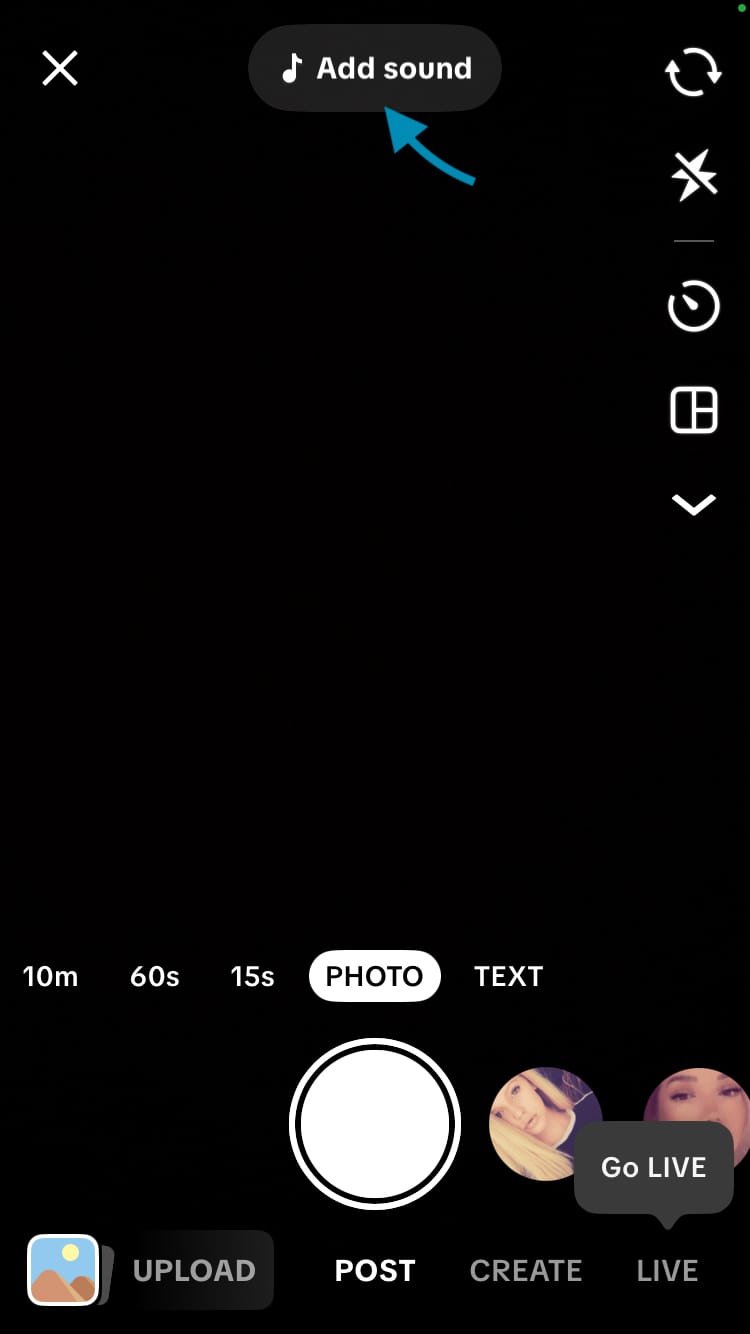
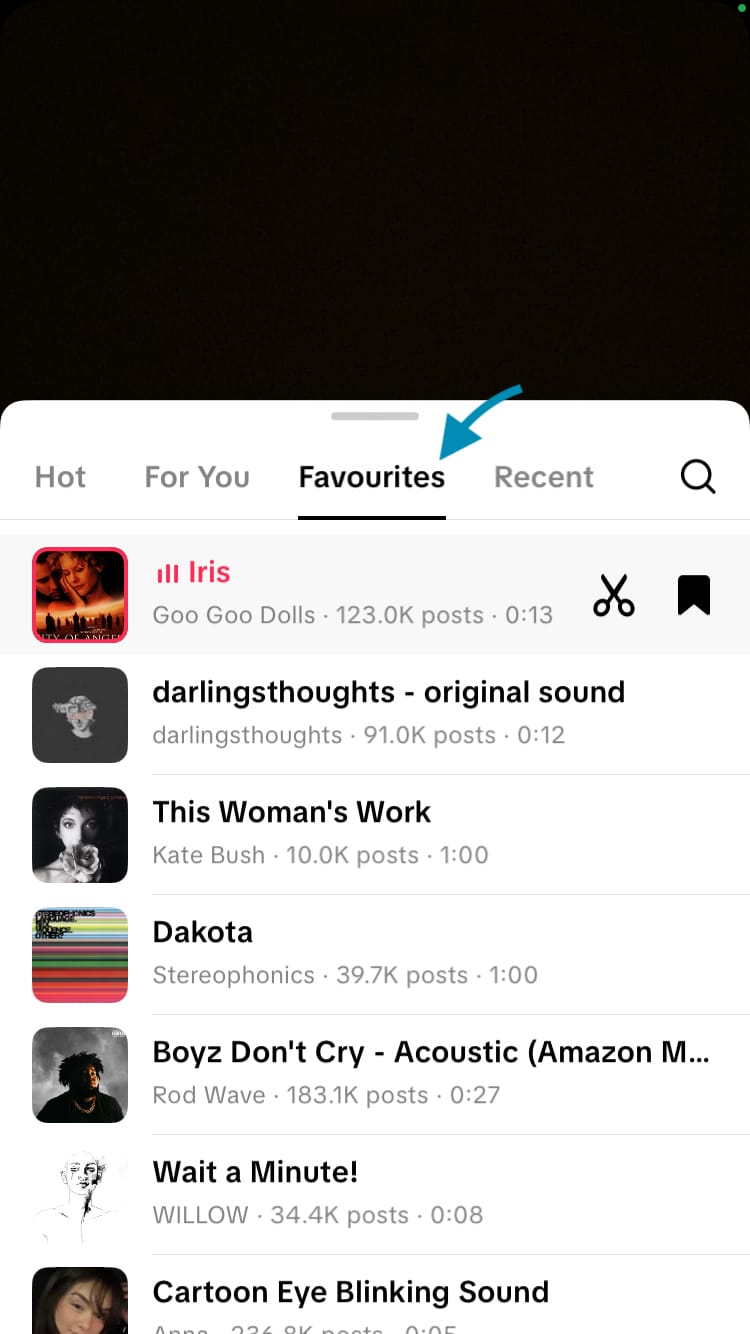
Find and access your favourite sounds on TikTok
How to make your favourite sounds public
Your favourite sounds and songs can be private or public. If they are public, TikTok users can discover your favourite sounds through a tab on your profile. This is ideal for gathering sounds and songs that you want people to discover and associate with your brand, and it’s the perfect way to get more attention on sounds and songs you’ve created and released.
You can choose whether your favourite sounds are public or private. If you have a public profile and your favourite sounds are public, anyone can view your favourite sounds.
To change your favourite sounds privacy settings:
- Navigate to your TikTok profile and choose the 3-bar menu in the top right-hand corner of the screen.
- Choose ‘Settings and privacy’.
- Tap on ‘Privacy’.
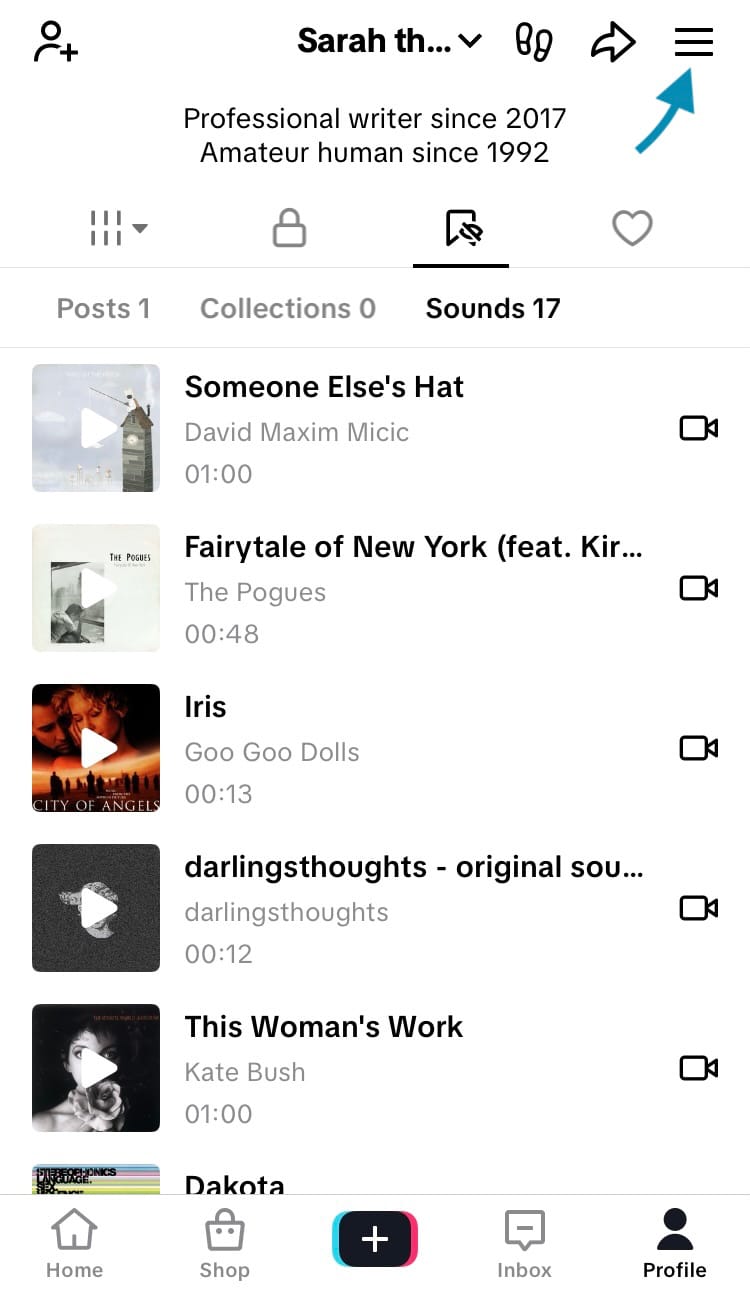
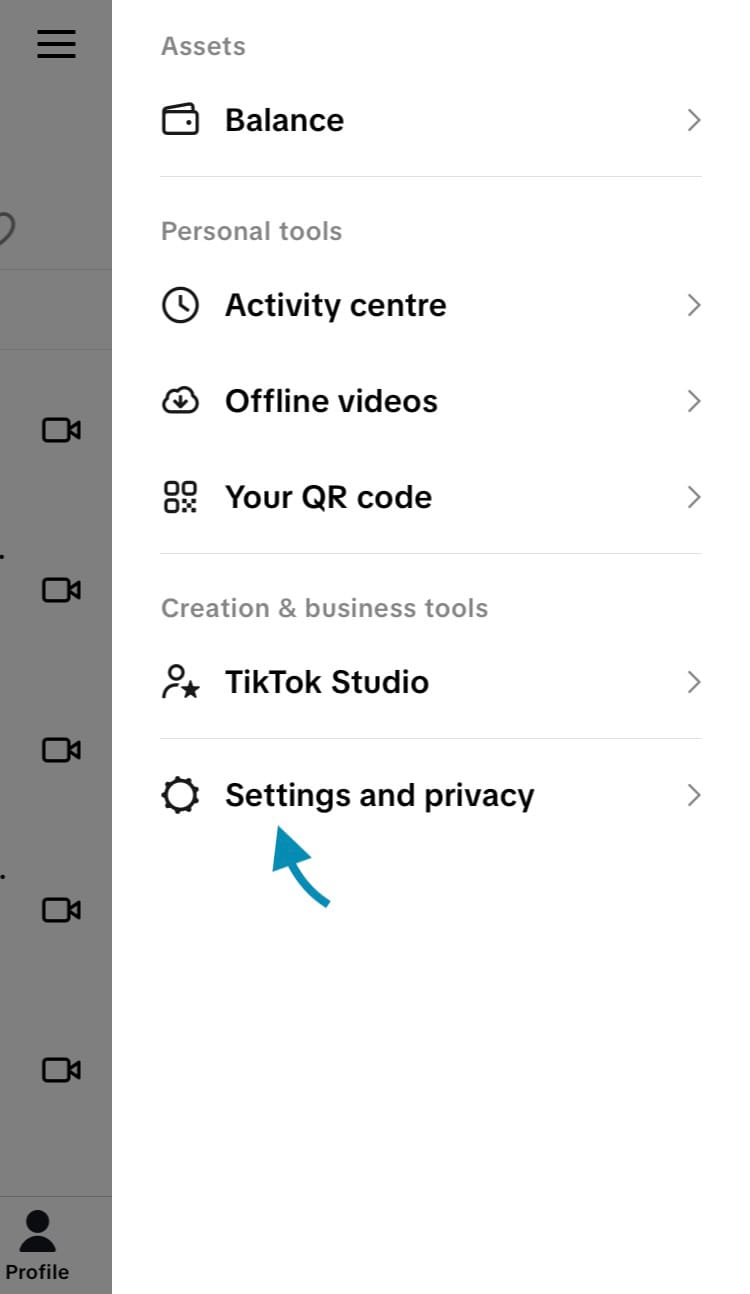
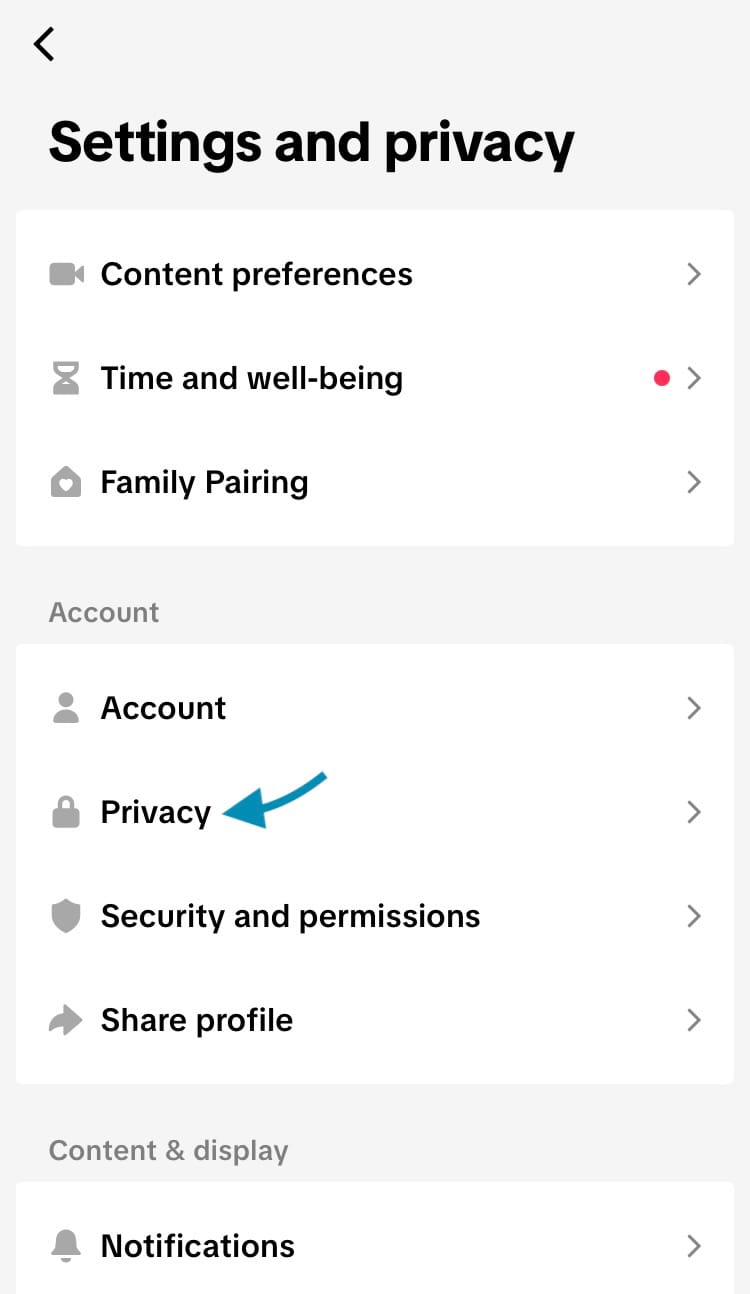
Change your favourite sounds privacy settings on TikTok (Steps 1-3)
- Scroll down and choose ‘Favourite sounds’.
- Toggle the switch next to ‘Make public’.
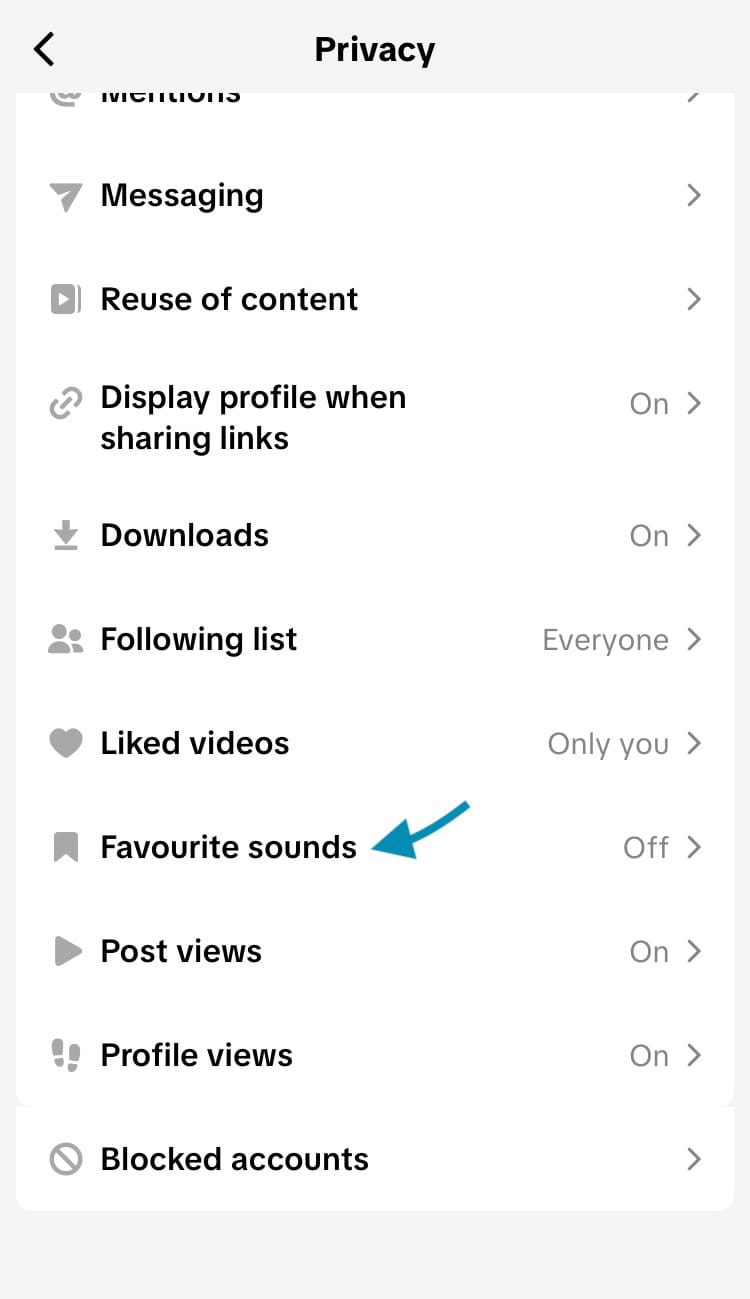
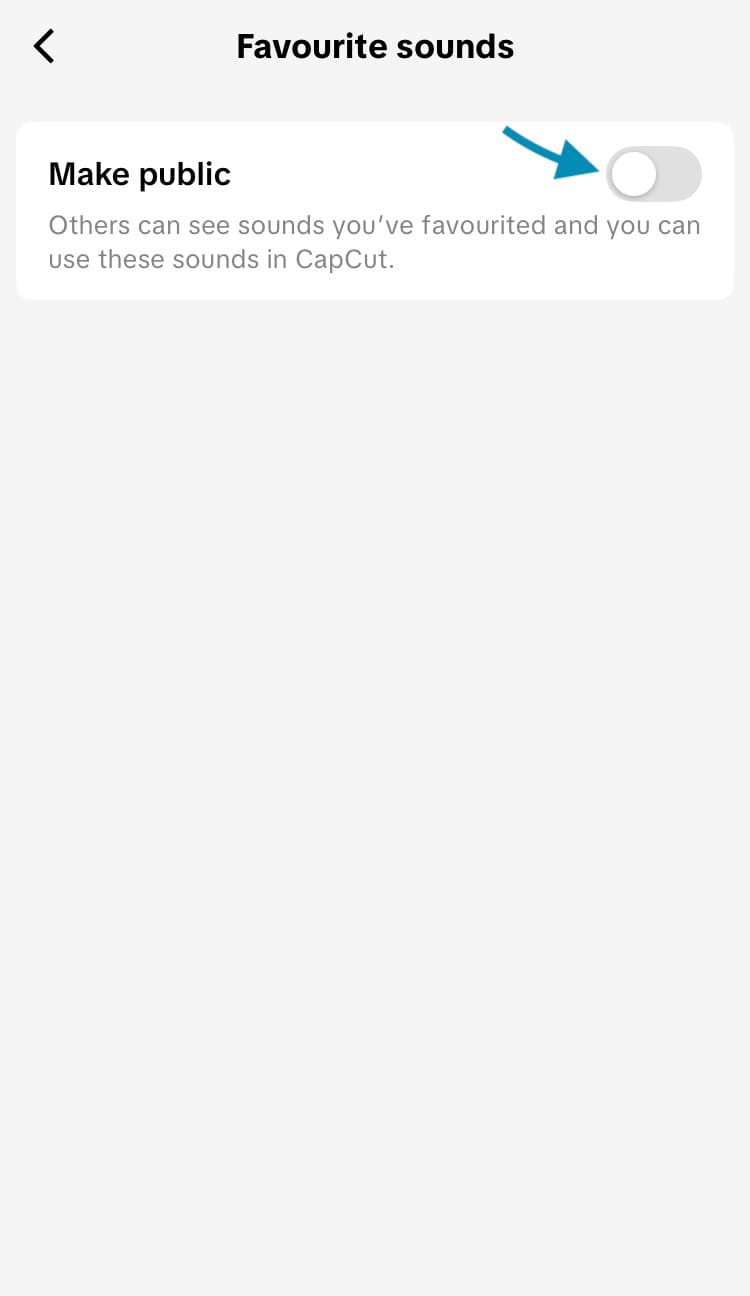
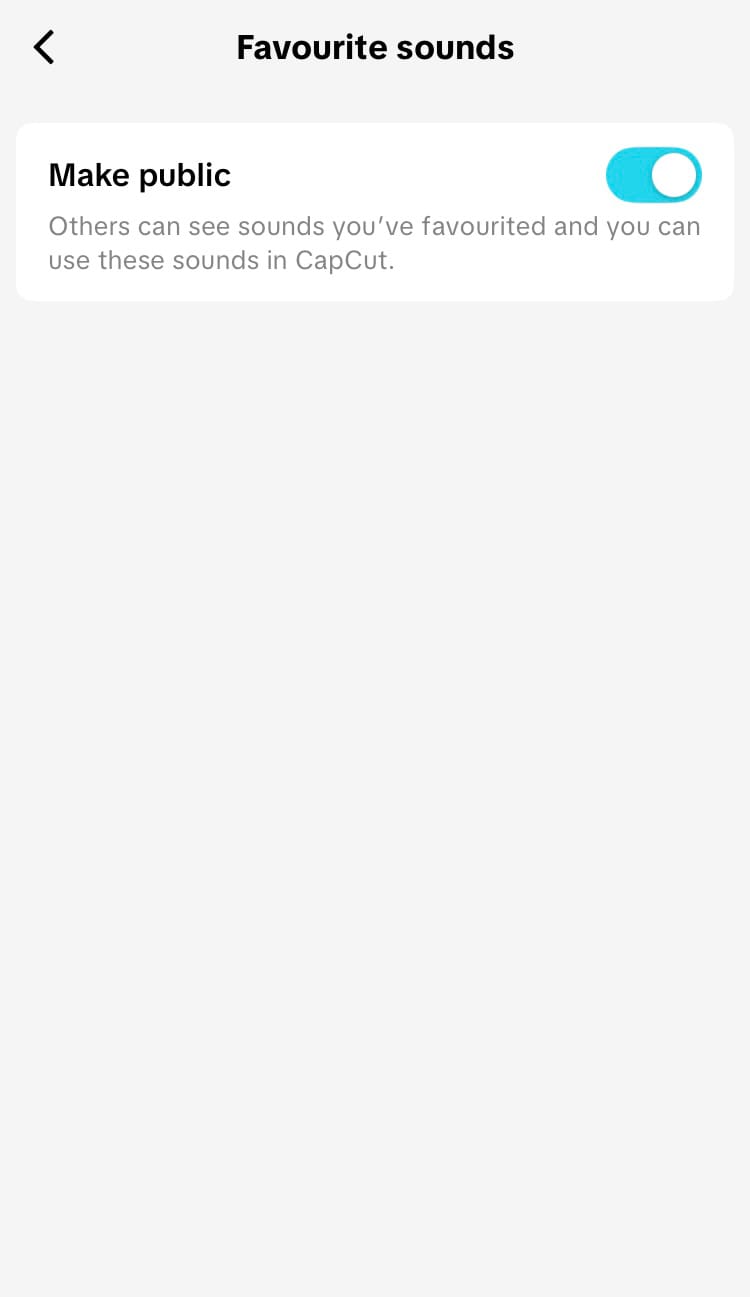
Change your favourite sounds privacy settings on TikTok (Steps 4 & 5)
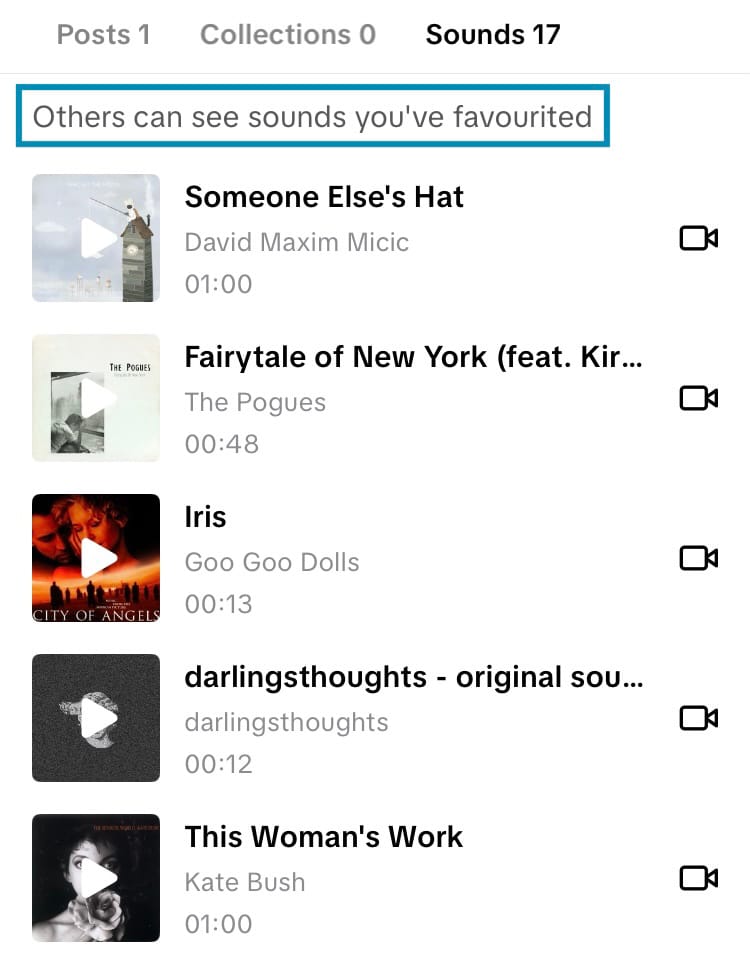
When your favourite sounds are public, there may be a notice (that is visible to only you) at the top of your favourites tab that states that others can see your favourite sounds.
Which sounds to add to your favourites
There are multiple powerful ways to utilise the favourites feature, each supporting different goals you may have. Here are some sounds you might want to add to your favourites.
Sounds that spark ideas
If you come across a sound that begs to have content created around it, save it instantly so that you don’t lose it. Content creation is only as powerful as the ideas you have and how effectively you get those ideas across. If you find and favourite sounds that instantly get your creativity flowing, you can come up with plenty of content quickly.
Trending sounds
Looking to jump on a trend to reach more people with your brand? Save trending sounds or songs attached to current trends so you can join the wave of views while they’re still relevant.
Sounds to showcase
If you’ve chosen to have your favourite sounds publicly viewable, use the tab on your TikTok profile as another way viewers can connect with your brand. Add sounds and songs that align with your brand ethos and vibe and make it a treasured space on your profile that fans love to return to and new viewers enjoy discovering.
Sounds you’ve created
If creating sounds and songs is part of your brand or your social media strategy, make your favourite sounds public and add your sounds and songs to your favourites. This provides another space for your creations to be discovered.
Keeping an ear out for more ways to grow on TikTok? Minter.io is the social media analytics tool you’ll soon be singing about. Its streamlined approach to growth across all your social media accounts sets the stage for your brand to stand out. Try it today.
Grow your business on TikTok.