


You can now see all your profiles in one report with new Group Reports on Minter.io.
Group reports combine your tracked profiles, so you can see followers, growth, posts, engagements and views across all your networks in one place. A group can include any mix of Instagram, TikTok, Facebook, X, LinkedIn and Threads profiles, including several profiles on the same network.
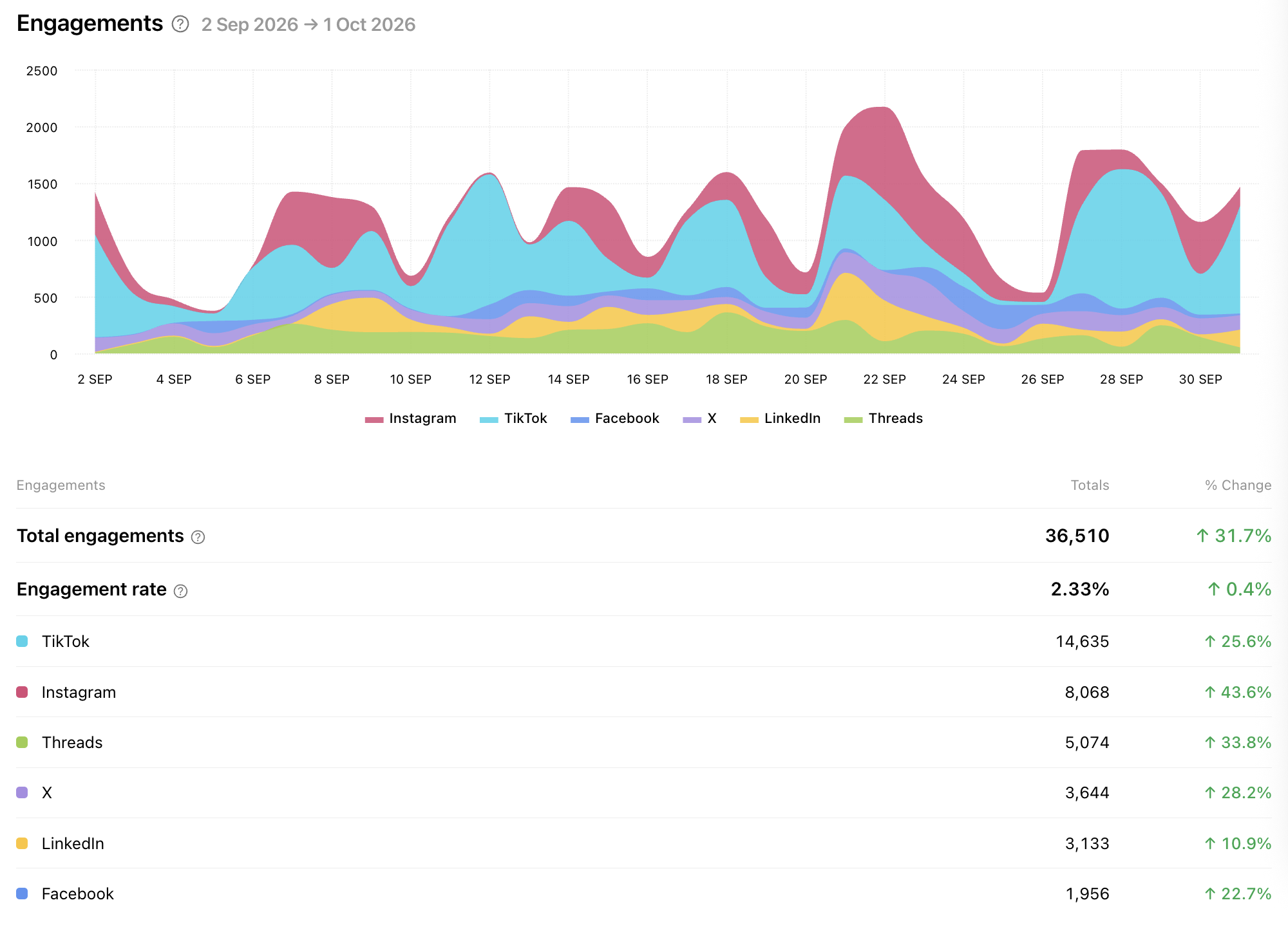
Track your brand performance on several networks: spot trends, compare results and see how each channel and network contributes to your overall performance. Switch between a breakdown by network or by profile and view any date range.
How to open a group report
Go to your Minter.io home page.
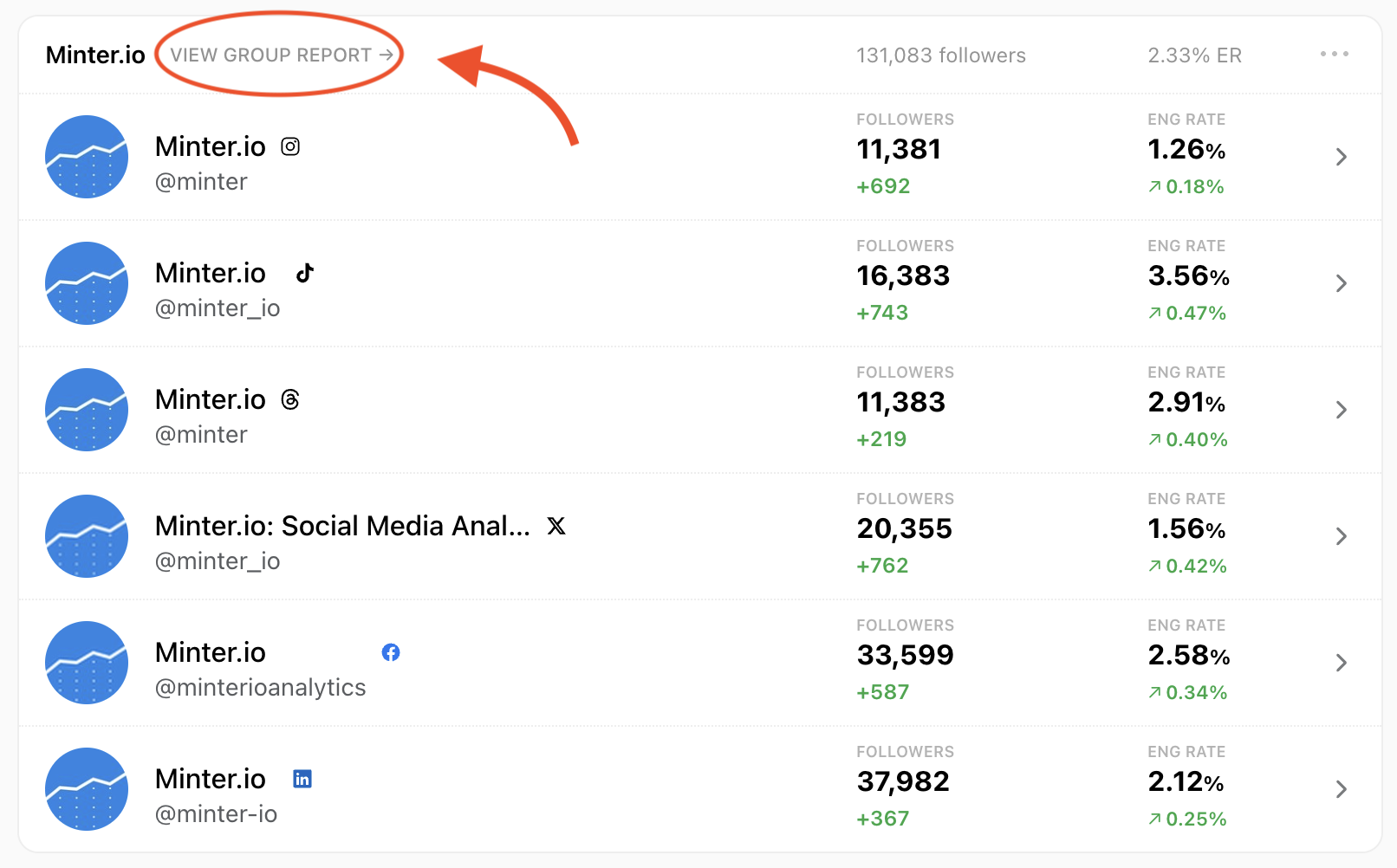
Find the group you want to report on. The group header shows its total followers and overall engagement rate.
Click View group report, next to the group name.
Each group report has three sections:
Overview: key metrics for the whole group, including followers, net follower growth, posts, engagements and views.
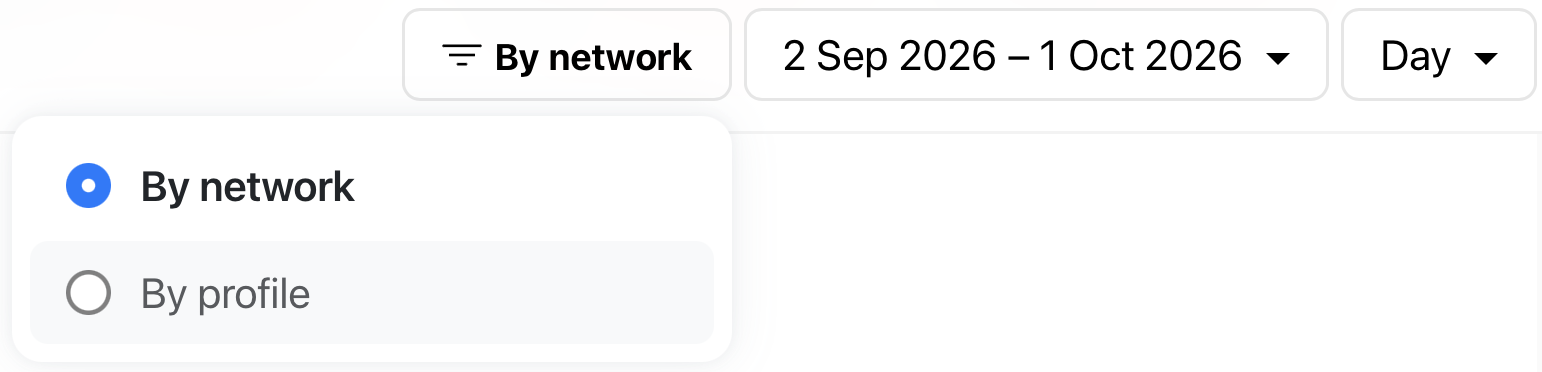
You can also choose how you view your results using the dropdown at the top of the Overview report. Select By network to combine profiles from the same social network, or switch to By profile to see each account separately.
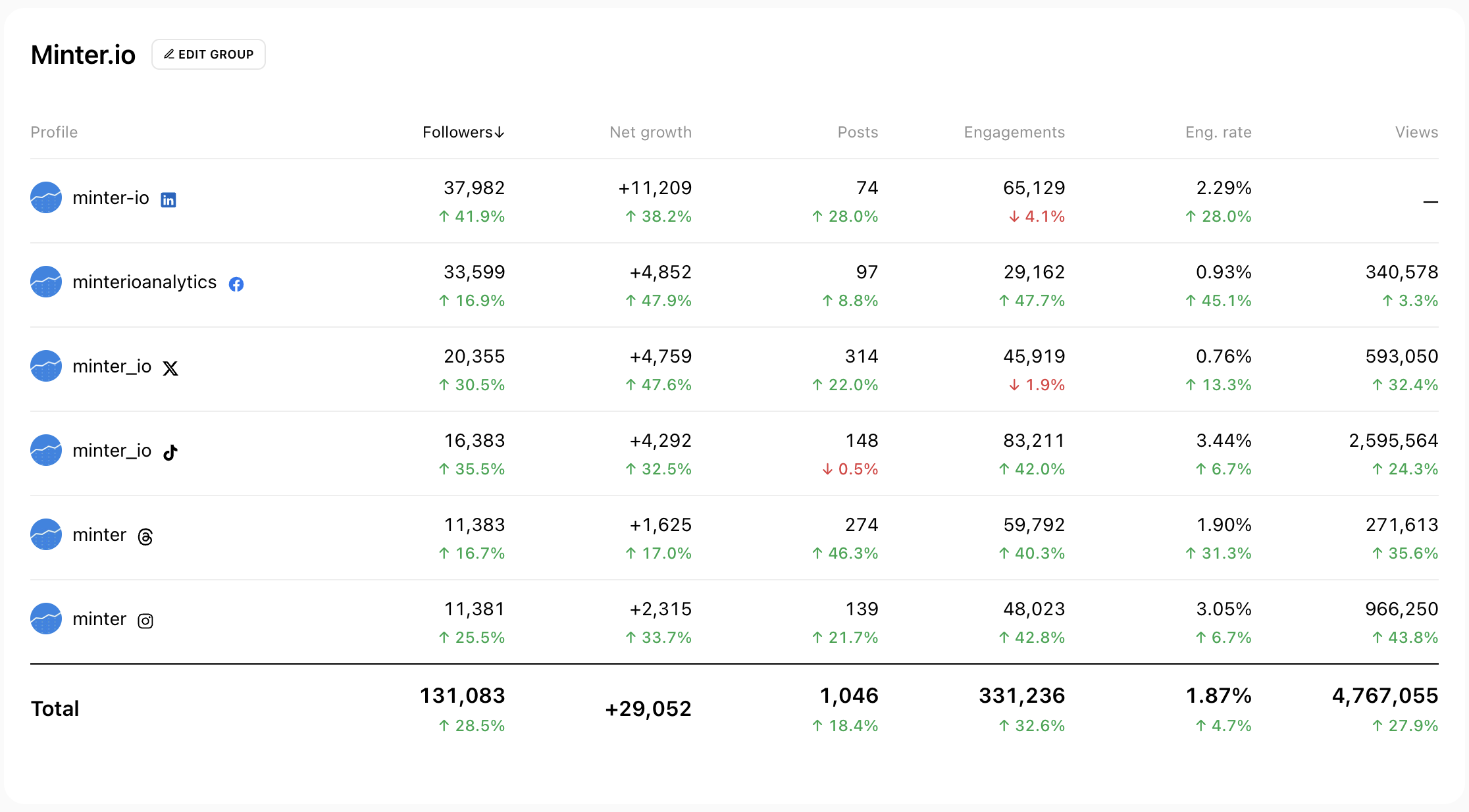
Profiles: a side-by-side table of every profile in the group. Sort by any metric to see which profile performs best.
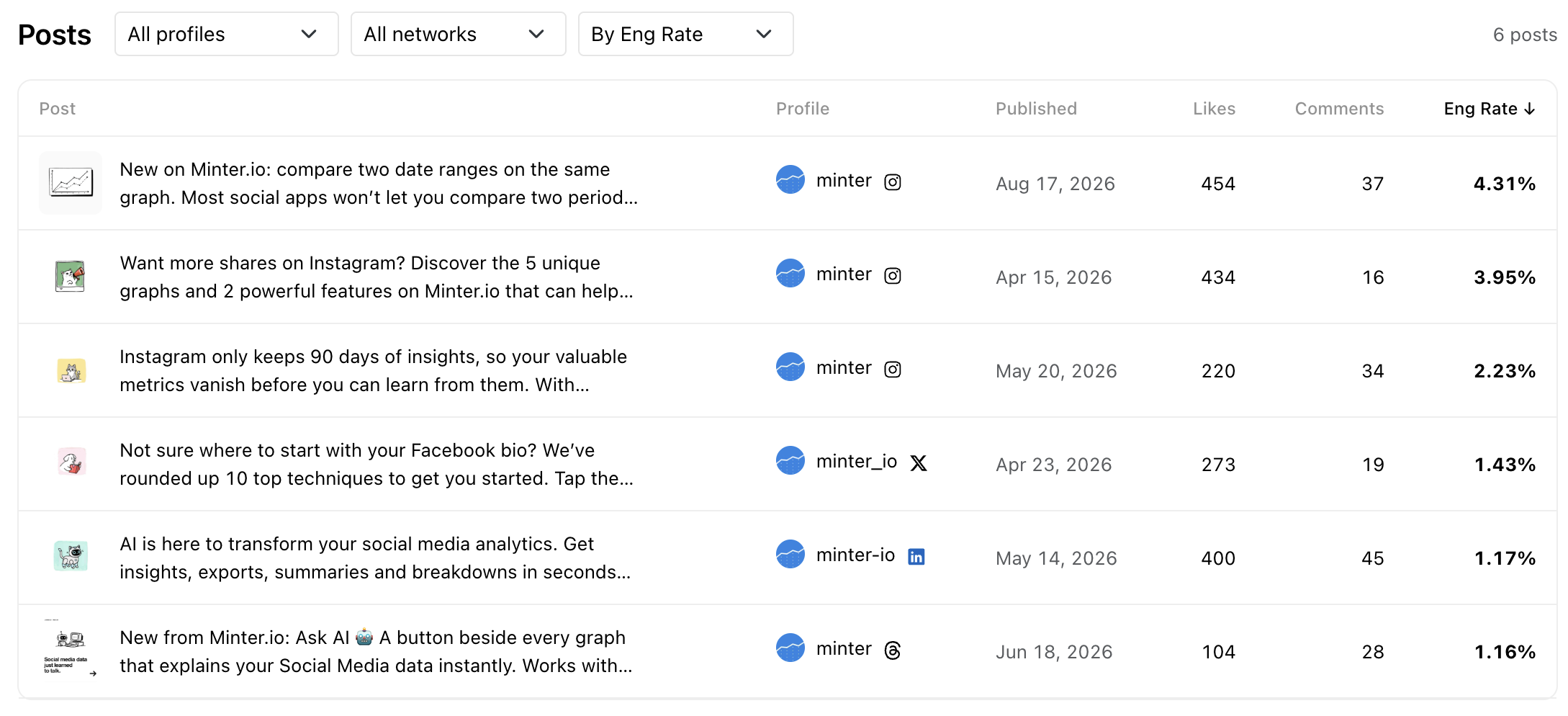
Posts: every post from the group in one list. Filter by profile or network and sort by engagement metrics to find your top content.
Group reports support Instagram, TikTok, Facebook, X, LinkedIn and Threads, and are available on the Gold, Platinum and Agency plans.