


Groups bring related social media profiles together so you can view their performance in one report. Minter.io automatically groups profiles by brand name. You can also create groups and change which profiles belong to them.
How to manage groups in Minter.io
Edit a group from the home page
Go to the Minter.io home page.
Find the group you want to change.
Click the three dots menu in the top right corner of the group
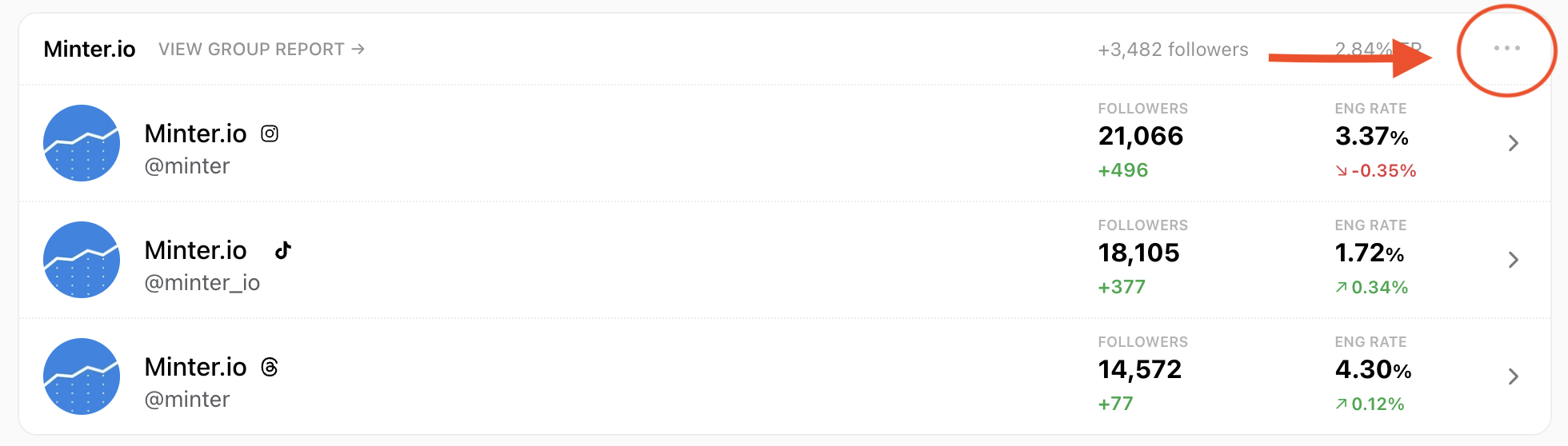
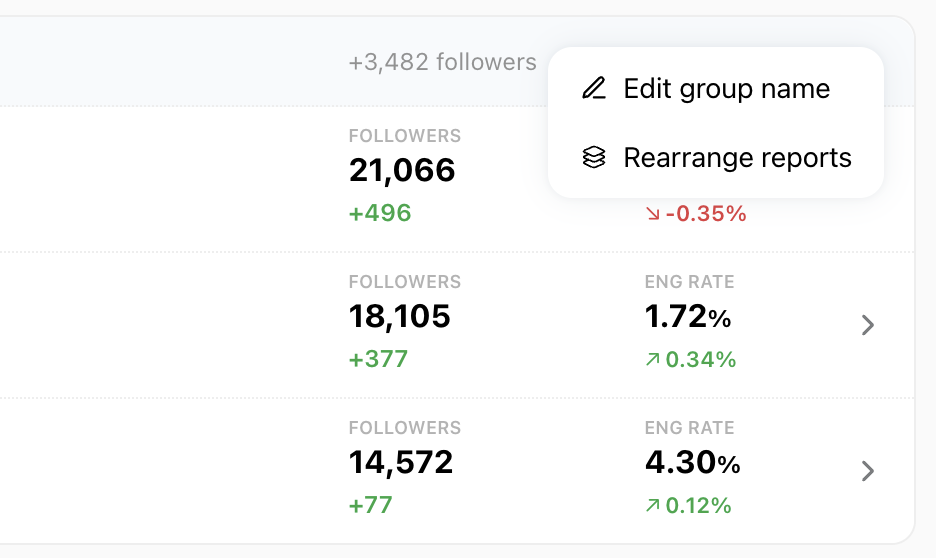
A menu opens with two options:
Edit group name lets you rename the group.
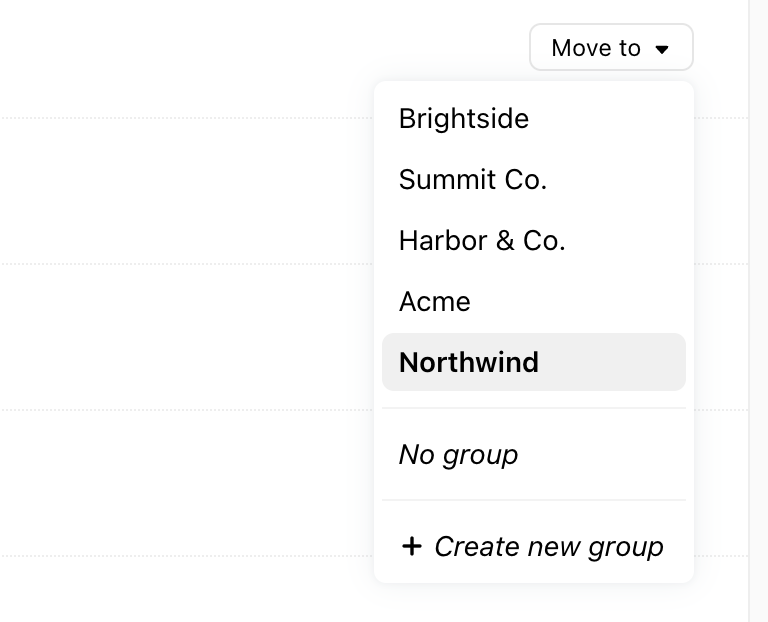
Rearrange reports lets you move a report to another group, remove it from the group, or create a new group.
From the Rearrange reports editor, use the Move to menu next to each profile in the group to move it to another group, remove it from the group, or create a new group.
View a group report
On your Minter.io home page, find the group you want to view and click View Group Report next to its name.
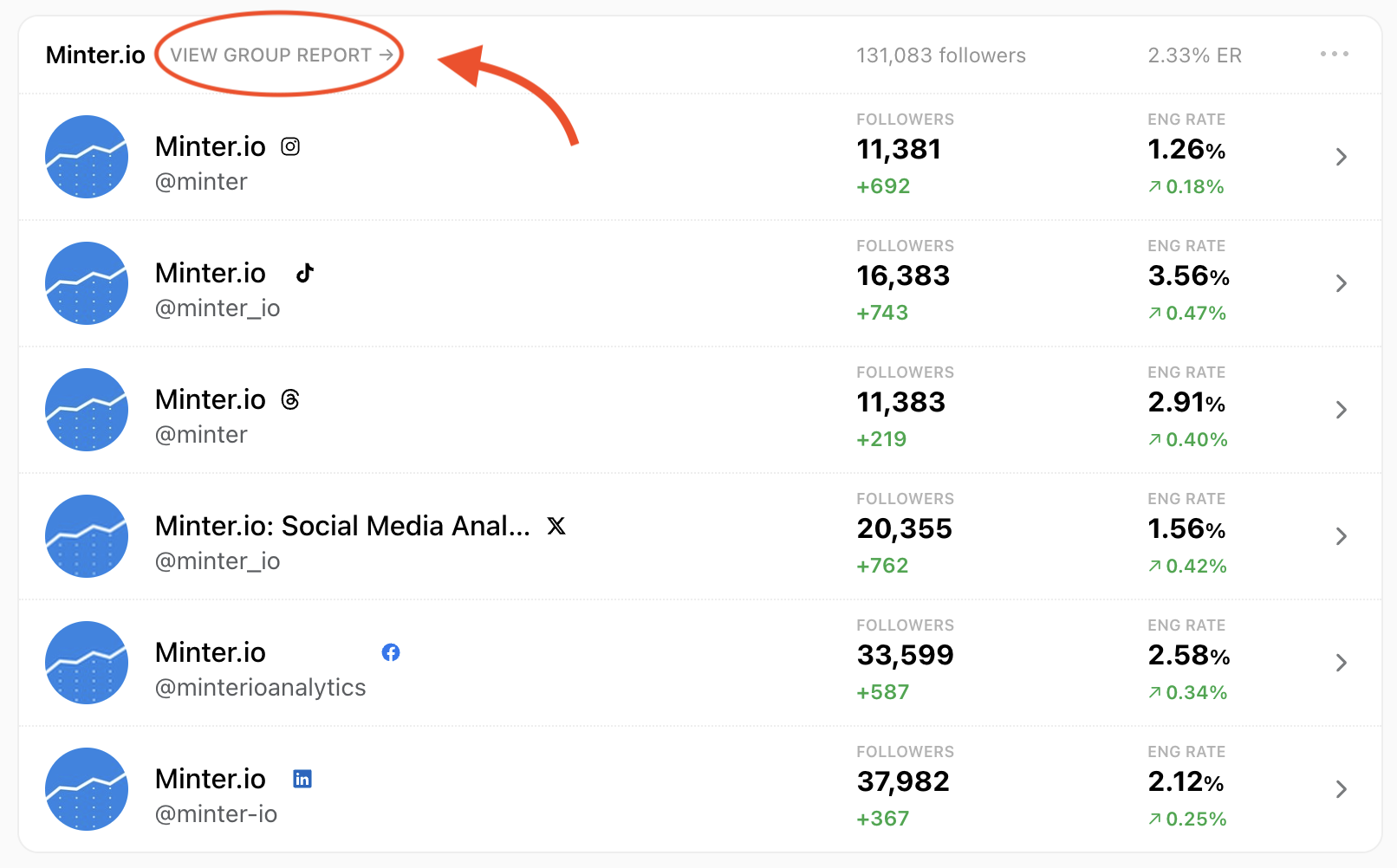
A group report shows combined analytics for every profile in the group. To learn more, see Group reports.
Edit a group from the group report
Open the group report.
Go to the Profiles tab.
Click Edit group next to the group name.
In the Edit group window, you can rename the group and tick or untick profiles to add them to or remove them from the group.