How to organise saved Instagram posts into collections
Do you love to save posts on Instagram? If you’re hoarding joy, laughter, inspiration and ideas to come back to but don’t have a system to keep it all sorted, read on dear friend… There’s nothing quite as chaotic as repeatedly hitting the save icon just to let amazing content go to fester in a dump. If returning to your saves induces a headache as it takes an eternity to untangle the treasure, Collections is the answer.
Collections are essentially albums. Sorting Instagram content into collections lets you find what you want quickly and effectively. Smart businesses and brands use collections to gather and share content ideas. You can create private collections or collaborative collections that other accounts can add to as well. They’re easy to set up, view and add to, and in this article we’re going to get you started.
How to access your saved content
Your saved content is one of the first things in the settings and activity menu on your Instagram account. Its super swift accessibility makes it the perfect place to store your favourite content.
To access content you’ve saved:
- Go to your Instagram profile.
- Tap the 3-bar menu in the top right-hand corner of the screen.
- Select ‘Saved’.
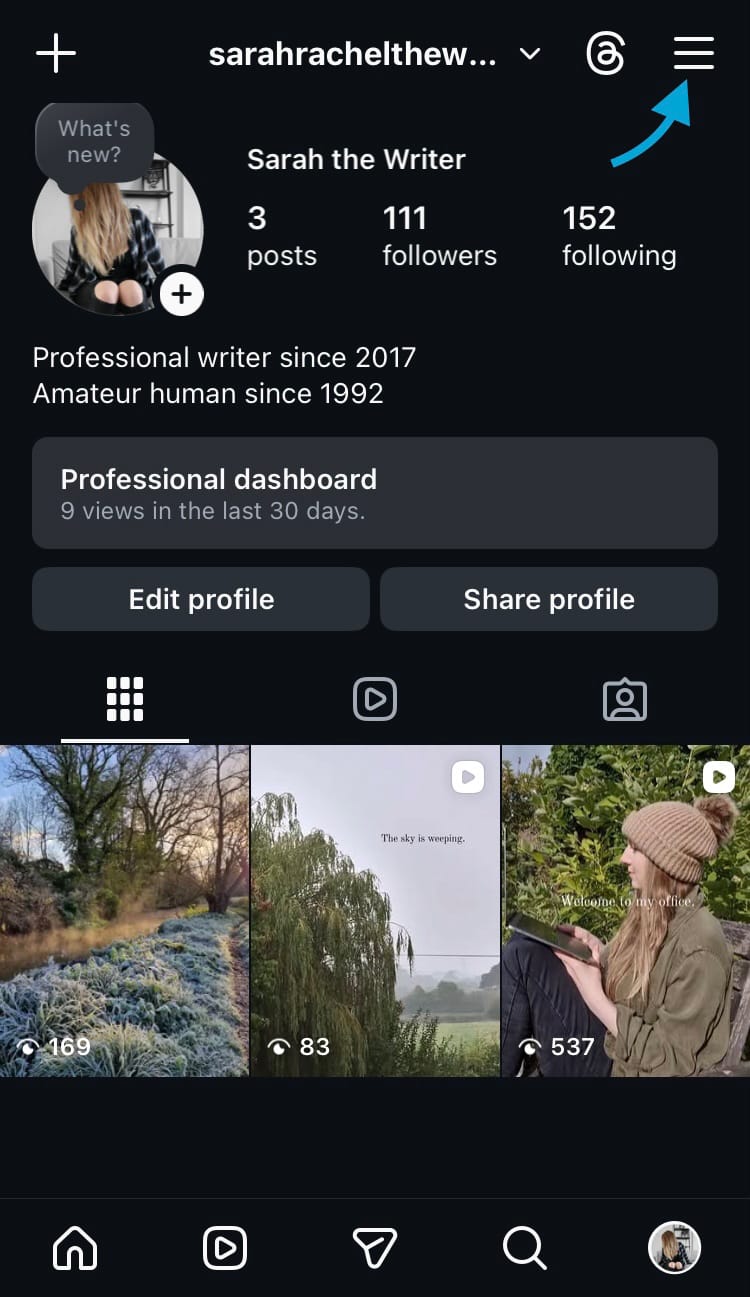
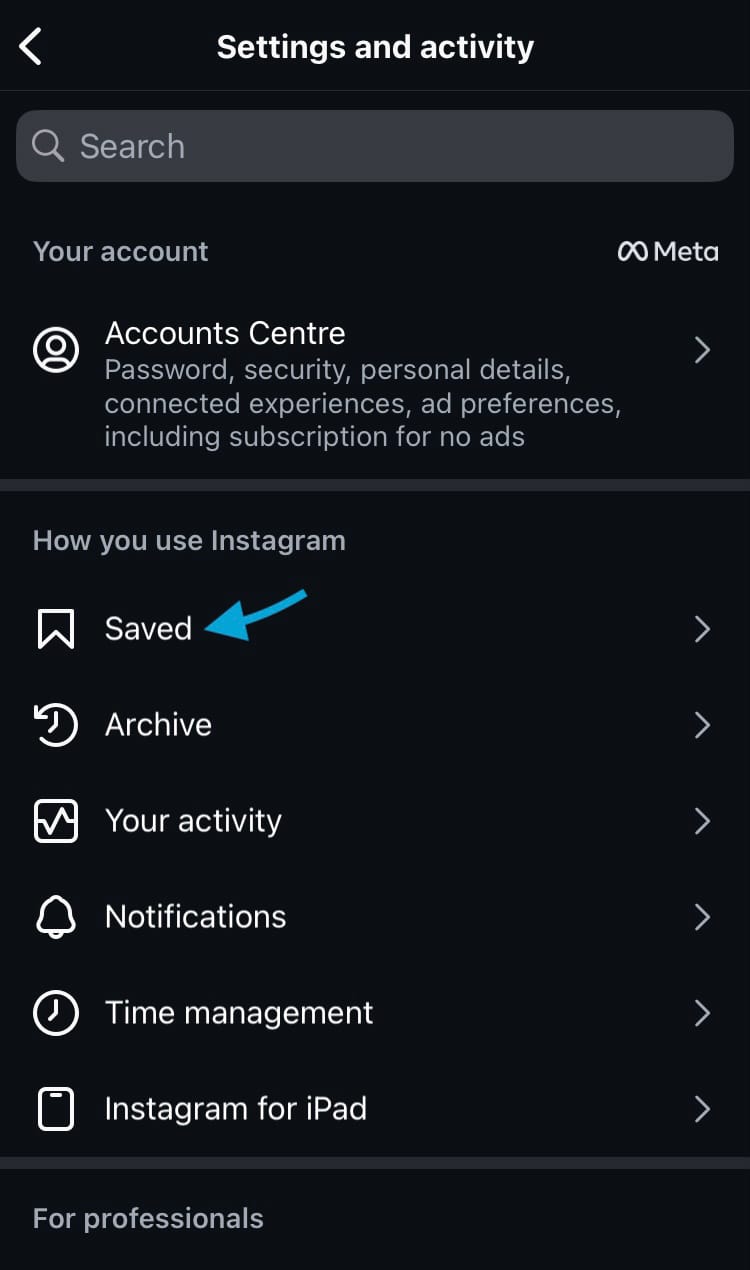
Find and access your saved Instagram content
How to view saved content by content type
Instagram has some ways of sorting your saved content built directly into the app. Use the buttons at the top of the screen to view all your saved reels and posts separately.
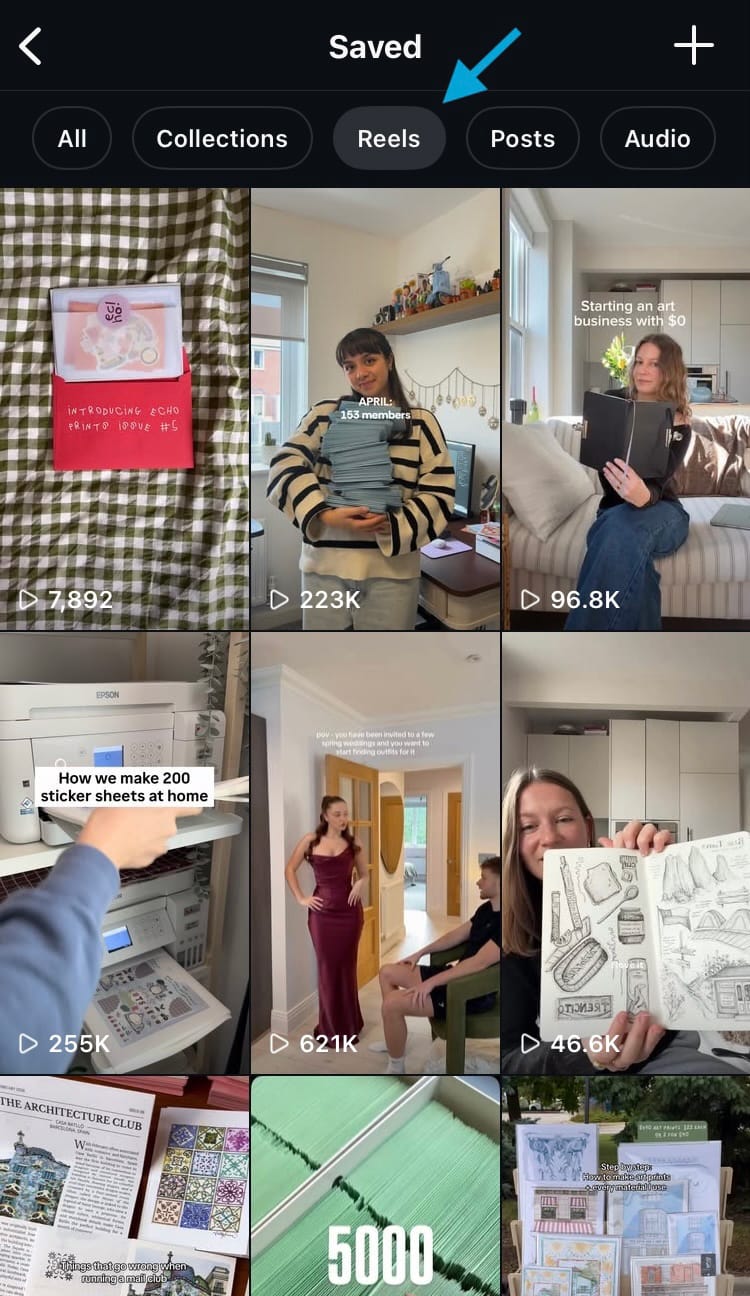
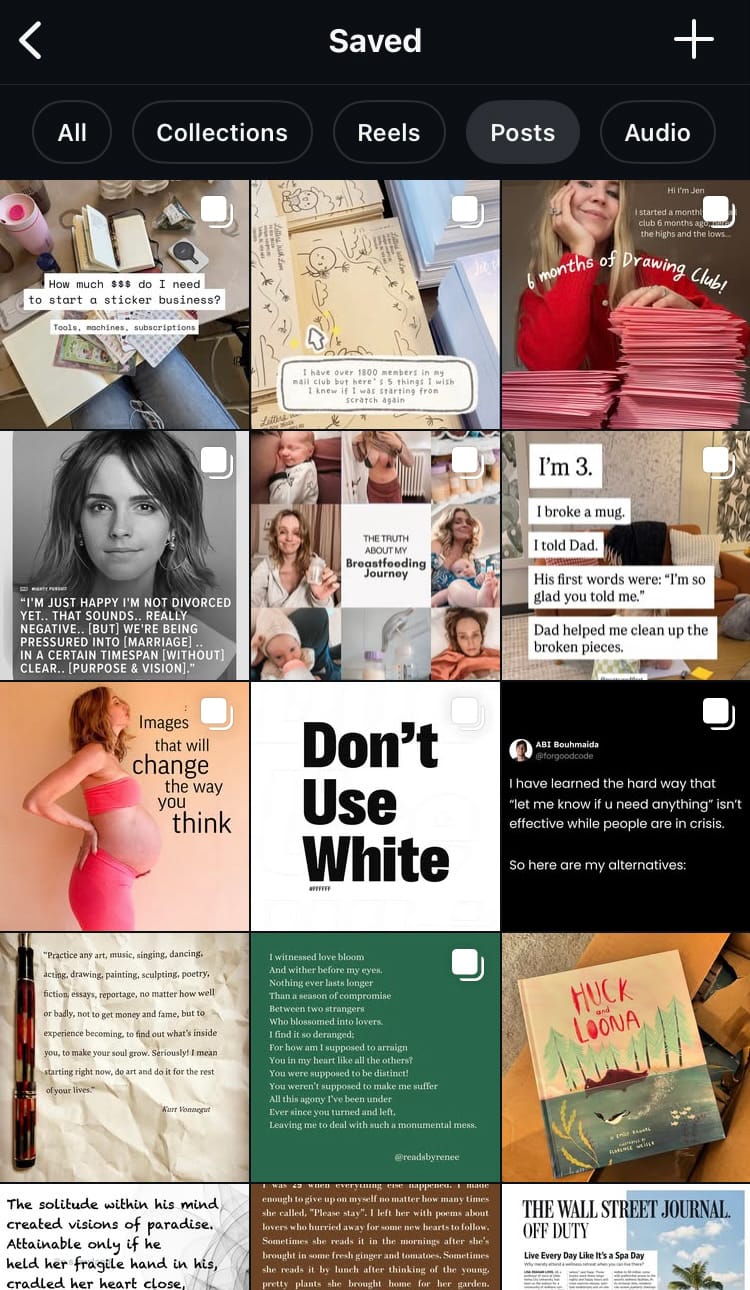
View all your saved reels (left) and posts (right)
This goes a little way to sifting through all sorts of saved content, but the Collections feature makes it simple to tailor albums specifically to your needs. Whether you’re grouping inspiration, bouncing ideas between team members or putting your best-performing content into an album, you can do it with Collections.
How to create a new collection
There are a couple of places on Instagram that you can create a new collection from. Seeing as we’ve been exploring your saved content interface, let’s start by creating a collection from the saved content section.
To create a collection from your saved posts:
- Tap the plus icon in the top right-hand corner of the screen.
- Type in a name for the collection.
- Tap ‘Add people to collection’ to make the collection collaborative, choose the additional accounts and tap ‘Done’ to confirm it.
- Hit ‘Next’.
- Choose posts to add to the collection.
- Tap ‘Save’ in the top right-hand corner of the screen.
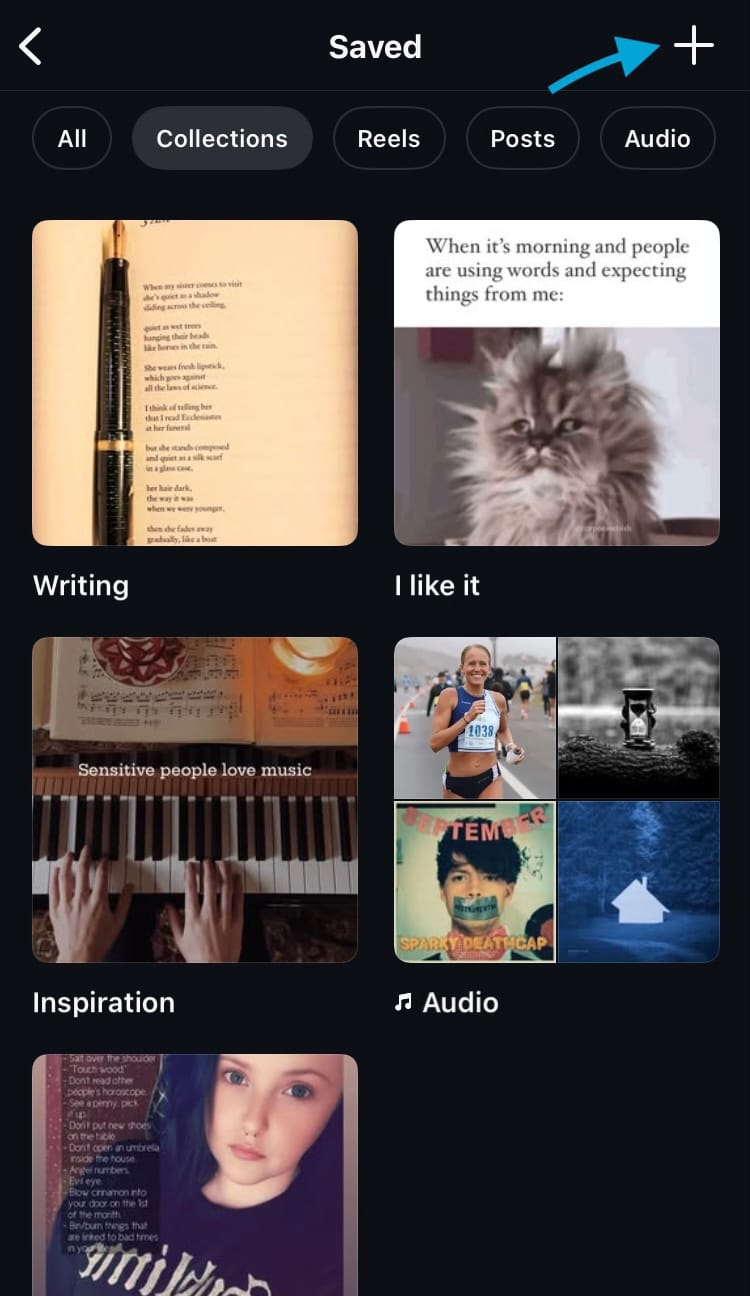
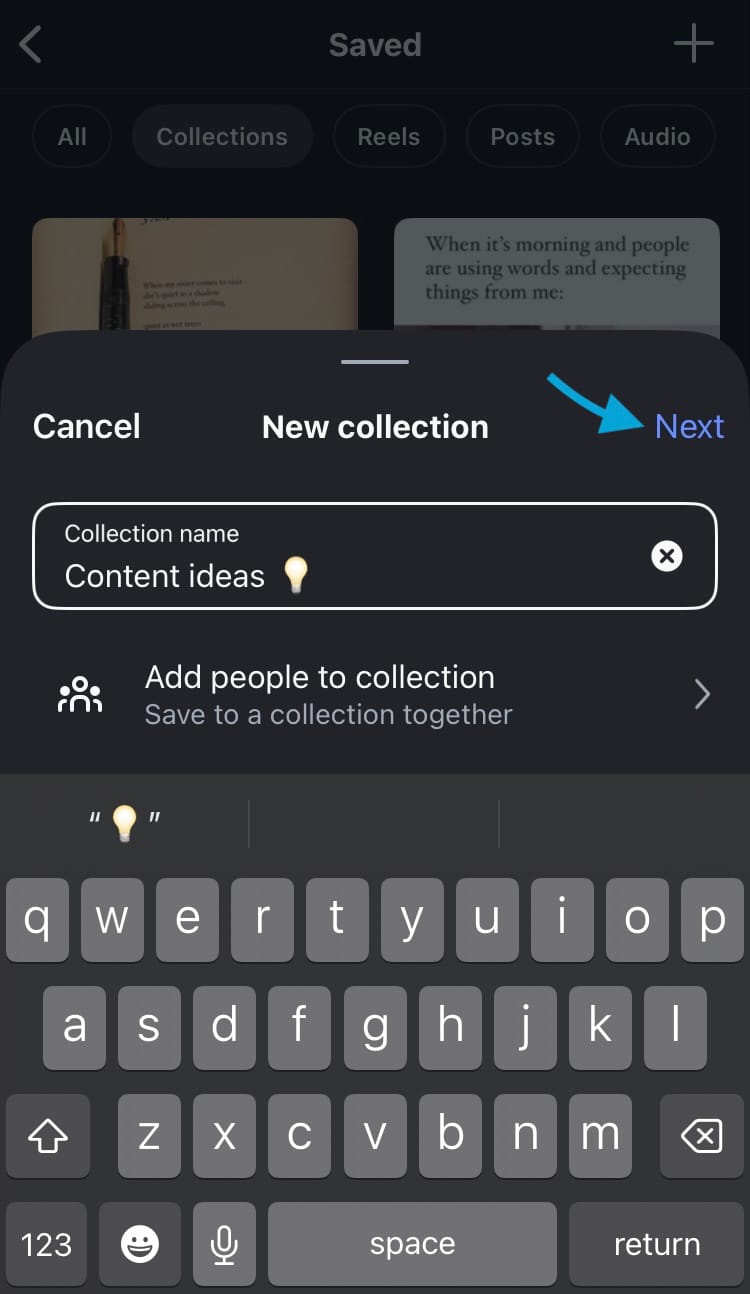
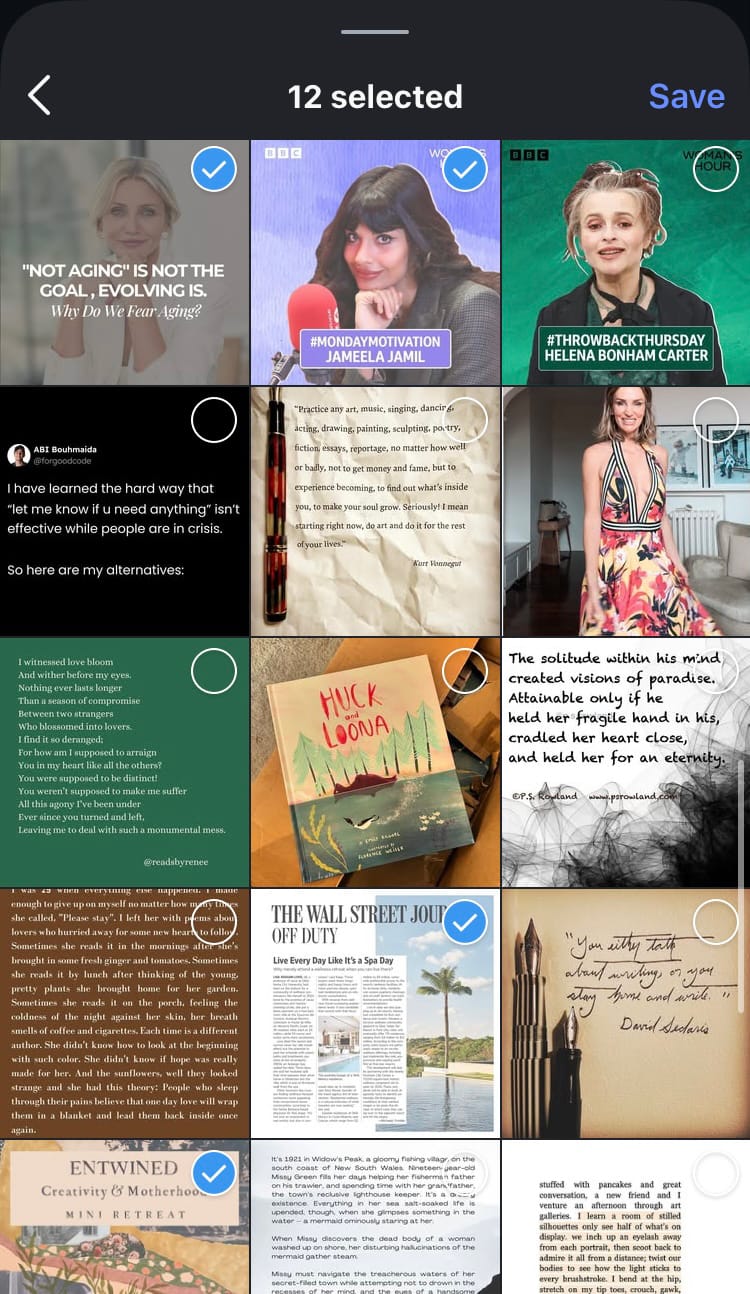
How to create a new collection on Instagram
A nifty little element that Instagram has (which TikTok doesn’t) is that you can add the same posts to multiple collections. This means you can save a post and add it to shared and private collections or various collections if the content crosses multiple topics, themes or groupings.
The easiest way to create a collection is directly when you save a piece of content. This option appears no matter where you save the content from, so whether you’re saving a post from a profile or a feed, this is a simple way to add it to an album immediately.
To create a collection when you save a piece of content:
- Tap the save button on a piece of content.
- Choose ‘New collection’.
- Type in a name for the collection.
- Tap ‘Add people to collection’ to make the collection collaborative and add the accounts. Tap ‘Done’.
- Hit ‘Save’.

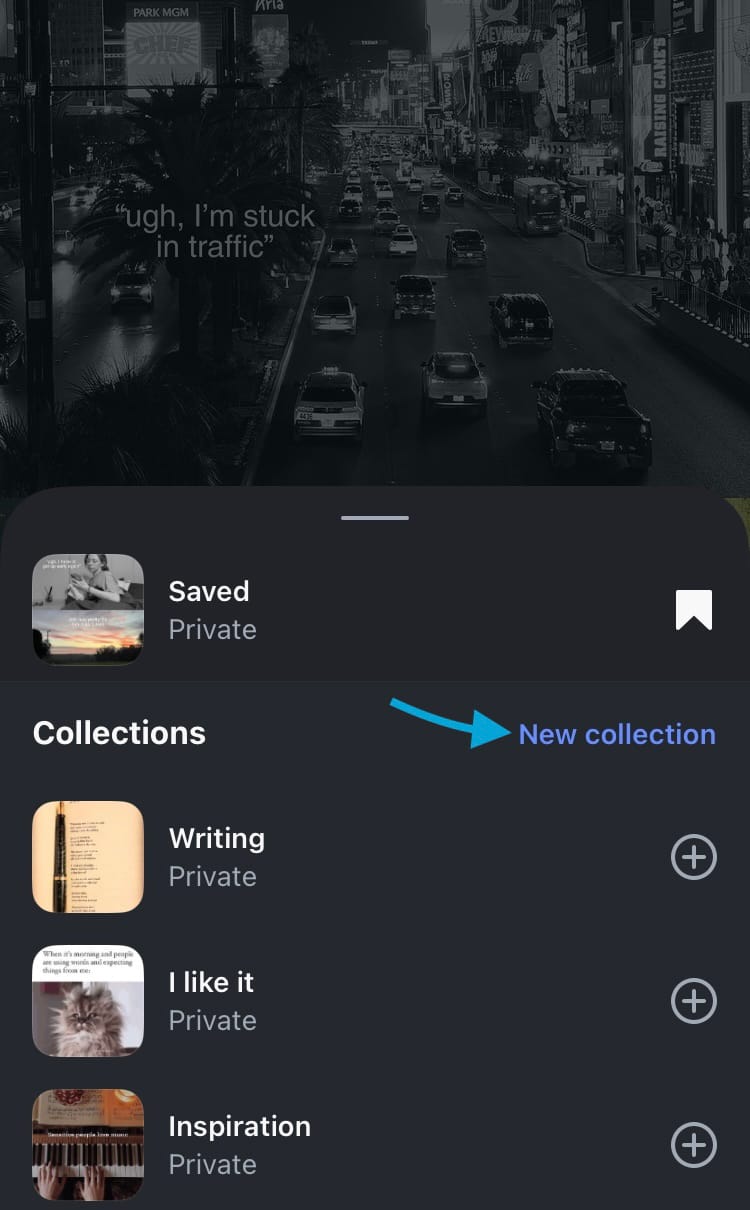
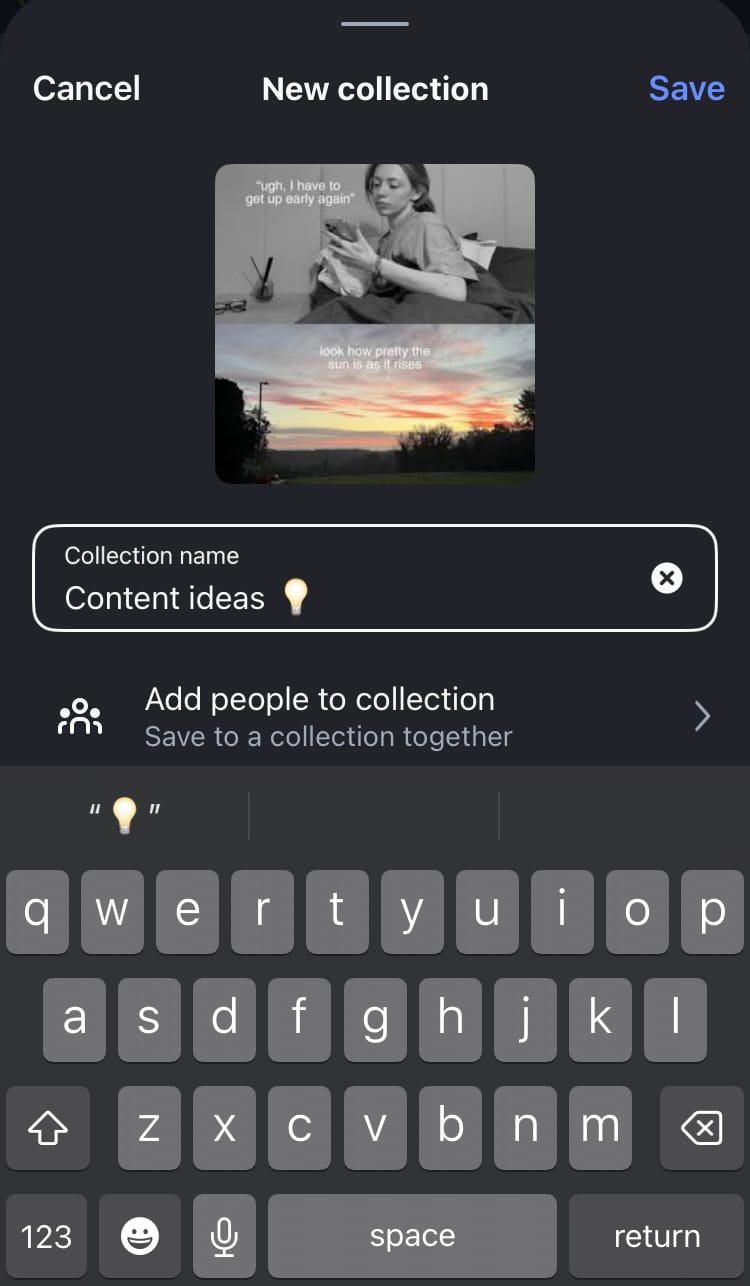
How to create a new collection on Instagram
You can view the collection straight away by tapping ‘View’.

Using the Collections feature is a simple and effective way to group together content from various users on the Instagram platform. However, if you want to view and sort your own content, or the content of your competitors, by various KPIs (such as engagement rate, interactions, views, follower change etc.) you can do this - and so much more! - with Minter.io. With all the in-depth analytical data you need to grow online, check out Minter.io today!