
How to save your Instagram Insights history
Most people discover Instagram's 90-day insights limit at the worst possible moment: when they actually need the data.
Maybe you're preparing a year-end report. Maybe a brand asks to see your growth and engagement over the past year before signing a deal. Maybe you simply want to compare this December's engagement with last December's. You open Instagram Insights to pull the numbers, and there's nothing there. Not because you didn't grow, but because Instagram only keeps 90 days of data. Everything older has been deleted, and there's no way to get it back.
Why Insights disappear in the Instagram app after 90 days
Instagram Insights caps data at 90 days. Profile activity, content performance and audience activity are all available for the past three months, then they are deleted permanently.
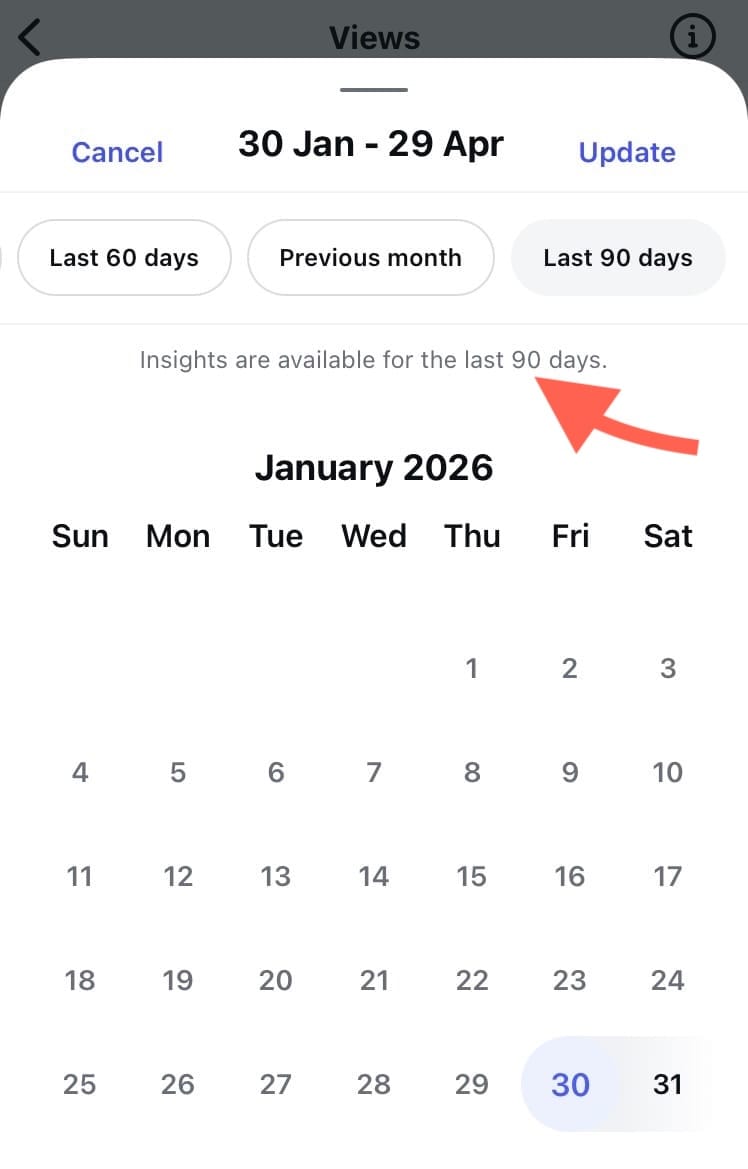
Native Instagram Insights are useful for a quick check on your recent activity, but the 90-day limit is a serious problem when running Instagram as a business. Creators and brands make real business decisions based on Instagram performance, yet the platform gives them a shorter memory than almost any other business tool. A local coffee shop can pull up years of sales history, but an Instagram business account with hundreds of thousands of followers can't see past a single quarter.
Why is historical data important?
Most meaningful questions in social media marketing are long-term questions. Is your growth accelerating or slowing? Did the strategy change you made in spring pay off by autumn?
- Seasonal campaigns. You can't compare this holiday season to the last one, so all seasonal planning starts from guesswork instead of evidence. And when engagement dips, you can't tell whether it's a real decline or just the same dip that happens every year at this time. Without last year's data, seasonality and decline look identical.
- Long-term growth trends. A follower chart covering three months tells you almost nothing about trajectory. Growth is a story told over years, not weeks.
- Your best-performing content history. The posts that built your audience, and why they worked, disappear from your analytics before you can properly learn from them. When that performance history evaporates, you lose the ability to learn from your own success.
- Demonstrating progress to clients. Agencies and social media managers need to show clients progress over time. A rolling 90-day window makes that impossible with native Insights alone.
- Proof for brand collabs. Potential partners want evidence of sustained performance, not a snapshot. Without historical data, you're asking them to take your word for it.
How to keep your Instagram analytics forever?
Track it manually
Monthly exports, screenshots of key metrics, a spreadsheet of top posts, a calendar reminder so nothing slips.
It works, up to a point. Skip one export, for any reason, and there's a permanent hole in your record. And even a perfect run of screenshots can't be filtered, compared or re-analysed later. Tracking one account manually is a chore. Tracking several accounts for clients turns into hours of work every month.
Use an analytics tool
The real solution is to build a historical database you can access long after Instagram's native reporting window has passed. This is exactly what Minter.io does. Once your Instagram account is connected, Minter.io collects and stores your analytics continuously, giving you a permanent, growing record of your account's performance.
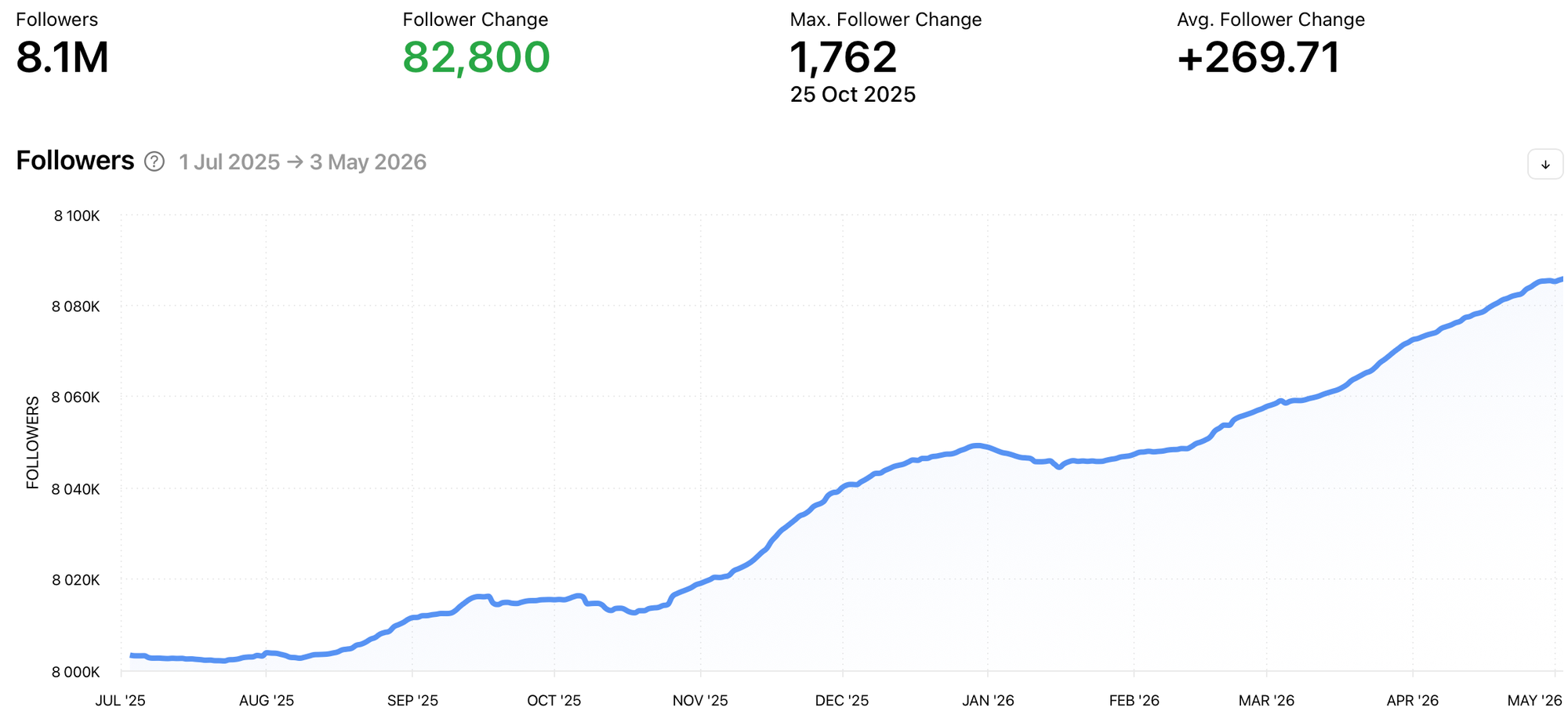
Using an analytics tool like Minter.io means you can:
- Collect your data automatically. No calendar reminders, no screenshots and no spreadsheets to maintain.
- Analyse any date range. A flexible date picker lets you view the data for any period, from a single campaign to a full year.
- Compare performance. Compare months, quarters and years and see what actually changed.
- Track follower growth over time. See how your audience has grown over years, not weeks.
- Keep a complete content archive. Every post's performance stays on file, so you can revisit what worked long after Instagram has forgotten it.
- Export professional reports. Generate reports for clients and your team whenever you need them.
Your historical record builds itself in the background while you focus on content.
Start collecting your data before you need it
Connect your account to Minter.io now, and in a year you'll have a complete year of trends, comparisons and content performance at your fingertips.
For a step-by-step look at how it works, read our guide on how to track Instagram analytics beyond 90 days, or connect your account and start your free trial with Minter.io today.