NEW Picture in picture feature for Instagram Reels

Ever want to watch a reel while doing other things? I hear you. We all love a bit of effortless entertainment, but swiping endlessly on Instagram isn’t the only thing you’ve got to do all day, am I right? Luckily for you, Instagram just dropped a new feature that’s built to satisfy your need to do other things while simultaneously watching your favourite videos.
Picture in picture is the best friend of a multitasker. This nifty little feature allows Instagram users to continue viewing a reel after minimising the app. All it requires is activation at the flick of a switch, and every time you minimise Instagram while knees-deep in a reel, you get to carry on watching. The reel simply continues to play in a little box on your phone, without taking up the entire screen, allowing you to open other apps and get on with other things.

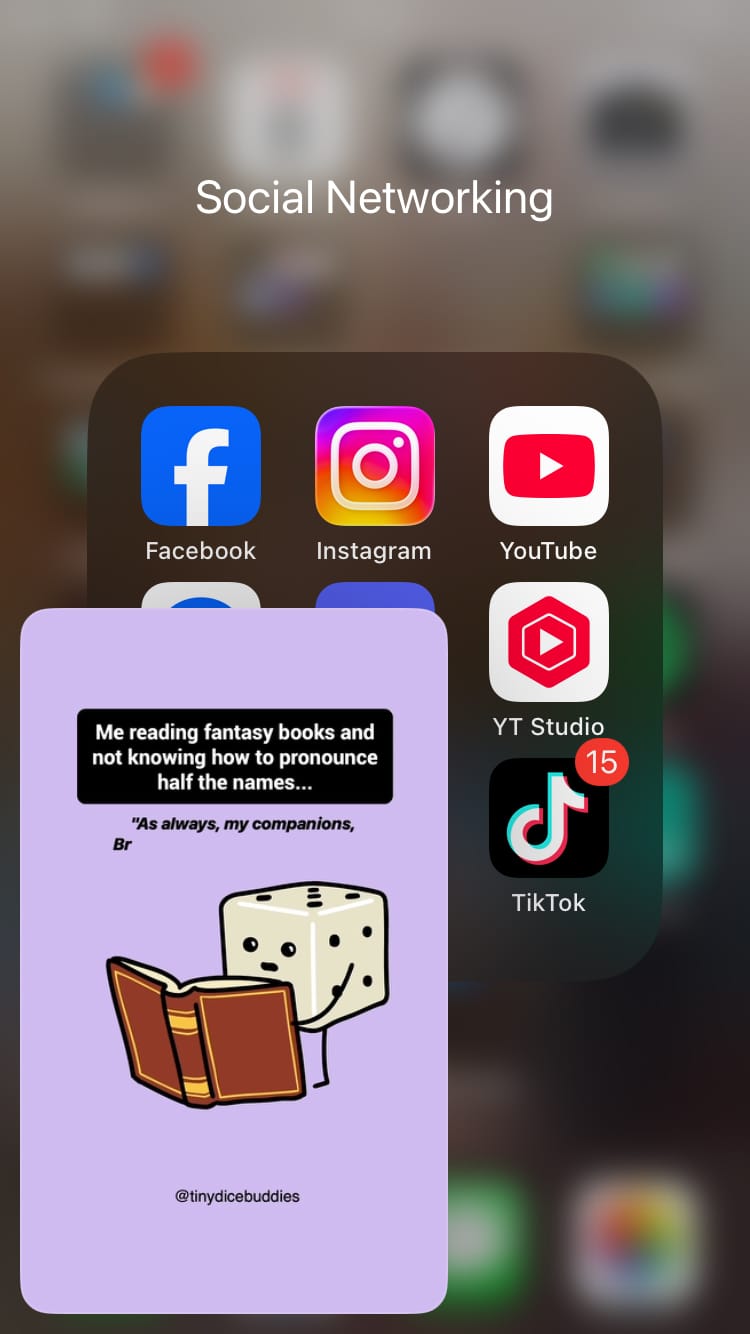
Picture in picture lets you view reels outside of the Instagram app
How to turn on the picture in picture feature
The picture in picture feature isn’t currently available to everyone. However, if it is available to you, here’s how to access it:
- Head to the Instagram app.
- Navigate to the Reels tab using the navigation bar at the bottom of the screen.
- Choose the 3-dot menu from the options on the right-hand side of the screen.
- Toggle the button next to ‘Picture in picture’.

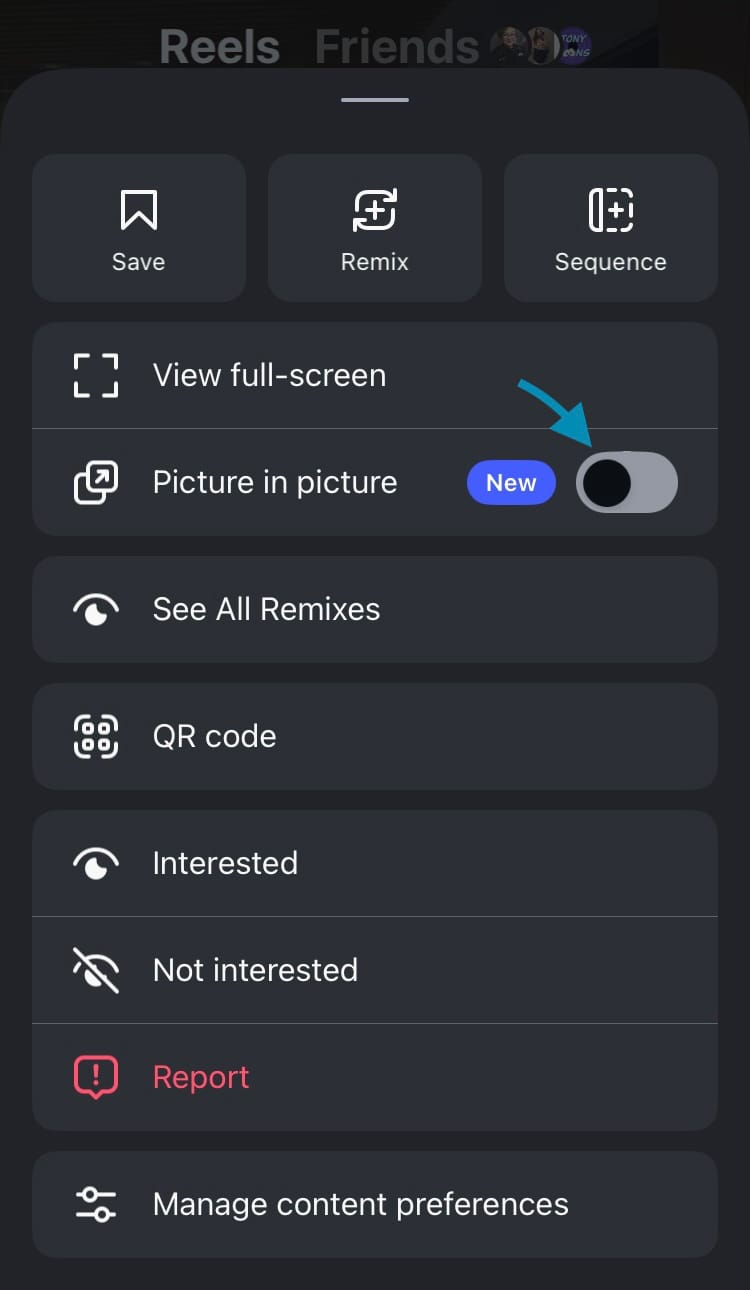
How to activate picture in picture
You can pause and close the reel or return to Instagram while using picture in picture. You may be able to resize and reposition the picture in picture player on your device’s screen.
When picture in picture is perfection
Need inspiration for understanding why anyone would want to watch Instagram content while not glued into the interface? While it might not be the update everyone was itching for, it’s actually a banger in a number of situations. I bet you can spot yourself in at least one of these scenarios…
You’re watching a reel that’s educational or inspirational and you’re suddenly inspired to jot down notes as you watch. No pen and paper? No problem. Use picture in picture to continue watching the reel while launching your favourite note-taking app.

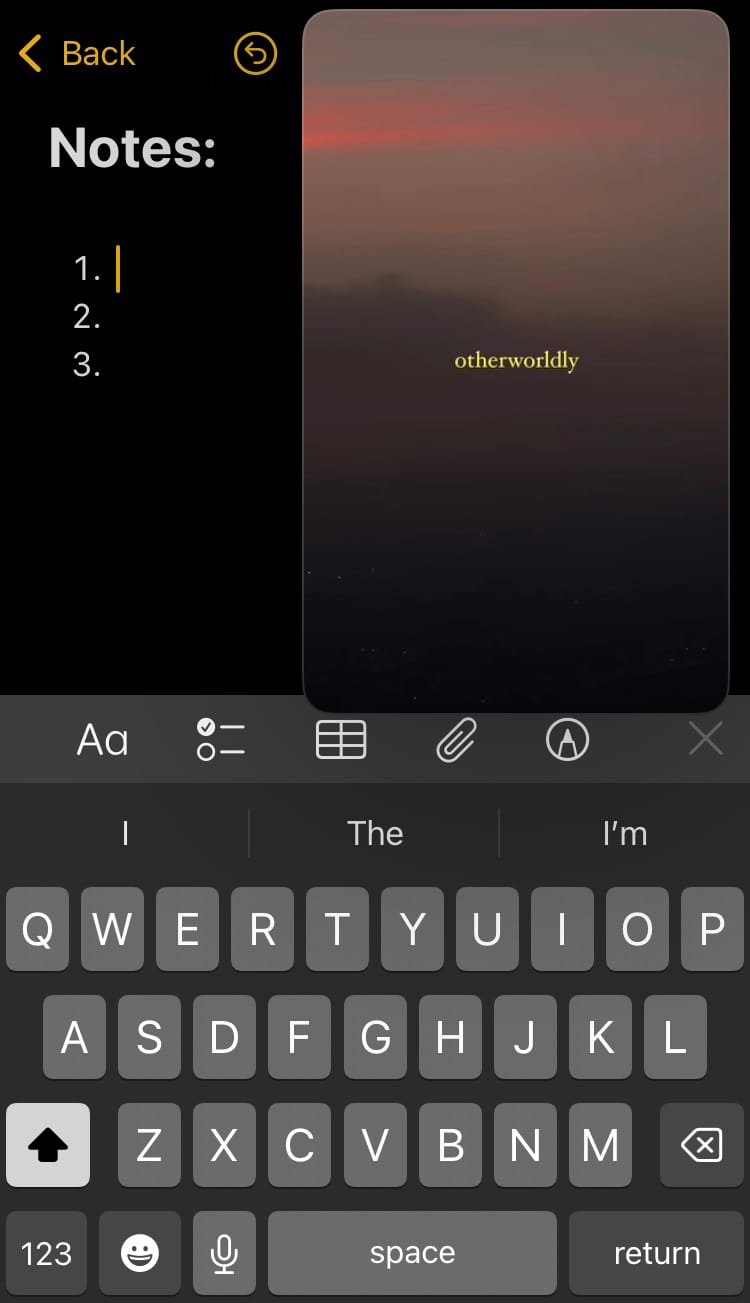
Take notes while watching an Instagram reel using picture in picture
Not the note-taking type? How about this…
You’re invested in a reel that’s grabbed your attention but it is so daaaaaang long. You could probably nip to Starbucks and order an obnoxiously long coffee order before it ends. No worries. Use picture in picture to continue being entertained while plugging in a delivery order, so you can have a venti caramel ribbon crunch frappuccino in front of you in no time, without even leaving your desk.

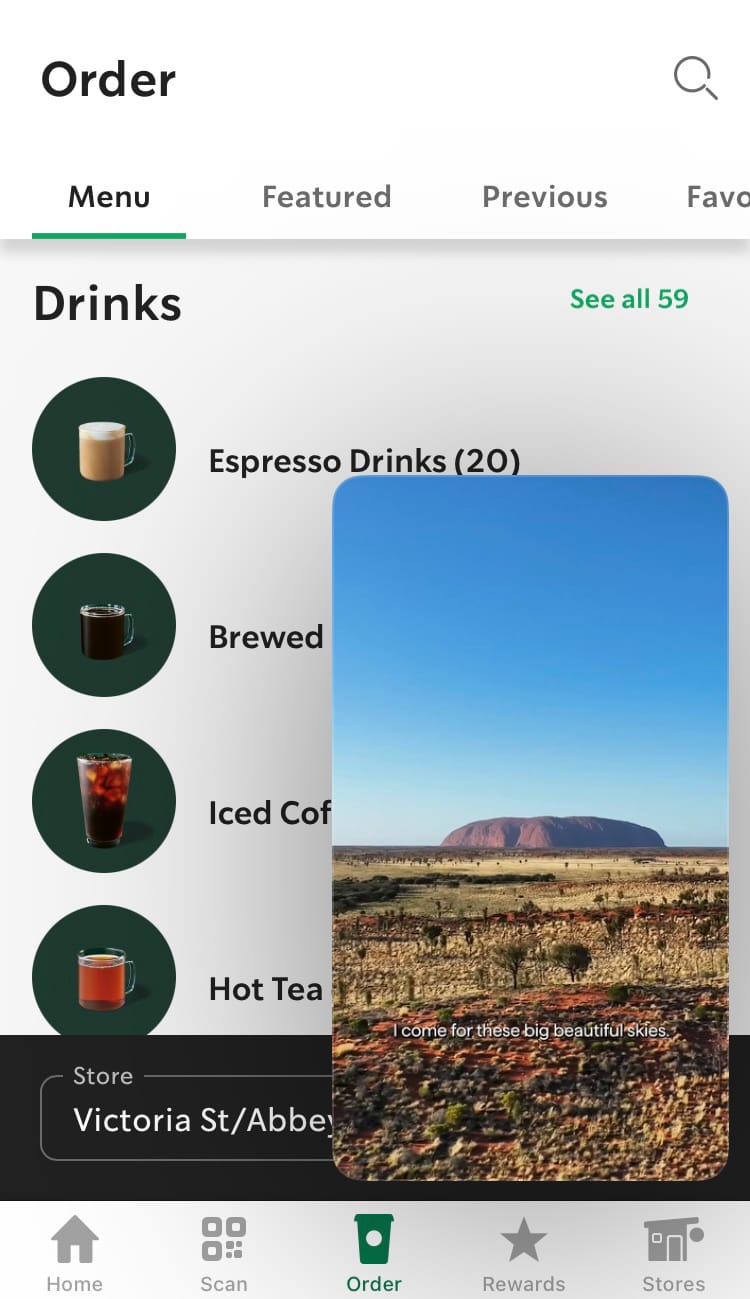
Make orders while watching an Instagram reel using picture in picture
Your work day a totally different vibe? We’ve got you…
You’re taking a well-earned 5-minute break from your busy schedule. Suddenly, an email notification pops up and pings your attention. This is a pressing matter that needs dealing with urgently. It doesn’t take a lot of brain power but it can’t wait. You have been working non-stop all morning and - by jove - you deserve to watch this reel until the end! Picture and picture has your back. Carry on watching that reel while tapping on the AI prompt responses on your email reply. You could do this blind-folded, but then you’d miss the reel…

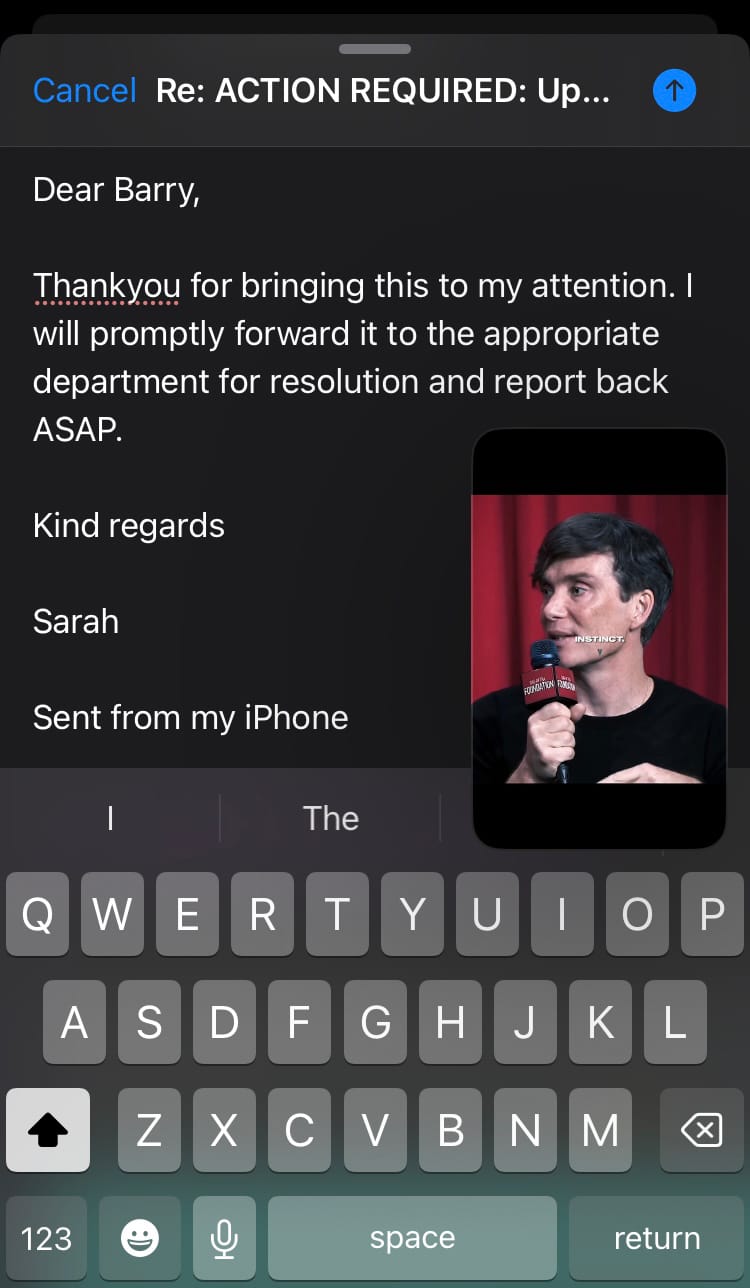
Send emails while watching an Instagram reel using picture in picture
With picture in picture, you can crack on with other things while being entertained, informed or educated at the same time by continuing to watch a reel that you’re enjoying.
Limitations of picture in picture
While we love what picture in picture is pitching, it is somewhat limited in that you can’t scroll the reels feed while viewing in picture in picture. Your chosen reel will simply loop until you close it or open Instagram back up. This makes it a great feature to use when you get a sudden desire to check your bank balance, scribble down a few ideas or google the definition of “Burnt Toast Theory”, but it’s not a one-stop solution for your daily entertainment needs. Without the ability to scroll and discover while using the picture in picture feature, Instagram begs you to return to the app as soon as the reel is over.
Using picture in picture outside of the reels tab
At first glance, Instagram’s picture in picture feature seemed exclusive to the reels tab. This seemed to rule out its use on the home feed, profiles and saved reels. However, there is a simple fix for this.
Try this:
- Go to the reel you want to watch using picture in picture.
- Tap on it so it takes up the full screen.
- Swipe up on the screen (this activates the reels tab function).
- Swipe back to the reel you want to watch.
You should now be able to view your selected reel using picture in picture.
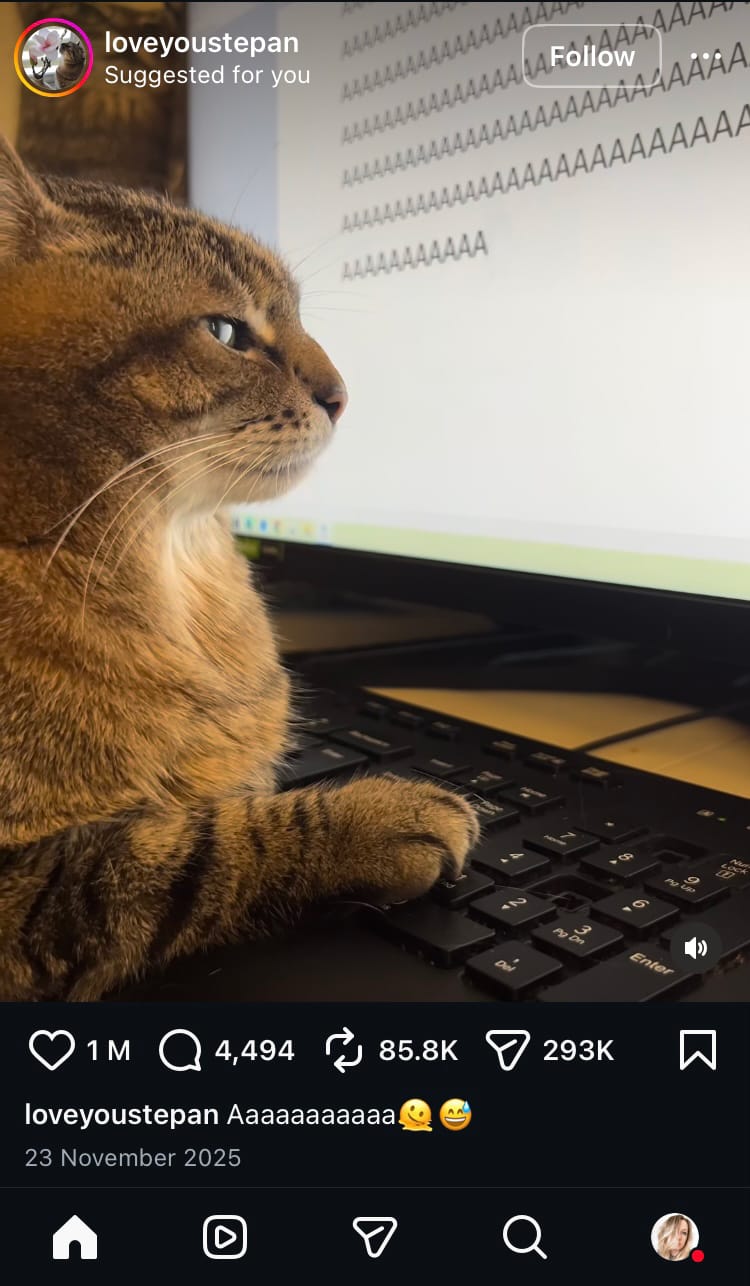
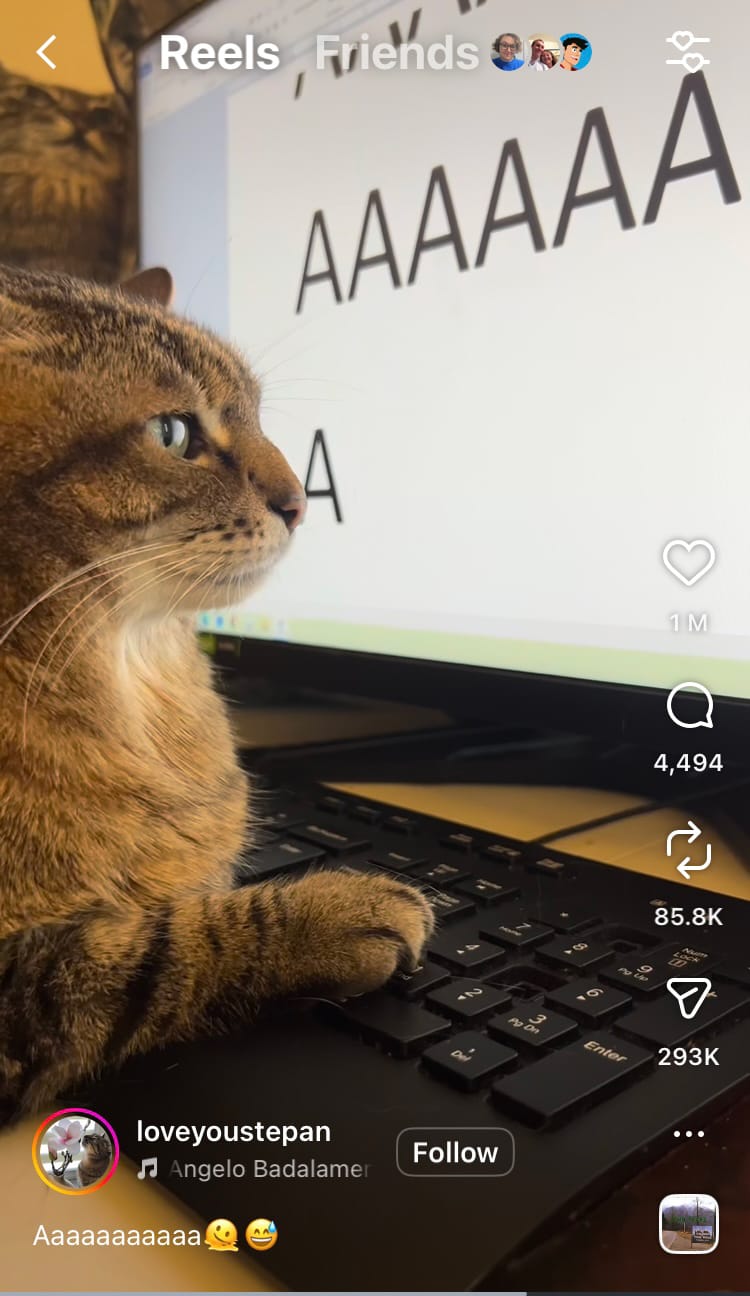
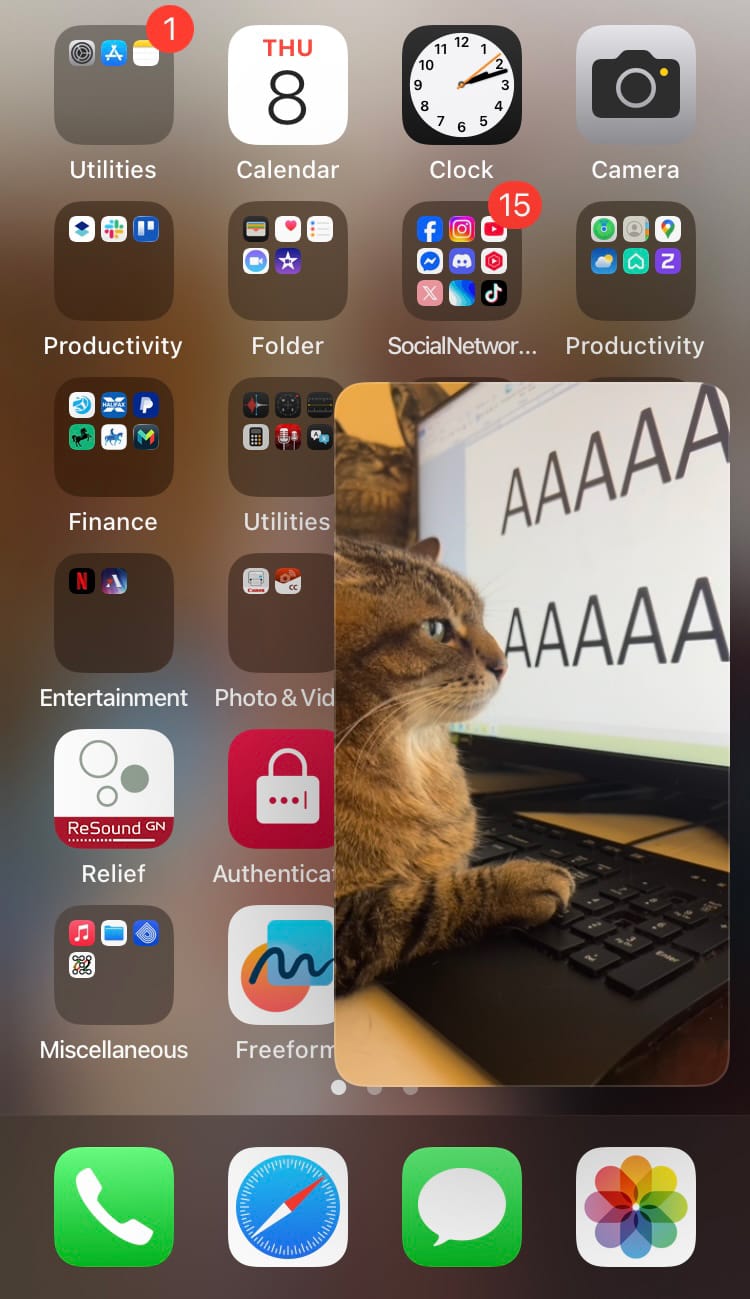
Activate picture in picture from Instagram’s home feed
The impact of picture in picture on your data
The adoption of picture in picture helps viewers stay engaged with a piece of content for longer because it makes multitasking possible. If lots of users start watching reels in picture in picture, I wonder what the impact will be on data.
Here at Minter.io, we showcase social media data like the bad boy it is. Slap a hat on it and put it in a boy band because it’s just one lip ring away from becoming a superstar. And you might want to put a spotlight on your data as it could be elevated if people start watching your reels using picture in picture.
Using picture in picture indicates that a user is dedicated enough to watching a reel that they continue watching it even outside of the context of Instagram. This could lead to longer watch time and potentially multiple plays as the reel loops back around.
See whether the latest updates from Instagram are impacting your data using Minter.io - the social media analytics tool for businesses growing online. You’ll get access to information about your audience, posts, ads and optimisation graphs, including your average watch time, views and engagement rate, to help you make strategic decisions for your Instagram account. But it doesn’t stop there… check out data for your competitors, hashtags and other social media accounts including: TikTok, Facebook LinkedIn, X and Threads.
All the metrics you need to grow your business on social media.