Why businesses should pay attention to the NEW Instagram Map feature
The latest location-sharing feature from Instagram may be touted as a way for friends to connect, but it also provides ample opportunity for businesses to get more customers through the door. Friends aren’t just sharing the city they're in or the street they’re on, but cafés they frequent, shops they adore, events they attend and their favourite meeting spots. Posts, stories and notes with location tags are popping up all over the new map, and friends are choosing to share where they currently are every time they open the app.
Physical locations are ready to explore from more Instagram features than ever before, and your business could very well be at the heart of the moments people are sharing and exploring. The map provides opportunities for Instagram users to explore where their friends are, as well as the area around them and places all over the world. Don’t let your business go unnoticed. Whether you’re just down the road, or the ideal spot for a tourist, your business could be the backdrop to memories shared between friends and invite new customers through the door every time your location is tagged or shared.
How the Instagram map works
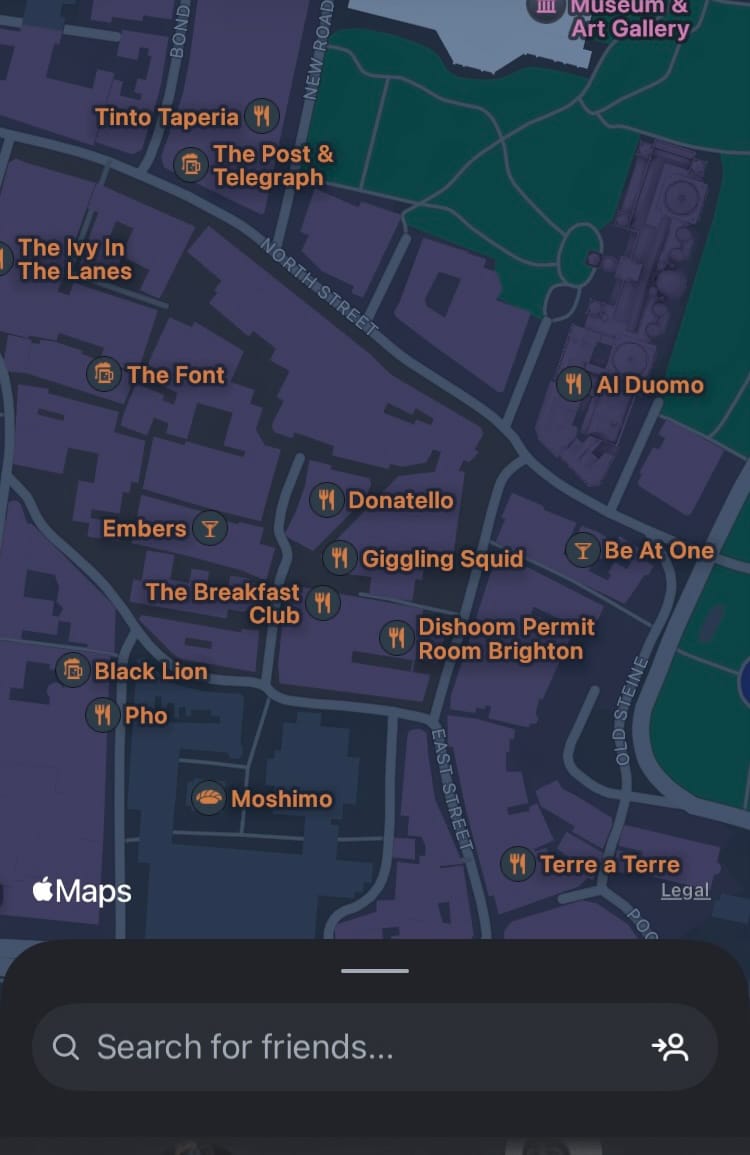
The new Instagram map is accessible from the DMs tab which, thanks to Instagram’s latest update, is perfectly positioned in the middle of the navigation bar at the bottom of the screen when users open the app. Users can share their location with all their friends (followers who follow them back), people on their Close Friends list, specific friends or no one at all. Even if a user chooses not to share their location, they can still interact with the map and shared locations on it, meaning your business is still discoverable to anyone on Instagram. Posts, reels, stories and notes with a location tag are discoverable and viewable through the Instagram map too.
Key features of the Instagram map
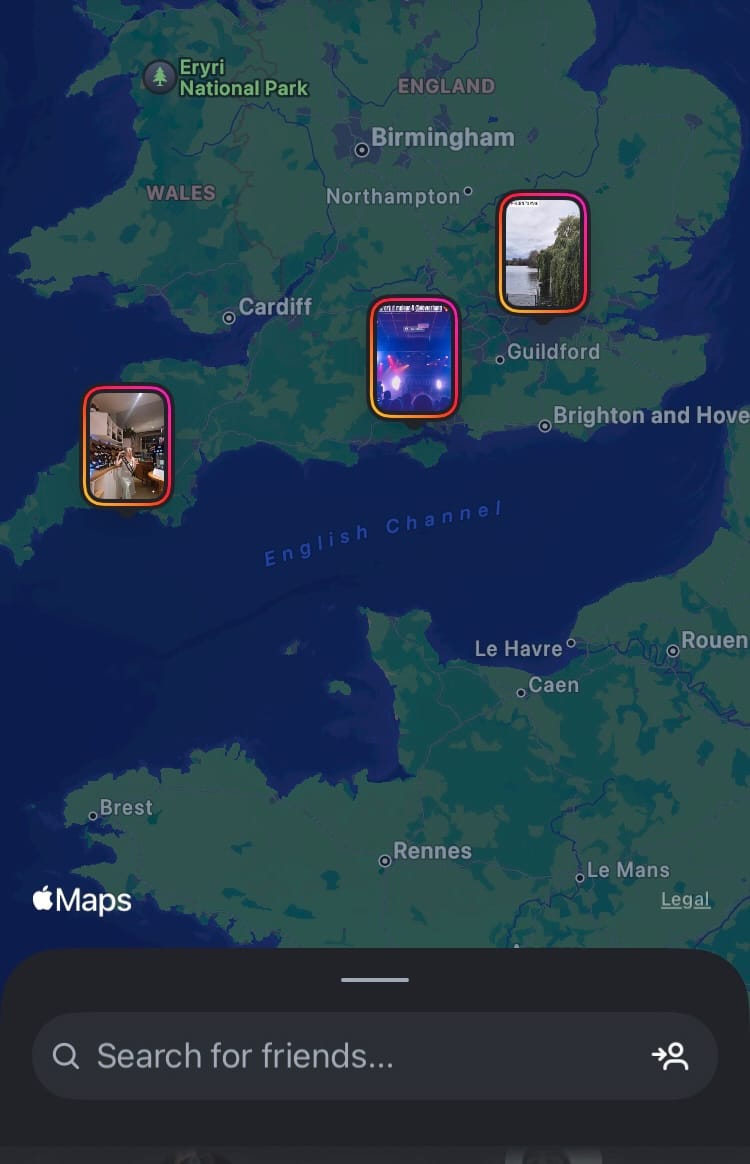
The Instagram map is packed with explorative, interactive and sharing features. It is seamlessly integrated with post publication, and once location sharing is activated, users’ locations update every time they open the app. This provides plenty of opportunities for businesses to get discovered off the back of people living their everyday lives and publishing content on the app.
The Instagram map allows users to:
- View the real-time locations of their friends
- View places that are tagged in posts, reels, stories and notes
- Discover nearby locations
- Explore places anywhere in the world
Make your business location tag-worthy
Location tags on content have just stepped up a level. By accessing the map, users can discover exactly where content was snapped and find the places their friends love. To make the most of this new feature, make sure your business is a place people want to be seen.
Here are some simple ways to invite and encourage people to tag your business location in their posts.
Have a social-media friendly attitude
Don’t turn your nose up at people snapping pics at your place of business. The pics people are sharing could form the basis of more people venturing down to your business and spending some dosh. If people are snapping, they’re likely to be sharing and that can mean a lot of positive things for your business. Wherever possible, encourage people to take pictures and share them on social media, and make your business a welcoming and enjoyable place to be.
Offer free WiFi
How many times have you thought about sharing something cool and totally forgotten about it? If you let the moment pass, your business could miss out on being shared, discovered and attracting more customers. It could also stop people from joining their friends while they’re still at your business location. To avoid this, make social sharing quick and easy by making sure people can snap the pic, share it in an instant and get people exploring it in seconds.
Wherever and whenever possible, make free WiFi available to your customers. This will help people share your location while they’re still there and allow them to share posts they’ve snapped while at your business in an instant.
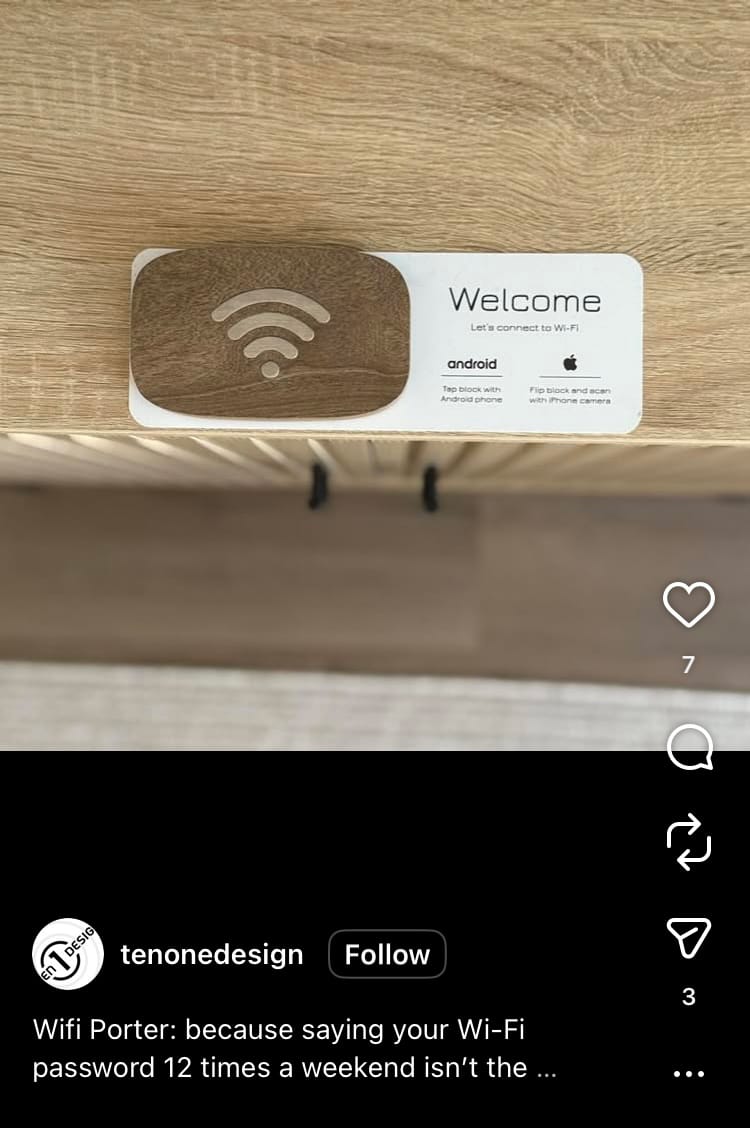
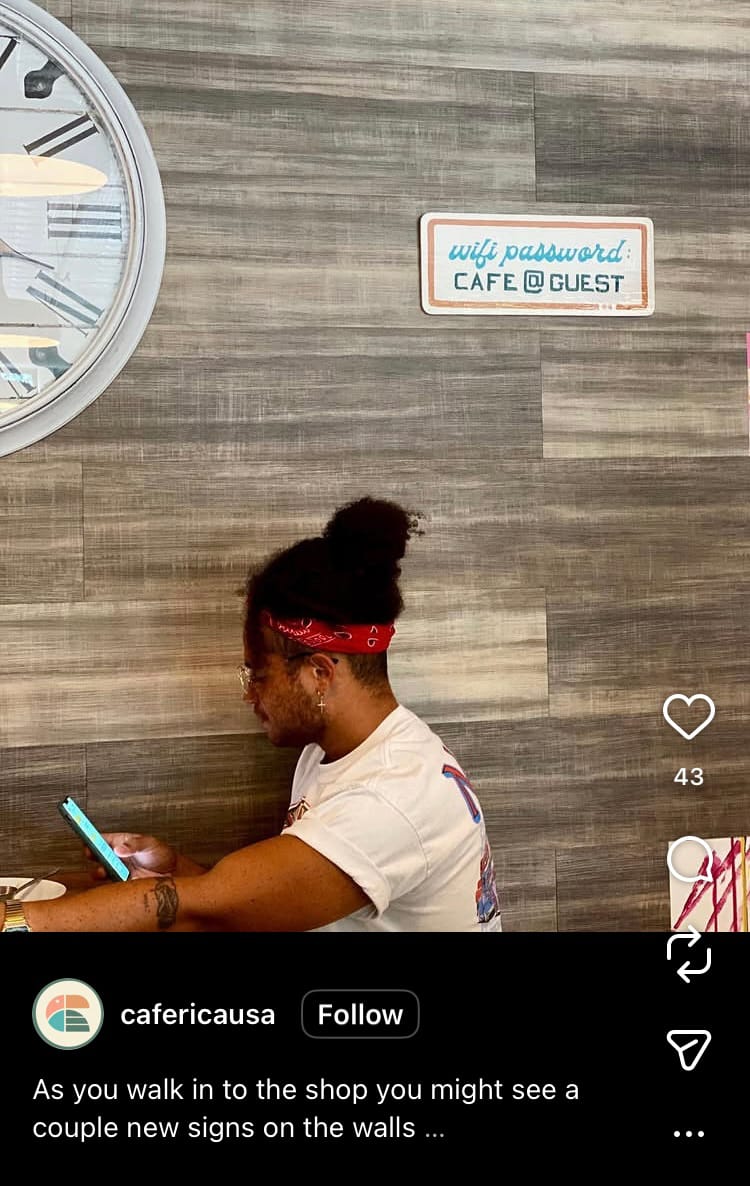
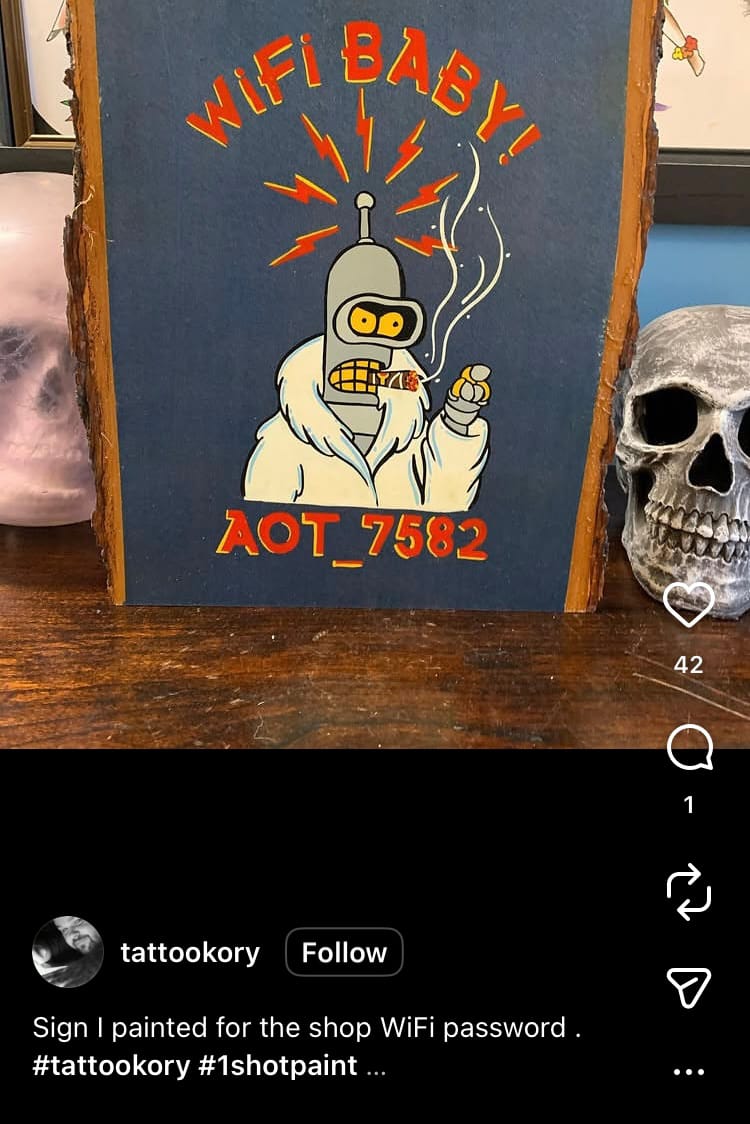
WiFi passwords in business locations
While you’re at it, make sure the password is easy to find and type. Don’t keep it tucked behind a desk and filled with characters that are easily mistaken for others (like the letter O and the number 0). Some businesses paint the password on the wall or stamp it on their menu to save them slowly descending into madness repeating it every minute, every day for the rest of their life. It also makes internet access really convenient for customers and gets your business found fast.
Create an Instagrammable environment
Make sure people want to be seen at and associated with your business by creating the perfect backdrop for their favourite memories. Some businesses create a specific area in their physical location which is dedicated to social media posts, like a selfie wall or mural. Other businesses focus on making their entire place a total vibe.
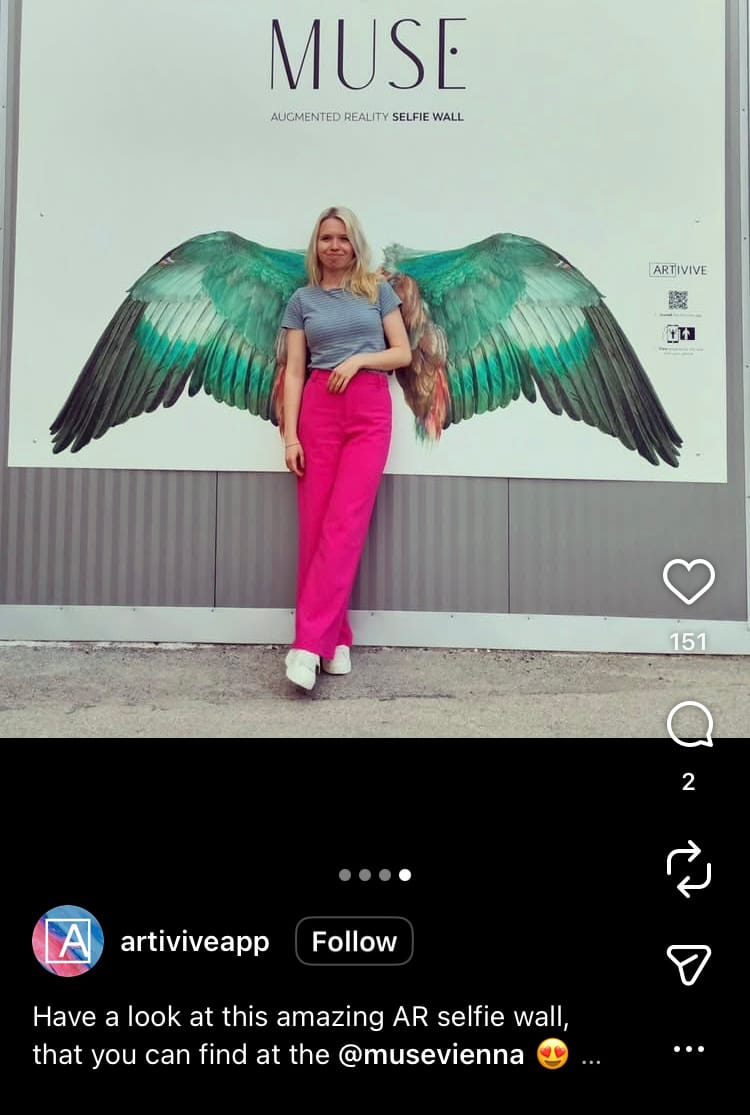


Murals and selfie walls in business locations
Whatever you choose, make sure it appeals to your target audience. This starts by understanding who your audience is, what they like and where they want to be seen. For example, college students may want to be seen at the cool bar with walls filled with vintage memorabilia, neon lights and popular music. Working professionals might vibe more with a hipster coffee shop dotted with trailing plants, while a beautiful meeting place for new mums is more likely to be decked out with lots of comfy seating and plenty of empty space for prams and changing bags.
The better you understand your audience, the more you can tailor the experience of your location to meet their needs and preferences. This will make more people want to be there, be seen there and positively share it with their friends and on social media. Whether your business is directly being tagged or not, it can still be discovered through the map, and the more friends are spotted there, the more intrigue it can draw.
How to add your business location to the map
You can add a business location to Instagram maps by adding a valid business location as a contact option through your business account.
Here’s how:
- Go to your profile and tap the ‘Edit profile’ button at the top of your profile.
- Scroll down and choose ‘Contact options’ under ‘Public business information’.
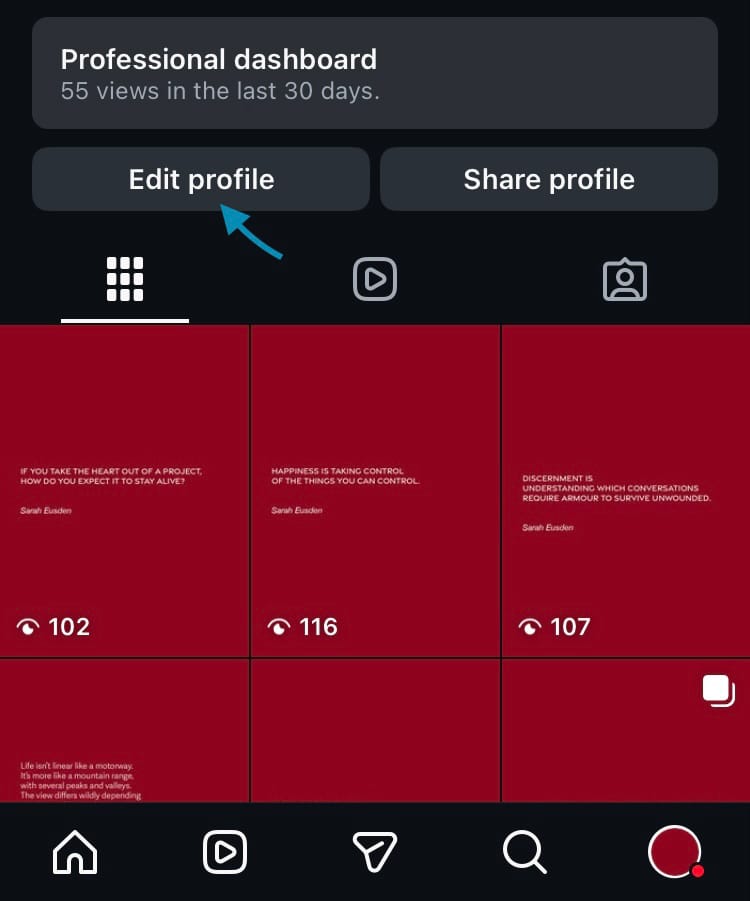
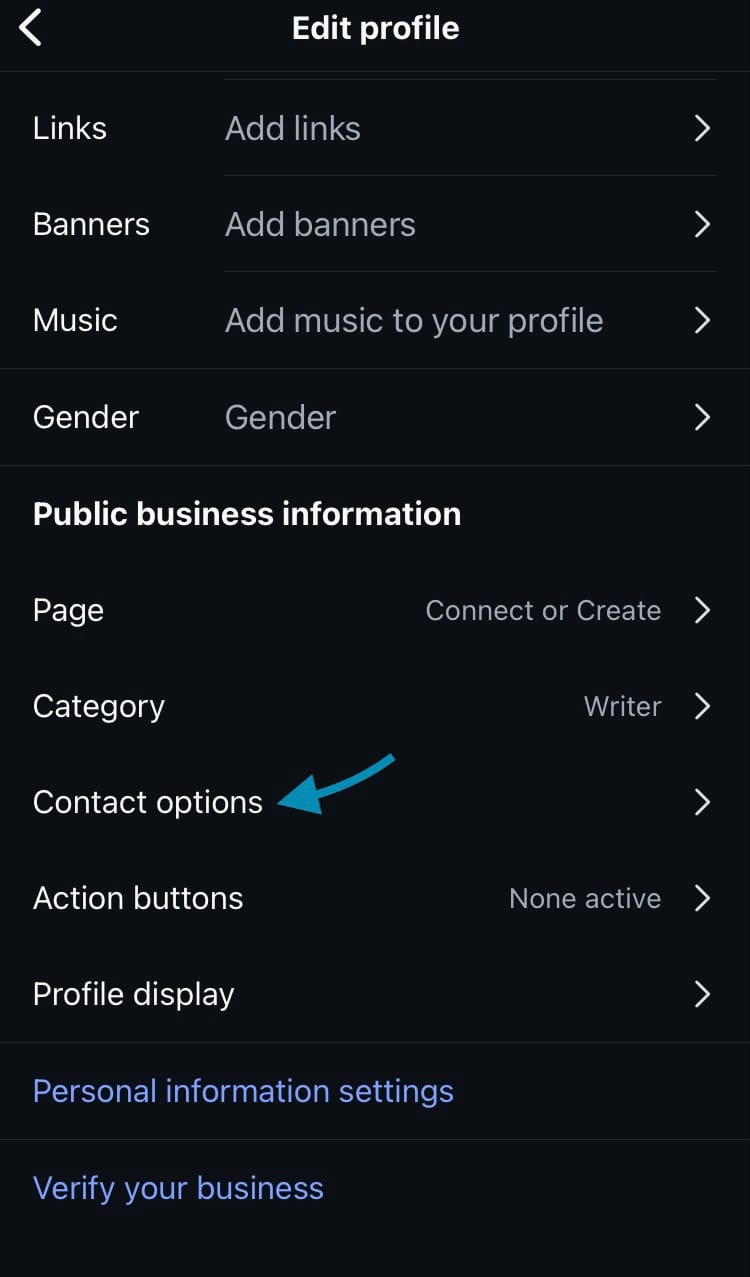
Add your business location to the Instagram map
- Tap ‘Business address’.
- Add a valid address so people can navigate to your location in maps.
- Hit ‘Done’ in the top right-hand corner of the screen.
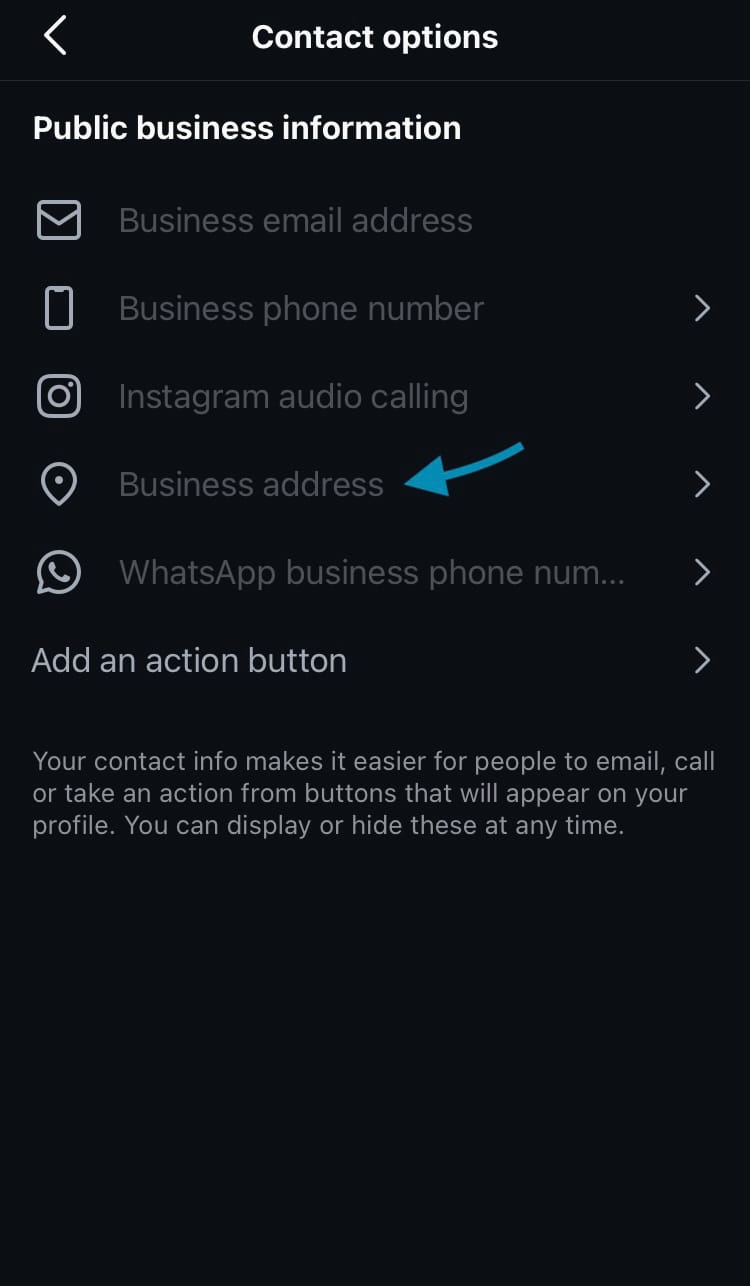
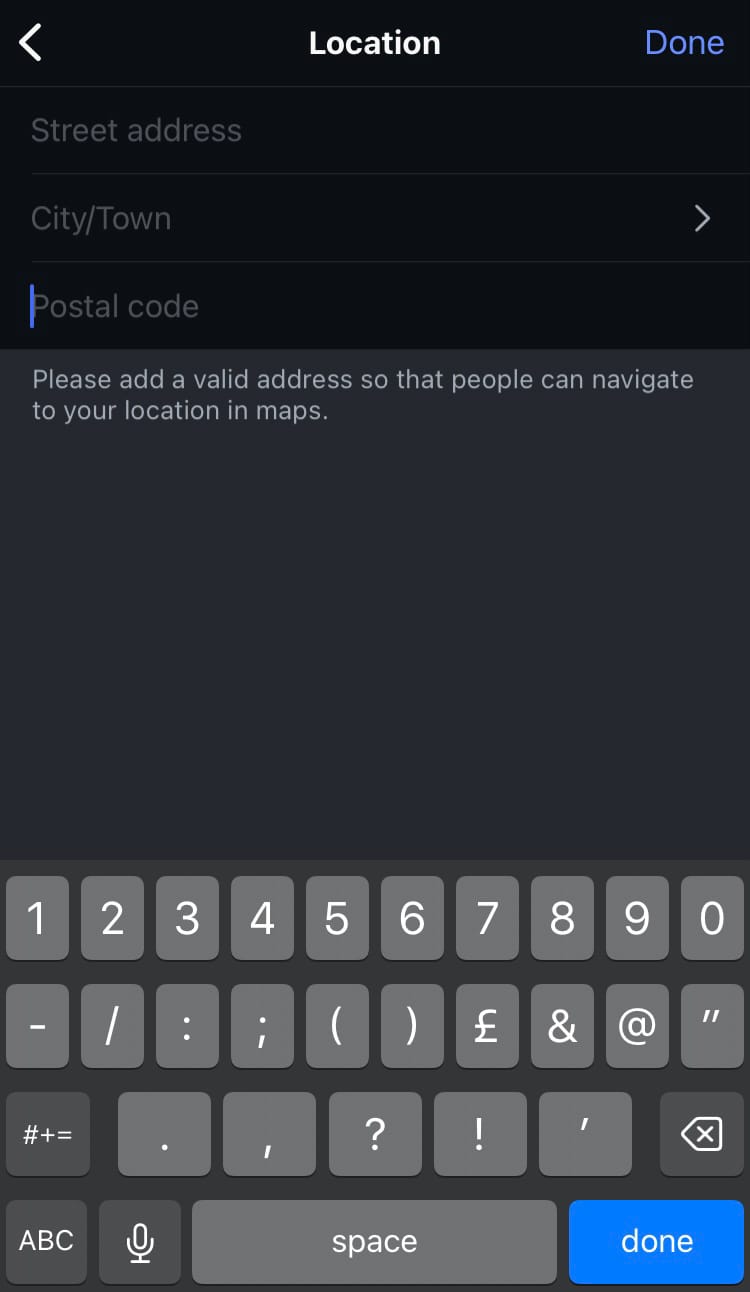
Add your business location to the Instagram map
Get your business noticed on social media by building social media accounts that connect with the right people in the right place. Harness the power of Minter.io - the social media analytics tool for businesses online. Learn about your audience, the posts they relate to, your profile performance and your competitors today. It’s super fast, beautifully laid out and easy to understand. Try it here!
Try Minter.io now →